

 Reply With Quote
Failure to access the Internet is a well known and extremely common problem after Installing Knoppix. See answer #2,Originally Posted by keyur


Hello,
I am a TOTAL newbie to Knoppix. I have this old computer that I installed Knoppix on. Went very well considering I had 64 Megs of RAM on that 266Mhz computer.
My only problem is that there is no internet.
I have installed a DLINK 10/100 Mbps Ethernet PCI card. It comes with a cd that has drivers for redhat (ONLY) and nothing else for linux. It does have drivers for like xp and stuff.
on running the DSL/PPoE and ADSL/PPoE thing it said no ethernet card dettected.
These are the instructions for RedHat on the D-Link CD:
" The procedure to activate DFE-538TX on Red Hat 6.X linux is as follows:
step 1: copy the driver rtl8139.c from driver diskette to you linux.
step 2: compile:
The instruction for compiling the driver is include at the end of
the driver file. (run this instruction at /usr/src/linux)
Or you can use the Makefile included in the driver diskette \Linux.
step 3: insert the driver as module:
insmod rtl8139.o
(run 'lsmod' to see if the module is inserted)
step 4: bind your card to an IP address
/sbin/ifconfig eth0 ${IPADDR} broadcast ${BROADCAST}
netmask ${NETMASK}
(run 'netstat -i' to see if there is a interface 'eth0')
step 5: add your card to IP routing table, then add gateway also your card:
/sbin/route add -net ${NETWORK} netmask ${NETMASK} eth0
(should be able to ping local network now)
gateway:
/sbin/route add default gw ${GATEWAY} netmask 0.0.0.0 metric 1
step 6: start inet deamon.
/usr/sbin/inetd
(you are on the network now)
*make sure that your kernel is built with network, fast_ethernet and module
support. Otherwise, you have to rebuild your kernel.
(1:go to /usr/src/linux directory
2:run 'make menuconfig' or 'make config'
3:mark the options list above.
4:exit and rebuild your kernel.
make dep;make clean;make zImage
the file 'zImage' will be at /usr/src/linux/arch/i386/boot/zImage
5:modify /etc/lilo.conf.(this file specify where kernel image is)
6:run 'lilo' )
You can run 'netconfig' which will do step 4,5,6 for you.
Then just add a line at the beginning of '/etc/rc.d/init.d/network'.
'insmod /your driver path/rtl8139.o'
then your driver will work every time you boot."
My question is this. Can I use the same instructions for knoppix as well or Red Hat is Red Hat only.
Also if I used the .sys and .inf files under the WinXP folder on the CD and used ndiswrapper would that be a bad thing to do.
Any help/commands/suggestions are more than welcome.
I thank anyone who is read this post.
Awaiting any replies.
Thanks a lot again
Failure to access the Internet is a well known and extremely common problem after Installing Knoppix. See answer #2,
---
Verifying of md5 checksum and burning a CD at slow speed are important.
 Posting Permissions


Original Vintage Old Style STANDARD Black CD Jewel Case (Heavy Duty) 90g Lot
$316.95

Vintage GTE XT300 Action Station Terminal 1984 - Tested Works Orig. Box & Foam
$889.00
Vintage Front Bezel Faceplate from a Mini-Tower ECS AL486 Baby AT
$60.00
VINTAGE Custom Desktop No [email protected] 4GB Ram 300GB HDD NVIDIA Win XP Pro
$200.00

Vintage Dilana Black Leather Briefcase / Messenger Bag – Made in Colombia
$85.60
Vintage Bezel, Case, Power Supply from a Mini-Tower ECS AL486 Baby AT
$161.00

Vintage UNIVAC Ferrite Magnetic Core Memory Plated Wire Promotional Sample Cards
$285.00

VINTAGE APPLE COMPUTERS EMPLOYEE / EXECUTIVE LOT PINS, KEY CHAINS, LUGGAGE TAGS
$99.99
Vintage IBM ThinkPad 380Z 560Z Mini Docking Station USB PCMCIA Ethernet 11J8998
$47.99
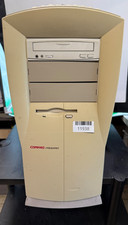
VINTAGE Compaq Presario 4770 DOM-Penti MMX-32MB Ram 3.8GB HDD S3 Trio GFx W98SE
$150.00