-
I receive this error when my BIOS autodetects my disk drives. If I manually detect the drives and save them, I no longer get L 99 99 99...
-
New...
I'm new to this, so I don't know how to change the translation to LBA or manually detect drives... I've got win xp pro and mandrake 9.2 on 2 different hdd using LILO to boot. The HDD are set as master and are on primary IDE channels (I have 4). Any follow-up would be greatly appreciated!
-
Re: New...

Originally Posted by
Snaps
I'm new to this, so I don't know how to change the translation to LBA or manually detect drives... I've got win xp pro and mandrake 9.2 on 2 different hdd using LILO to boot. The HDD are set as master and are on primary IDE channels (I have 4). Any follow-up would be greatly appreciated!
To fix the L 99 99 99... all you need to do is change your mbr boot sector to the partition/drive with windows, or to the boot loader you are using. If you run, for say, the windows 98 cd and boot to dos and run fdisk /mbr and set it to the boot loader drive then everything will work fine. You can also use a system boot disk that has dos and fdisk on it.
-
Re: Lilo 99 Problem and the way I fixed it
Originally Posted by
Wylkroe
I managed to fix my lilo 99 problem by downloading the 1st debian ISO image made a disk and booted to it typed linux and it brought me to the beggining configuration to install linux. As it ran me through the opitions I told it to accept the existing partitions swap etc... then it took me to the LILO configuration it reconfigured LILO with the OS's on my system including my knoppix HD install. Took the CD out and rebooted Lilo appeared with both my WinXP install and Linux.
Without the L 99 99 99 99 99 99 99 99 99. Phew. As for how to fix lilo without the Debian CD I do not know I am just a newbie. Just be careful when it comes to the Partition part you want to use your existing partitions "DO NOT ERASE AND RECREATE THEM!"
the 999999999999999999 error means that your windows MBR was overwritten or deleted. Simply using the recovery console from a windows CD type fixmbr
-
Re: Lilo 99 Problem and the way I fixed it
The "lilo 99" problem occurs, wen mbr damaged.
this often happens if you set the main disk to a partition not the device.
so if you set in lilo.conf somthing like boot=/dev/hda6 you'll get this error.
set boot=/dev/hda instead and run lilo again
or run lilo with -M /dev/hda with same effect.
fgrep
Similar Threads
-
By steveO in forum Customising & Remastering
Replies: 0
Last Post: 03-25-2004, 04:42 PM
-
Replies: 0
Last Post: 02-18-2004, 11:15 PM
-
By hickorynut01 in forum Hdd Install / Debian / Apt
Replies: 4
Last Post: 09-30-2003, 09:31 PM
-
By pat reen in forum General Support
Replies: 3
Last Post: 07-02-2003, 02:13 AM
-
By geebee2000 in forum Hardware & Booting
Replies: 9
Last Post: 05-21-2003, 07:29 PM
 Posting Permissions
- You may not post new threads
- You may not post replies
- You may not post attachments
- You may not edit your posts
-
Forum Rules


SFP TO RJ45 TRANSCEIVER SFP MODULE COPPER SFP OPTICAL PORT TO RJ45 ETHERNET PORT
$7.99

Cisco Acacia DP04QSDD-E25-840 400G QSFP-DD Coherent DCO Transceiver Module
$699.99

NEW Sealed Cisco SFP-10G-LR 10GBASE-LR SFP+ 1310nm 10km *US Shipping*
$24.00
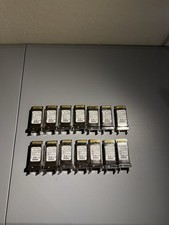
CISCO CVR-X2-SFP10G X2 to SFP+ 10GB 74-6321-03 Converter Module *Lot of 14”
$115.19

Genuine Cisco SFP-10G-SR 0-2415-03 10 Gigabit Transceiver
$5.40

HP 560SFP+ 10GB 2-port PCIe NIC Ethernet ADAPTER 669279-001 w/ (2) 10GB SFP+
$16.99

Intel X520-DA2 10Gb 10Gbe 10 Gigabit Network Adapter NIC Dual Port E10G42BTDA
$28.94
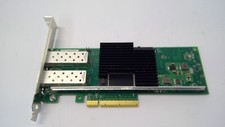
Lenovo 00YK615 Intel X710-DA2 10GbE 2-port SFP+ PCI-E FC Network Adapter NIC
$27.99

Arista SFP-10G-SR 10GBASE-SR XVR-10001-20 850nm SFP+ Optical Transceiver
$30.00

Dell 10 Gigabit SFP+ SR Transceiver 0XYD50 NEW SEALED
$24.99



 Reply With Quote