

 Reply With Quote
vim /usr/sbin/saveconfig
line 136 (or somewhere there), change /mnt/ for /medias/
Unfortunatly it have to be done each time you want to save...


in previous vergions of knoppix i saved my config file to a usb pen. on v5.0 dvd it only gives floppy as a option, any one know why i cant save to hard drive or usb pen anymore? help much appreciated. can still put home directory on usb pen.
vim /usr/sbin/saveconfig
line 136 (or somewhere there), change /mnt/ for /medias/
Unfortunatly it have to be done each time you want to save...
/media/ not /medias/ ...
sorry!
cheers thanks very much will try
Hello katana :)
Did you manage to saveconfig to hd yet?
I tried to do what SebP10 suggested (thank you for the pointing :) but have not succeded :( I failed to save that file probably due to permissions.
Also, I'm not sure what I should put in /media/ . /media/sda2 perhaps? That's what tyhe machine I tried it says it's the ntfs partition where happily it is possible now to write :)
How do I edit the saveconfig file to direct the script to a writable partition like a usbpendrive or the hd?
Philip :)
The /mnt /media in not the problem in V5.0.1, the saveconfig script use /media but only address /media/fd0. There is no other option in the script but the floppy. And since the advent of the 2.6 kernels I have never been able to get it to boot with floppyconfig. I am thinking of doing a search & replace and changing all intances of /fd0 to /sda1.
This may or may not be related. I tried the Knoppix 5.0.1 on my notebook with a n external hard drive attached by firewire. After the DVD booted it showed two partition icons for the internal hard drive, hda1 and hda5 and also an icon for sda1, the external drive. I can open either internal partition just fine (one NTFS, one FAT32). But when I try to open sda1 I get an error message that says that Knoppix is unable to determine the partition type to mount sda1 and that none was provided. It is a NTFS partition, and when I wwent back to XP I could again use the drive just fine.
 Posting Permissions

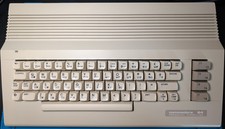
Commodore 64C C64 ASSY 250469 Rev A with Original Integrated Circuits – Tested
$175.00

Pi1541 Zero with Epyx Fastload Hat, Case & 16gb SD for Commodore 64 and 128
$79.99

TeensyROM+ TR+ v0.4 Cartridge for C64/128 - w/ Case & 32GB SD Preloaded
$89.50

Commodore 64 Dead Test & Diagnostic Cartridge & Test Harness Set - USA seller
$39.99
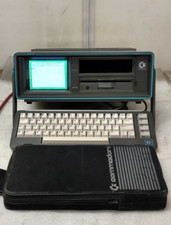
Commodore SX-64 Personal Computer
$600.00

Commodore 64 Serial Cable 6PIN DIN 1541 1571 C64 128 C128 Disk Drive Printer USA
$10.49

Commodore 1541 Emulator PI1541 HAT with ROTARY, OLED screen, USA Seller
$29.99
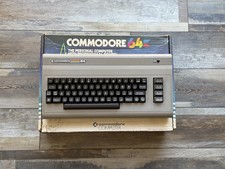
Fully Refurbished Commodore 64 + Original Box | Recapped, Tested, Guaranteed
$299.00

Commodore OS USB | Bootable LIVE + Install | The Ultimate Gaming Linux OS | NEW
$11.99
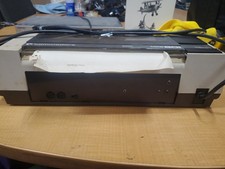
RARE Commodore MPS801 Printer - 1st printer for the 64 - powers on
$70.00