-
Administrator
Site Admin-

Originally Posted by
nycblkboy
I have a router and a cable modem. And yes i'm using a Via RhineII internal ethernet card.
I shut down the cable modem and the router for 5 min. I started the canle modem 1st then waited till the lights stoped flashing then started the router. I ran netcardconfig manually and dhcp and still no internet connection. What is weird id that i can share files with a mac i have on my network.
knoppix@1[knoppix]$ ifconfig
eth0 Link encap:Ethernet HWaddr 00:11:09:03:FA:A7
inet addr:192.168.1.3 Bcast:192.168.1.255 Mask:255.255.255.0
knoppix@1[knoppix]$ netcardconfig
Sending DHCP broadcast from device eth0 OK.
auto lo eth0
Let me know if i'm missing anything
Sure, the network card is clearly working, that was evident from the first post and confirmed here. We can see from what you posted that DHCP is working and you should be configured for the network. So this again gets us back to the router. I don't know how I can be more clear about this: to help you we need to know what equipment you have, in particular what router you have (make and model, maybe even firmware revision). Look through your router configuration and be sure that you don't have any MAC address filtering (NIC hardware address, not related to a MAC computer althugh a MAC computer has a MAC address too) in place or any other security measure in place that might be blocking this connection. This may sound strange, but just because this computer may have worked with Windows do not assume that filters like MAC address filtering can be ignored!
I'm assuming that your MAC is being assigned 192.168.1.2, but it would be nice if you could confirm this and also give us any local IP addresses of any other system that might be on your network.
And you didn't mention actually trying to reset the router (not just a power down, there is usually a recessed buttton to do a full reset, see your router manual for exact details on the steps to take, they sometimes involve keeping the button pressed during a power up).
Similar Threads
-
By solbergg in forum Networking
Replies: 4
Last Post: 03-10-2006, 03:11 AM
-
Replies: 1
Last Post: 12-25-2005, 02:13 PM
-
By jtrain9 in forum MS Windows & New to Linux
Replies: 1
Last Post: 06-09-2005, 05:12 AM
-
By linux03 in forum General Support
Replies: 1
Last Post: 04-14-2003, 10:31 PM
-
By MetalliMyers in forum General Support
Replies: 2
Last Post: 02-28-2003, 03:24 AM
 Posting Permissions
- You may not post new threads
- You may not post replies
- You may not post attachments
- You may not edit your posts
-
Forum Rules


Vintage Intel Mainframe Server MCM CPU Substrate Lot Prototyping PGA Validation
$500.00

HP 5060-8359 8K Semiconductor Memory Module 5080-9747 Vintage HP Computer
$157.30

HP 13210-60001 Disc Drive Interface PCB HP 7900A 7901A Vintage
$157.93

Vintage Telex 952003-112 Mechanical Terminal Keyboard IBM 3270 Mainframe DB25
$799.00

Vtg IBM Mainframe Prototype Chip Module Lot 146 pc 1988-1993 ES/9000 Lab Arcive
$649.00

Computer Tape Reel 1600 BPI 9 Track Vintage Mainframe LOT OF 2 WITH BOX
$89.95
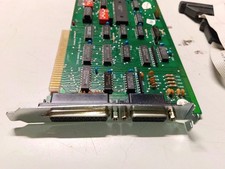
Magitronic AT-I/O 8-Bit ISA Parallel Serial Game Port Card XT AT PC Vintage PC
$46.99

Vintage Mainframe Computer Disk Drive Pack Dyson SMD 5 Level Disks
$79.00
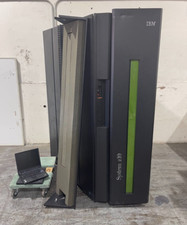
IBM System Z10 Type 2098 Mainframe (As-Is)
$6999.99

IBM 3274-51C Controller 3270 mainframe 8" floppy tested to power on
$500.00



 Reply With Quote