

Hi, I've upgraded from 3.4 to 3.7 (old system), and decided to try debian-style install. OK generally, but usb mass storage camera doesn't automount on the desktop when connected as it does in regular knoppix-style HD install. What configuration do I need to do to get it to behave the same way?
I've got the following in /etc/fstab:
/dev/sda1 /mnt/camera vfat auto,user,noexec 0 0
Device detection is OK, the camera is automatically /dev/sda1, I can manually mount the camera. I want to set up so the camera automounts and an icon pops up on the desktop like in regular knoppix.
Thanks, Johnpipe
 Posting Permissions

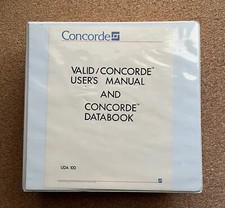
Vintage 1984 Seattle Silicon Technology Inc. Valid Concorde ASIC User’s Manual
$299.00
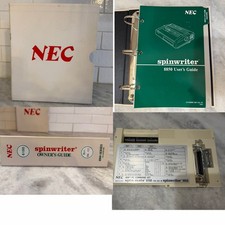
RARE VTG NEC IBM PC COMMAND SET SPIN MATE 6150 + SPINWRITER 8850 USER GUIDE
$199.95
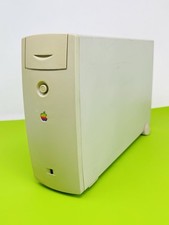
Vintage Apple M2115 SCSI External Hard Drive for Macintosh POWERS ON
$119.89
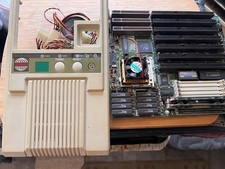
Vintage ECS AL486 Baby AT Motherboard Socket 3 Intel i486 + Front Bezel
$175.00

Vintage Adobe Illustrator 6.0 Upgrade for Macintosh - Manuals & Software
$199.00
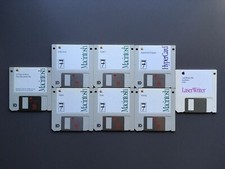
Vintage Software - Apple Macintosh System 7 & Laser Writer Floppy Disks Classic
$99.00
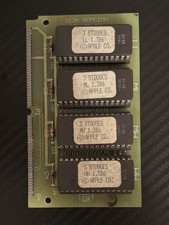
Vintage 1988 APPLE MACINTOSH “3 Stooges” 512K Romsimm AP1127-02 VERY RARE
$399.00
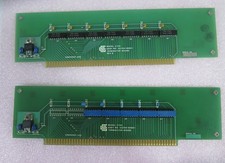
Vintage California Computer Systems Boards for S-100 Terminiator Cards
$145.00
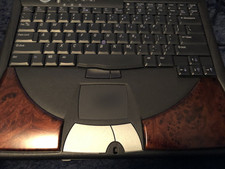
DELL INSPIREON 8200 VINTAGE LAPTOP
$85.00
Vintage Key Tronic LT DESIGNER Mechanical/Rubber Dome Keyboard DIN-5 AT/XT
$50.00


 Reply With Quote