

Hi, I've upgraded from 3.4 to 3.7 (old system), and decided to try debian-style install. OK generally, but usb mass storage camera doesn't automount on the desktop when connected as it does in regular knoppix-style HD install. What configuration do I need to do to get it to behave the same way?
I've got the following in /etc/fstab:
/dev/sda1 /mnt/camera vfat auto,user,noexec 0 0
Device detection is OK, the camera is automatically /dev/sda1, I can manually mount the camera. I want to set up so the camera automounts and an icon pops up on the desktop like in regular knoppix.
Thanks, Johnpipe
 Posting Permissions


Supermicro SuperServer E300-15 - SYS-e300-9C - 16GB RAM 240GB Samsung SSD
$199.99

HP Proliant MicroServer Gen 8 2.23GHz Xeon 16GB RAM NO SSD
$249.99

$280.00

Supermicro CSE-937 3U Storage Chassis No CPU No HDD No Ram Tested & Reset
$129.99

Supermicro 2U X10DRU-i 2x E5-2680 v3 2.5ghz 32gb Ram 240gb SSD 2x GPU *READ*
$369.99
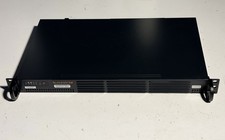
Supermicro SuperServer 504-2 X11SCL-1F E-2124 3.3GHz 32GB DDR4 NVMe 512GB
$650.00

New Barebones Supermicro 5019D Server, 4C/8T Xeon D-2123T, 1U Rackmountable, 10G
$449.99

Supermicro 5019D-4C-FN8TP Xeon D-2123IT (4C/8T) 64GB DDR4 10GbE 480GB 1U Server
$689.00

Nasuni NF-50 Supermicro Server, Atom CPU C2558, @ 2.40GHz, 8GB RAM-No HDD/OS/AC
$250.00

Supermicro 938-16 16-LFF MicroCloud SuperServer 5038MR-H8TRF *No Blade Servers*
$159.99


 Reply With Quote