-
autodetecting devices
I have one last problem, to make my knoppix home dir prmanent I've commented that rsync block in 45xsession, problem is, now when I boot into my remastered CD there are no device icons on the desktop... (those icons for hard disk drives, cdroms and such...) They all appear at once when I insert a new device in to the computer such as the USB memory stick, I want them to be there from the beggining... Thx
-
I believe they are not appearing because you have commented out the rsync block in 45xsession. As you are probably aware, the rsync block copies /etc/skel to /home/user (normally knoppix) on boot up. Contained in /etc/skel are some KDE configuration settings that are not being synced as well.
What is your requirement for a permanent home directory? Or do you mean persistent home directory of which there are cheat codes available for?
Similar Threads
-
By fjennin in forum Hdd Install / Debian / Apt
Replies: 0
Last Post: 10-10-2005, 12:13 AM
-
By britt in forum Hardware & Booting
Replies: 0
Last Post: 02-10-2005, 02:42 PM
-
By dr_rude in forum General Support
Replies: 0
Last Post: 10-08-2004, 03:27 AM
-
By knoob in forum Hardware & Booting
Replies: 0
Last Post: 02-11-2004, 01:58 AM
-
By surge84 in forum Hardware & Booting
Replies: 1
Last Post: 12-08-2003, 09:59 AM
 Posting Permissions
- You may not post new threads
- You may not post replies
- You may not post attachments
- You may not edit your posts
-
Forum Rules


Supermicro 2U X10DRU-i 2x E5-2680 v3 2.5ghz 32gb Ram 240gb SSD 2x GPU *READ*
$369.99

HP ProLiant MicroServer Gen8 G1610T @2.3 GHz, 16GB, 712317-001 NO HDD/OS
$199.00

Supermicro E200-8D Barebones Server Chassis Xeon D-1528 X10SDV-6C-TLN4F 2x10GbE
$445.00

Nasuni NF-50 Supermicro Server, Atom CPU C2558, @ 2.40GHz, 8GB RAM-No HDD/OS/AC
$250.00

New Barebones Supermicro 5019D Server, 4C/8T Xeon D-2123T, 1U Rackmountable, 10G
$449.99

HPE ProLiant MicroServer Gen10 Opteron X3421 32GB DDR4 Intel X550 10GbE No HDD
$599.00
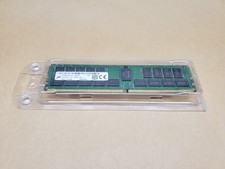
32GB Micron MTA36ASF4G72PZ-3G2E2UI PC4-3200AA-RB2-12 DDR4 Server Memory | Tested
$435.00
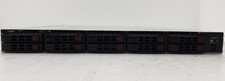
Supermicro SYS-1018R-WC0R 1U Rack Server Xeon E5-2620 v4 64GB DDR4 RAM No HDD.
$289.99

Supermicro CSE-937 3U Storage Chassis No CPU No HDD No Ram Tested & Reset
$129.99

Supermicro 1U Network Server Appliance 16GB RAM 800GB SSD 6 LAN Ports Powers On
$450.00



 Reply With Quote