

 Reply With Quote
You need to play with linuxrc, inside minirt.gz.


I want to change the text displayed during boot to green. Everything after the boot loader, and prior to x.
I havent found any info on it, but it was done on knoppix I recall.
Can someone point me in the right direction?
i am running Debian Etch 2.6.15
You need to play with linuxrc, inside minirt.gz.
thanks, anything more specific?

search this forum for linuxrc and then google search for bash shell and colors.Originally Posted by hyperlife
I did that and found next to nothing. After playing around with it for an hour or two I discovered it's pretty easy. I'm sure UnderScore and other could have answered this off the top of thier heads - I'm not sure why they don't. Anyway here it is, so we can check it off the list as something that's now well documented:
1) find minirt.gz (or minirt24.gz, etc depending on your version) in your boot directory
2) Bash commands:
gunzip minirt.gz (or minirt24.gz, etc) # extract the contents, it will extract as a single file
mkdir temp # create a temporary directory as a mount point for the file
mount -o loop minirt temp # mount the extracted contents into the 'temp' directory
vi temp/linuxrc # edit the bash script containing the boot sequence
3) while editing linuxrc (last step above) you should be able to easily locate the part you want to change. Save your changes.
4) umount temp
5) gzip -9 minirt (or minirt24, etc. - whatever the filename is)
6) You're done. If you were smart you did this to a copy of the original. Rename the original something else as a backup.
Frankly I've extracted the 'linuxrc' from my 3.8.2 install and it looks like something poor:
Maybe a useful file to hack is '/etc/init.d/knoppix-autoconfig'.Code:#!/bin/sh # # $Id: linuxrc,v 1.11 2004/04/26 12:04:46 herbert Exp $ export PATH=/sbin:/bin mount -nt proc proc proc root=$(cat proc/sys/kernel/real-root-dev) echo 256 > proc/sys/kernel/real-root-dev mount -nt tmpfs tmpfs bin || mount -nt ramfs ramfs bin echo $root > bin/root
In it there is stuff like the colored kernel version prompt at boot:
Code:KERNEL="$(uname -r)" echo "${GREEN}Running Linux Kernel ${YELLOW}$KERNEL${GREEN}.${NORMAL}"
 Posting Permissions

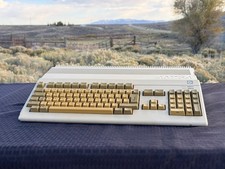
Commodore Amiga 500 - UK/PAL - green screen - for parts/repair – case damage
$149.00

Framethrower, Amiga HDMI output via a PiStorm A500 A2000
$40.00

Spherical Worlds Commodore Amiga CD-Rom Version New Sealed Amiga 500-4000 Rare
$215.00
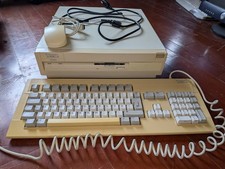
Commodore Amiga 3000 Computer 25MHz '030, 6MB, BlueSCSI, Mouse & Keyboard
$2399.99

DKB MegAChip for Amiga 2000/500 2MB Chip Ram expansion with 8375 Agnus Tested
$285.00

Microbotics Starboard 2MB + SCSI Sidecar for Amiga 1000 Vintage Computer READ
$219.00
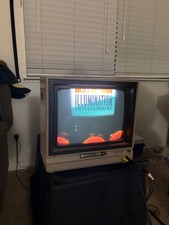
Vintage Commodore 1702 CRT Video Monitor 1984 for C64 Amiga Retro Gaming Tested
$300.00
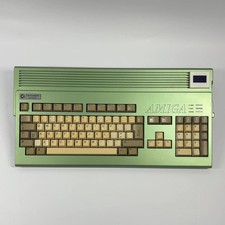
$999.99

Vintage Amiga Perfect Sound Digital Sound Sampler With Adapter Untested
$100.00

ZuluSCSI Compact RP2040 - an affordable SCSI-2 (and 1) emulator w/ USB-C
$45.00