

 Reply With Quote
To get around it and boot to a working system with DHCP diabled, use the boot cheatcode:
knoppix nodhcp


I have a linksys wireless router and a linksys wmp54g wireless card
When I try to start knoppix 5.0 and it reaches the networking part, it says
eth0 detected
dhcp broadcasting for ip
udevd - event[3258]: wait for sysfs: waiting for 'sys/class/net/eth0/device/driver' failed
Nothing seems to happen after that. I'm stuck.
I wonder if it's because my router doesn't broadcast the ssid.
Would this be the case?
What do I do?
To get around it and boot to a working system with DHCP diabled, use the boot cheatcode:
knoppix nodhcp
I tried the nodhcp cheat.
The system then booted to a full screen, single user terminal window.
It was not obvious to me what to do to get out of this.
I'm probably missing something really simple.
The reply I posted a couple minutes ago was innaccurate. I must not have been paying careful attention yesterday when I tried nodhcp on my own.
I just tried again. The last thing that appears is this.
probing/loading agp modules udevd_event[3391]: wait for sysfs: waiting for '/sys/c;ass/net/eth0/device/driver' failed.
It's not just you. I have the same problem with the Knoppix 5.01 DVD I just downloaded. It doesn't appear to have to do with DHCP, from other bits of information I've gathered using Google. In your case and mine, it is a driver issue.
I get the following:
udevd-event[3788]: wait_for_sysfs: waiting for '/sys/class/net/eth1/device/driver' failed
So I imagine that the solution involves modifying the ISO image to include the necessary drivers?
Both your card and mine use the same chipset, the Ralink RT2500. There is a project underway to make linux drivers that has met with some success, but it's far over my newbie head as to how to use them with the Knoppix DVD.
Official Drivers (old): http://www.ralinktech.com/supp-1.htm
New Drivers (beta): http://rt2x00.serialmonkey.com/wiki/index.php/Main_Page
It would appear that whichever you choose, they need to be compiled.
I'm just wondering if there is a way to skip network detection completely without skipping detection of other devices?
Booting with the nodhcp cheat will work in knoppix 4.0. I downloaded the cd and tried it. But, of course, there is no internet. It looks like we are stuck.
Another post
http://www.knoppix.net/forum/viewtopic.php?t=24718
seems to suggest that there are a lot of problems with wireless.
I have problems booting CD/DVD Knoppix 5.0.2. After starting "autoconfiguring devices" the computers hangs-up. What shall I do?
Thanks!
 Posting Permissions


Genuine Cisco SFP-10G-SR 0-2415-03 10 Gigabit Transceiver
$5.40

CISCO 10GBASE-SR SFP "Lot of 4” SFP-10G-SR
$47.99

NEW Sealed Cisco SFP-10G-LR 10GBASE-LR SFP+ 1310nm 10km *US Shipping*
$24.00

Cisco Acacia DP04QSDD-E25-840 400G QSFP-DD Coherent DCO Transceiver Module
$699.99

SFP TO RJ45 TRANSCEIVER SFP MODULE COPPER SFP OPTICAL PORT TO RJ45 ETHERNET PORT
$7.99

Intel X520-DA2 10Gb 10Gbe 10 Gigabit Network Adapter NIC Dual Port E10G42BTDA
$28.94

HP 560SFP+ 10GB 2-port PCIe NIC Ethernet ADAPTER 669279-001 w/ (2) 10GB SFP+
$16.99

Lot of 5 Cisco 10G SFP+ 850nm 300m Transceiver Module P/N: SFP-10G-SR-10-2415-03
$15.00

Cisco WS-C3650-12X48UR-L 48-Port Stackable Layer 3 8x10G SFP+ Port Switch
$129.99
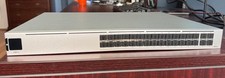
Ubiquiti Unifi USW PRO AGGREGATION 28x10Gbe 4x25Gbe QSFP28 Layer 3 Switch
$750.00