-
Senior Member
registered user
Here's a couple of things to try.
First, please post what version of knoppix and your hardware setup including your network equipment.
Of course you've checked the connection settings in edit, preferences in firefox.
If you want to monitor the network traffic you could try using ethereal:
First you need to set a root password: k-->knoppix-->rootshell
type: passwd , enter a password then minimize the window
Then start ethereal, k-->internet ethereal. Enter the password you just set.
Click capture, options and check the box for Update packets in real time , and then click the box for Automatic scrolling of live capture, then click the start button.
Now start firefox . Take a look at the ethereal output and see if anything suggests what the problem might be. you can stop the capture and scroll up to look over things.
Theres also another browser you can try: Lynx, which is not graphical but it might be interesting to see if it works. k-->internet--lynx.
HTH
Similar Threads
-
By medwards67 in forum Customising & Remastering
Replies: 0
Last Post: 10-20-2004, 03:36 PM
-
By cyber_moron in forum Customising & Remastering
Replies: 2
Last Post: 05-08-2004, 02:39 AM
-
By lark in forum The Lounge
Replies: 1
Last Post: 03-28-2004, 03:55 AM
-
By porchy in forum General Support
Replies: 0
Last Post: 03-20-2004, 03:13 PM
-
By ivansv in forum General Support
Replies: 7
Last Post: 06-03-2003, 11:04 PM
 Posting Permissions
- You may not post new threads
- You may not post replies
- You may not post attachments
- You may not edit your posts
-
Forum Rules


S-100 Vector Graphic 12K PROM/RAM Board (Altair, IMSAI)
$99.95

S-100 Vector Graphic 64K Ram Board (Altair, IMSAI)
$99.95

Vintage Digital Research ZSID 1.4 8" Floppy Disk CP/M Z80 Software S-100 Altair
$69.99
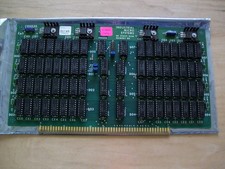
S-100 Industrial Micro Systems 8K Static Ram (IMS, Altair, IMSAI)
$69.95

Altair MITS S100 Backplane 8080A S-100 Replica IMSAI CP/M (bare board)
$40.00

BYTE Magazine Cover Jan 1977 Canvas Print 8"x10" Retro Computer Altair 880
$7.00
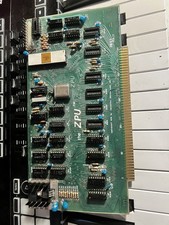
TDL “the ZPU” rev 1 February 1977 s100 cpu board
$345.00

S-100 backplane motherboard bare PCB 9 slot (for Altair/IMSAI)
$34.99

CP/M 86 1.1R 8086 Highmonitor 8 Inch Floppy Diskette 80s IMSAI Altair
$29.99

ALTAIR Bitcoin Mining Solutions PDU IEC SERIES 100-250V 30A/24A Power Distribute
$99.00



 Reply With Quote