

 Reply With Quote
That error is telling you that you're trying to use a frequency that your monitor cannot handle. Try booting like this:
boot: knoppix vga=normal
Also check out the other Cheat Codes


First try to boot Knoppix fails with big red box with an error message. I have no idea what it means or how to 'fix' it.
Error states: "Attention: Signal frequency is out of range - Please change signal timing"
Thx, RonE
That error is telling you that you're trying to use a frequency that your monitor cannot handle. Try booting like this:
boot: knoppix vga=normal
Also check out the other Cheat Codes
That's the monitor erroring out. You can also try using the key combination [Ctrl]-[Alt]-[+] (the + key on the keypad). Repeated presses cycle through all three pre-defined resolutions. the monitor may like one that you can stick with.Originally Posted by RonE
 Posting Permissions


OPNsense pfSense 8-Core Atom C3758 2.2GHz 8GB DDR4 64GB SSD 8x NIC QAT AES VPN
$155.00

OPNsense Firewall 8-Core Atom C3758 4GB DDR4 RAM 64GB SSD 8x 1Gbe QAT AES-NI VPN
$95.00

SonicWall TZ280 Firewall 03-SSC-6933 Advanced Edition 3YR NEW SEALED
$999.99

OPNsense Firewall 16-Core Atom C3958 16GB DDR4 RAM 64GB SSD 8x 1Gbe QAT AES-NI
$195.00

HP 2x 10GB OPNsense Quad Core i5-8500 8GB RAM 3Port Gigabit Firewall AES-NI SSD
$199.95

Fortinet FortiGate 60F FG-60F UTM UTP License Until 2027 Network Security FW VPN
$229.99
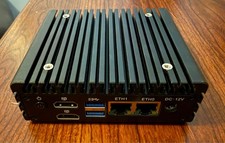
CWVK X86-P2 Fanless Firewall Mini PC J4125 16GB RAM Dual Intel i226-V 2.5GbE
$184.99
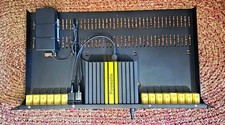
Firewalla Gold Plus 2.5gb W/Rack Mount Kit W/Keystones and Original hardware.
$500.00

Barracuda NextGen CloudGen Cloud Based Firewall F280 BNGF280a w/ 8.3.1 Firmware
$89.99

Zero Trace Pen: All-in-one Tor Network Anonymous Drive + Cryptocurrency Wallet
$147.00