

Hi all,
I use USB Flash Drive for Knoppix ,but it is mounted as read only media So the question is: how to set Knoppix's USB mounting from read-only to read-write. What script does mount Knoppix's media ?
Cheers!
---
Verifying of md5 checksum and burning a CD at slow speed are important.
Right click on the desktop icon of the drive and select "mount". Right click on the desktop icon again and select "Actions --> Make drive writable".
no, the problem is not so silly as You thought.
Harry, I You cant unmount partition that is used by the filesystem at the same time(in my case it is a usb stick wtih knoppix).
ockham23, yes i agree , but the usb is my knoppix media.
The question was: how to change the default read-only mode mounting to read write, not by simply unmouting and mounting in other mode, but changing the script which mounts drive on system init. Where could i find mentioned script ?
P.
You didn't make it clear that you actually had knoppix on the USB device with the previous post. You saidOriginally Posted by kermitq
That not quite the same as saying that you boot Knoppix from the USB device, it just implies that you have a USB stick that you want to use for Knoppix, perhaps to save data or programs.
I think you may have to partition the device as two partitions, on for the system and one for data.
Yes, I've just made two partitions.
But, I still return to my previous question. Is it possible set Knoppix for mounting its media to read/write mode ?
Maybe I understand what you mean.
I've experienced this isssue with 'exhotic' devices. With 'exhotic' I mean not simply usb_key but such devices as PSP(sony). Knoppix installs (not live_cd, not tried) completly fails to mount it. I can mount such devices only with a kanotix install, but they will be recognized as 'read_only_file_ system', and after an 'ls -l /media/sda1' check I have a result like:
And even after become root and giving a 'chmod 777 /media/sda1' command the shell again says 'read-only file system!'.Code:-rx-r------- guest guest .....
This not always happen and once I was able to mount a PSP on knoppix/kanotix_install with r/w rights.
To avoid the only_read_fs_issue maybe is necessary crete a filesystem from scratch [mkfs.vfat...], but not tried, being PSPs of costumers and not mine.
so the media on which knoppix is burned/copied ( cd, or usb ) cant be mouted as read-write even after changing some its internal scripts ?
Last chanche (maybe), check '/etc/fstab' root mountpoint that being without read_only flag.
This is the file you call 'script' (actually it isn't a script, but a 'config file').
The below is mine, you can notice the 'ro' only in case of faulting-reboot, not default.
Code:/dev/hda2 / ext3 defaults,errors=remount-ro 0 1
yes i know what config file is
But knoppix adds autmaticaly lines to fstab. The Knoppix CD is add to fstab dynamically. and it is added as read-only (nothing strange if it is CD - but I use Knoppix on USB pendrive). I'm looking for scripts which adds these lines to fstab config file. Maybe in that script I could change mounting to read-write.
P.
 Posting Permissions

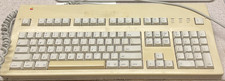
$50.00
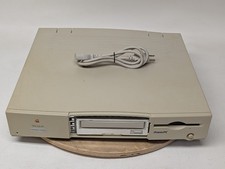
Vintage Apple Macintosh Performa 6115CD M1596 Desktop Computer Power Tested Only
$89.96

Lot of 3 VIntage Apple Computer Rainbow Logo Sticker Decal Macintosh 1980s NOS
$7.00
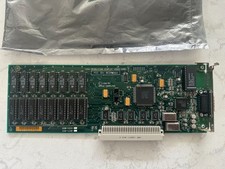
Vintage Apple Macintosh High Resolution Nubus Video Card 820-0185-08
$119.00
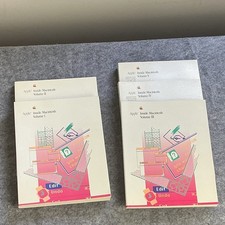
Apple Vintage Inside Macintosh Book Set Volumes I, II, III, IV & V December 1988
$149.00

Vintage Apple USB Mouse M4848 Bondi Blue iMac G3 Hockey Puck - Tested Working
$22.99
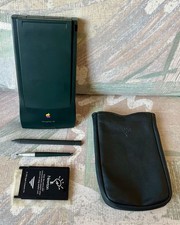
Vintage Apple Newton MessagePad 130 PDA - Working, Clean + Batteries & Extras
$149.99
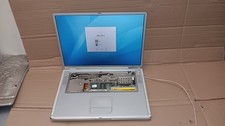
Vintage Apple PowerBook G4 Titanium Laptop 800 MHz 60 GB HD 15" LCD Screen A1001
$79.99
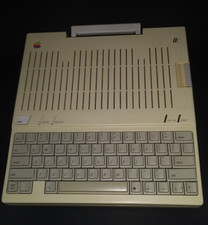
Apple iic A2S4000 vintage computer
$200.00
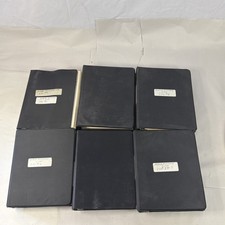
Vintage Apple Assembly Line Newsletter Vol: 1,2,3,4,5,6,7 From 1984
$179.99


 Reply With Quote
