-
WG311T WEP working under Knoppix 5.0
First of all, thanks goes to "UnderScore" for providing information, commands and steps.
This is my 2nd day messing around with Knoppix 5.0 and linux overall and I've managed to get my wireless Netgear WG311T (108 MBps) card worknig. Here's how I did it and it's really simple.
Step 1: Record your WEP key (Hex key not ascii) and note what security mode it's set to: Open or Restricted (For this example, it's set to Open)
Step 2: Open up KwifiManager under Knoppix > Network/Internet > KwifiManager (Wireless Lan Manager)
Step 3: From KwifiManager Interface select > Settings > Configuration Editor
Step 4: Check the box "Use encryption" then next to it click "Configure"
Step 5: The option "Crypto Mode", select which security mode you chose, for this example I select Open.
Step 6: Under "Crypto Keys" > Key 1 > type in your Hex code
Step 7: Hit "Ok", "Apply" then click on "Activate" Wait a moment and it should pickup your Router's Signal
Step 8: Click on Konsole > type this command into the konsole > netcardconfig
Step 9: Select your Wireless device (in this case it's ath0),
when prompt "Use DHCP Broadcast" Click Yes, it shoud config your settings for you.
Step 10: If all went well you should attain an Local Ip and be able to surf the net now.
Note: For Step 9 if you can't select your device then open up konsole then type in the following command:
sudo kwrite /usr/sbin/netcardconfig
Once that is done, find the line code:
NETDEVICES="$(cat /proc/net/dev | awk -F: '/eth. tr.wlan.:/{print $1}')"
and input ath.: between "eth.:" and "tr.:" so your code should look like this:
NETDEVICES="$(cat /proc/net/dev | awk -F: '/eth.ath.tr.wlan.:/{print $1}')"
Save and exit and repeat Step 9.
If you still get an error but you're Kwifimanger says you're connected but no local ip that usually means that you have set your WEP key wrong. Please read the steps carefully. Thank you.
PS. Off topic but when I connected to Networkd Neighborhood and browse my 2nd computer (XP PRO) I was able to search everyfolder and not just the shared only folders, which is cool.
You're welcome to correct me or offer other steps to help fellow members get connected to the web.
-
Administrator
Site Admin-
Please consider putting this in the wireless networking section of the wiki, where it will be easy for people to find in the future.
Similar Threads
-
By dumbnoobie in forum Hdd Install / Debian / Apt
Replies: 2
Last Post: 09-29-2006, 02:17 PM
-
By PanMan in forum Hdd Install / Debian / Apt
Replies: 2
Last Post: 08-05-2005, 09:25 PM
-
By phoenix07 in forum Networking
Replies: 3
Last Post: 04-09-2004, 10:48 AM
-
By waynejkruse10 in forum General Support
Replies: 3
Last Post: 10-24-2003, 10:36 PM
-
By Tortoise in forum Hardware & Booting
Replies: 6
Last Post: 06-04-2003, 03:34 AM
 Posting Permissions
- You may not post new threads
- You may not post replies
- You may not post attachments
- You may not edit your posts
-
Forum Rules


Genuine Cisco SFP-10G-SR 0-2415-03 10 Gigabit Transceiver
$5.40

NEW Sealed Cisco SFP-10G-LR 10GBASE-LR SFP+ 1310nm 10km *US Shipping*
$24.00

Cisco Acacia DP04QSDD-E25-840 400G QSFP-DD Coherent DCO Transceiver Module
$699.99

Cisco WS-C3650-12X48UR-L 48-Port Stackable Layer 3 8x10G SFP+ Port Switch
$129.99

SFP TO RJ45 TRANSCEIVER SFP MODULE COPPER SFP OPTICAL PORT TO RJ45 ETHERNET PORT
$7.99

Intel X520-DA2 10Gb 10Gbe 10 Gigabit Network Adapter NIC Dual Port E10G42BTDA
$28.94
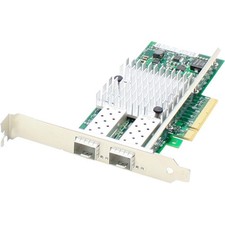
AddOn 10Gbs Dual Open SFP+ Port PCIe 2.0 x8 Network Interface Card w/PXE boot
$383.99

HP 560SFP+ 10GB 2-port PCIe NIC Ethernet ADAPTER 669279-001 w/ (2) 10GB SFP+
$16.99

Arista SFP-10G-SR 10GBASE-SR XVR-10001-20 850nm SFP+ Optical Transceiver
$20.70

Dell 10 Gigabit SFP+ SR Transceiver 0XYD50 NEW SEALED
$24.99



 Reply With Quote