-
Senior Member
registered user
gadgerama, not quite sure what the problem is...
I am running FF v1.5.0.7 - Hard Drive Installed
When I click on Edit, Preferances, go to the Advanced tab, and then the Update tab...
under "Automatically check for updates to:" - "Firefox" is not checked, and greyed out as well - but, I do have ability to check/uncheck the options "Installed Extensions and Themes" as well as "Search Engines"
Not sure about the chown you are doing, and not sure on the path you are using...
If I was going to guess, it has to be either in your /home/ area for privs, or your chown should use something like root:[some group] - like users or something, and add your users to the /etc/group file to include the username in the group 'users' ? i.e. add user 'sammy' to the list in /etc/group entry 'users' - then do a chown root:users
As it stands, I think your chown of root:root just locked out ANYONE from doing a update without being ROOT in firefox, if it did anything at all...
Not sure if I helped, or not, or just gave you more questions?
MS Cuddles
-=- Come to the Dark Side, we have penguins -=-
Similar Threads
-
By gccradioscience in forum Ideas
Replies: 0
Last Post: 04-03-2008, 12:16 AM
-
By sdat1333 in forum Hdd Install / Debian / Apt
Replies: 4
Last Post: 11-21-2004, 08:13 PM
-
By phaedral in forum Hdd Install / Debian / Apt
Replies: 3
Last Post: 09-09-2004, 03:06 PM
-
Replies: 39
Last Post: 07-24-2004, 07:56 PM
-
By ktheking in forum Customising & Remastering
Replies: 0
Last Post: 06-15-2004, 11:30 PM
 Posting Permissions
- You may not post new threads
- You may not post replies
- You may not post attachments
- You may not edit your posts
-
Forum Rules


VINTAGE DEC LA34/ LA100 SERIES KEYBOARD W/NUMERIC PAD 70-17864-01C
$140.00

Vintage DEC Digital Starion 200 Desktop PC Powers On Boots To BIOS NO HDD - DW
$269.99

Vintage Digital DEC 54-15688 rainbow color graphics option
$129.99

Vintage DEC/Mostek memory systems MK 8015 AA-00 6805-08015 1100 REV C(B7)
$279.99

Vintage DEC LK201 Computer Keyboard Used
$59.97

Vintage DEC PDT11 (VT100 Series) Terminal (Powers On).
$550.99
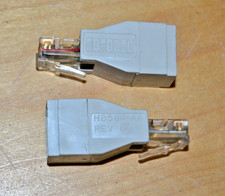
lot of 2 ~ Vintage Digital DEC ~ H8584-AA ~ 8-pin MP to 6-pin MJ **NOS**
$18.99

VINTAGE DEC VX20A-OP ACCELERATOR, 54-20309 FOR VXT2000 SYTEMS
$95.00

Vintage DEC Digital VR319-DA 19" High Resolution Monochrome CRT Monitor - Tested
$180.00
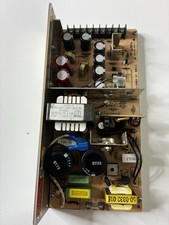
Vintage DEC LR150-11 Power Supply 70-0464-01 Rev C Sun Shoebox Micropolis
$140.00



 Reply With Quote