-
Junior Member
registered user
Unable to write persistant files to HDD
 I'm running Knoppix 3.8 Live CD on a Win95 Pentium 200MHz pc. I have only 64 meg of ram.
I'm running in text mode to conserve memory. Trying to make a swapfile. The mkdosswap will not create it. See posting in Boot/Hardware problems - Unable to create swapfile. I've tried all recomendations and nothing works.
This is the sequence:
dd if=/dev/zero of=/mnt/hda1/swap bs=1M count=65
ls -l shows the swap file was created on /mnt/dev/hda1
it appears as though the file was created but I did not see any action on the HDD led.
When I reboot Knoppix in text mode the file is gone. ls -l now shows Total 0.
Why can't I write a file to the hard drive? /mnt/had1 is the fat32 partition is it not?
The docs with knoppix indicate that the knoppix.swp file can be deleted after terminating knoppix. Why can I not see this file under Windows? Where are the files I'm creating written if not to the HDD?
-
Senior Member
registered user
Re: Unable to write persistant files to HDD

Originally Posted by
Ham13
I'm running Knoppix 3.8 Live CD on a Win95 Pentium 200MHz pc. I have only 64 meg of ram.
I'm running in text mode to conserve memory. Trying to make a swapfile. The mkdosswap will not create it. See posting in Boot/Hardware problems - Unable to create swapfile. I've tried all recomendations and nothing works.
This is the sequence:
dd if=/dev/zero of=/mnt/hda1/swap bs=1M count=65
ls -l shows the swap file was created on /mnt/dev/hda1
it appears as though the file was created but I did not see any action on the HDD led.
When I reboot Knoppix in text mode the file is gone. ls -l now shows Total 0.
Why can't I write a file to the hard drive? /mnt/hda1 is the fat32 partition is it not?
The docs with knoppix indicate that the knoppix.swp file can be deleted after terminating knoppix. Why can I not see this file under Windows? Where are the files I'm creating written if not to the HDD?
/mnt/hda1 "is" the fat32 partition only after you have mounted the partition. Before that it's just a normal directory and everything you put there will disappear when you reboot.
So what you need to do is:
Code:
mount /dev/hda1 /mnt/hda1
dd if=/dev/zero of=/mnt/hda1/knoppix.swp bs=1M count=65
sync
umount /mnt/hda1
Explanation:
1. mount-command makes the hda1-partition available at /mnt/hda1 directory
2. dd creates the swapfile.
3. sync-command waits until that file has been fully written to the HD.
4. umount-command "unmounts" the hda1-partition so that you can reboot safely.
-
Junior Member
registered user
 Thanks for the reply malaire. I have succeded in writing to the HDD. The Knoppix boot routine must not mount /dev/hda1. This may be why mkdosswap failed.
Now I have a 256M file named knoppix.swp. From the FAQ the folling commands will make the swap file accessable:
mkswap /mnt/hda1/knoppix.swp
edit /etc/fstab to include /mnt/hda1/knoppix.swp swap swap defaults 0 0
swapon -a
Is this correct. The file should show up in /proc/swaps.
Should I use swapoff or reboot after this sequence?
As /etc/fstab is rebuilt on boot up any edits will be lost. Should I edit this file anyway?
Any other hints?
Thanks
-
Senior Member
registered user
Originally Posted by
Ham13
Now I have a 256M file named knoppix.swp. From the FAQ the folling commands will make the swap file accessable:
mkswap /mnt/hda1/knoppix.swp
edit /etc/fstab to include /mnt/hda1/knoppix.swp swap swap defaults 0 0
swapon -a
Is this correct. The file should show up in /proc/swaps.
Might be OK, but I'm not 100% sure as I don't usually edit /etc/fstab at all.
Instead of editing /etc/fstab and using swapon -a you can use swapon /mnt/hda1/knoppix.swp without editing /etc/fstab.
Originally Posted by
Ham13
Should I use swapoff or reboot after this sequence?
It might be nice to use swapoff, but I don't know if that is strictly needed.
It you don't use it, and the swapfile somehow gets corrupted, you can allways run mkswap again to fix that. (But I don't know if such corruption is possible at all.)
Originally Posted by
Ham13
As /etc/fstab is rebuilt on boot up any edits will be lost. Should I edit this file anyway?
I'd recommend using swapon /mnt/hda1/knoppix.swp so you don't need to edit /etc/fstab.
Similar Threads
-
By mikeadams in forum Hardware & Booting
Replies: 2
Last Post: 01-23-2006, 06:30 PM
-
By dcohen in forum General Support
Replies: 2
Last Post: 04-28-2005, 11:15 PM
-
By JPsDad in forum MS Windows & New to Linux
Replies: 5
Last Post: 02-20-2005, 11:25 AM
-
Replies: 2
Last Post: 11-19-2004, 04:18 PM
-
By orsonjones in forum Ideas
Replies: 1
Last Post: 09-18-2004, 11:27 PM
 Posting Permissions
- You may not post new threads
- You may not post replies
- You may not post attachments
- You may not edit your posts
-
Forum Rules


SFP TO RJ45 TRANSCEIVER SFP MODULE COPPER SFP OPTICAL PORT TO RJ45 ETHERNET PORT
$7.99

Cisco AIR-ACC15-SFP-GLD SFP Port Gland for AP1570 (Bag of 5 Units) NEW *SEALED*
$179.95
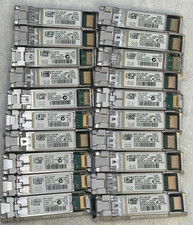
Lot of 20 Cisco SFP-10G-SR 10-2415-03 Transceiver Module
$50.00

NEW Sealed Cisco SFP-10G-LR 10GBASE-LR SFP+ 1310nm 10km *US Shipping*
$24.00

Cisco SFP-10G-SR Transceiver
$4.00

Cisco SFP-10G-SR-S SFP+ 10-3105-01 MMF Transceiver Module/Hologram.
$6.00

Intel X520-DA2 10Gb 10Gbe 10 Gigabit Network Adapter NIC Dual Port E10G42BTDA
$28.94

Cisco SFP-10G-LR 10Gb 40Km Long Range Transceiver Hologram in Clamshell * 1 unit
$45.00

For Cisco SFP-10G-T-X Module, 10G SFP to RJ-45 Copper, 10GBase-T, 1/2.5/5/10Gbps
$39.99

30PCS Sealed Cisco SFP-10G-SR 10GBASE-SR SFP+ Transceiver Module MMF 850nm 300m
$499.99



 Reply With Quote