-
Hard drive not listed
I have a new Dell desktop with a 80 GB "DataSafe" hard drive running Windows XP Professional. When I load Knoppix (5.01) from a CD, my hard drive does not show up on the desktop and I can't seem to access it no matter what I try. When I load the same CD on my Dell laptop everything works fine.
If anyone has any suggestions on how I can get my hard drive to be recognized it will be greatly appreciated!
MF
-
Senior Member
registered user
Dell, hidden partition, drive
To hazard the guess, your lap top would have a differen drive, no ...
I would suspect that Dell is just hiding the drive for some paranoid Dell reason/excuse.
What does
]# fdisk /dev/<drive>
have to say, or ...
]# cfdisk -Pt /dev/<drive>
Could you post that out put between code tags ...
Code:
	Code:
	  <--- opening code tag

info
info
etc
 <--- closing code tag
It may be that the partition has its 'hidden' bit set. Which can be fixed via those programs mentioned above, while running the LiveCD.
/dev/<drive>
<drive>
Will be hda for an 'ide' disk,
sda for 'sata' or an 'scsi' type drive.
Dell can be a real pain in the butt in this regard way.
In case you may not be aware, Dell commonly put a hidden partition at the beginning of a drive, separate from the actual XP partition. Their recovery cd utilises it. When people decide to actually start working their drive, seeing as how it is theirs' not Dells', wiping XP and then reformating for Linux being the typical scenario. Rather than just shrinking XP and creating an extended-primary partition to install Linux ... In the process they often wipe the hidden utility partition out. On trying to get the install/recovery cd to put XP back later ... it doesn't work. And Dells' help desk people haven't been trained in its' existence. Total pain in the butt time ensures  . All due to Dell trying to lock customers in to their company by employing unnecessary tricks like that, and promoting the perception that the customer should really just leave it all up to them.
I've got a bit of a bug when it comes to Dell, no offence there i hope .
jm
-
I should be slapped on the wrist for not making a better search; I just added to another post about a similar problem, however this looks promising, so I shall try here as well:
Basically, knoppix will not display my hardrive either. I'm not using a dell (rather an ibm thinkpad z61t), but I tried to type in what you put (in what I guessed would be the konsole) and it told me there was a syntax error?
How/where should I type that in.
Thanks ~ Marco
-
Senior Member
registered user
Coincidentally, the same thing happened to me at another computer yesterday which required a nodma cheat to boot up. With the nodma cheat, the boot went ok but the disks icons were not there. However I launched System->More Applications->KDiskfree. KDiskfree listed my drives. I then used the console to mount manually.
-
I tried using kdisk free... but it doesn't seem to list the hard drive... at all. This is just puzzling because I know it is possible to access the drives in som fashion.
~Marco
-
I'm still just very curious. It seems that there is a physical problem accessing the harddrive, however, how could one be able to obtain files off it. What kind of retrieval software/hardware is used in computer stores? I cannot see why this isn't working.
-
Senior Member
registered user
Itsheavyonmymind rote:
>>
Basically, knoppix will not display my hardrive either. I'm not using a dell (rather an ibm thinkpad z61t), but I tried to type in what you put (in what I guessed would be the konsole) and it told me there was a syntax error?
How/where should I type that in.
>>
syntax error ?, do you mean in the 'fdisk' 'cfdisk' examples.
they need to be run as root, so you may need to use sudo if running from knoppix.
In any xterm, rxvt, kconsole application ... anything that provides a command prompt. Even one of the virtual consoles accessed via keying ...
ctr-alt-F2
Or almost any function key number ...
If the drive is an ide and its the first drive,
]# cfdisk -Pt /dev/hda
Will give you the table layout for that drive. As will fdisk. I just find cfdisk more usable and so tend to lean towards that.
Check how your /etc/fstab file is layed out too. If that is configured incorrectly then auto/brief mounts wont work. You would then need to use the full command line, such as ...
]# mount -t ext2 /dev/hda13 /mnt/hda13
But knoppix should auto the fstab on boot.
When you say knoppix wont display your hard drive ... i guess you really mean 'kde' wont display it. If thats the case, then i would suspect something to do with how kde is set up.
Try the fdisk/cfdisk command and see what they say, make sure your 'lang' environment is set correctly as well.
You'll likely need to run the comands using 'sudo' too in knoppix as well, such as ...
]# sudo cfdisk -Pt /dev/hda
That may fix the 'syntax' error message. I should have mentioned that before, but i was thinking in terms of juust a staandard distro, rather than a LiveCD situation.
Of course, if your drive isn't the first ide drive, you will need to replace the 'hda' part with the appropriate naming scheme for your drive.
jm
Similar Threads
-
By eville84 in forum General Support
Replies: 3
Last Post: 05-05-2006, 06:34 AM
-
By husalah5150 in forum General Support
Replies: 3
Last Post: 11-22-2005, 05:06 PM
-
By Lintu in forum Hdd Install / Debian / Apt
Replies: 1
Last Post: 10-20-2005, 06:13 PM
-
By iguy in forum General Support
Replies: 3
Last Post: 07-04-2005, 09:06 PM
-
By kidsatacrux in forum MS Windows & New to Linux
Replies: 19
Last Post: 08-03-2004, 07:41 AM
 Posting Permissions
- You may not post new threads
- You may not post replies
- You may not post attachments
- You may not edit your posts
-
Forum Rules

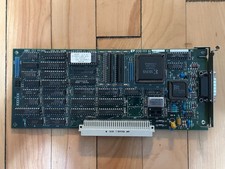
Vintage Radius Pivot II Display NuBus Video Card 632-0030
$149.00
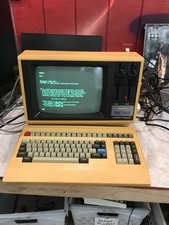
Rare Vintage Sanyo MBC-1150 Terminal With Keyboard CPM2.2 — Boots - DW
$1000.00
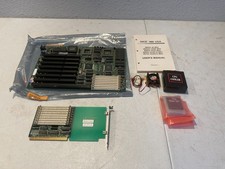
Vintage NICE Plus 486 USA Motherboard Intel i486 DX2 CPU Manual Expansion Card
$224.99
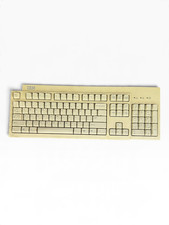
IBM KB-9910 104-Key PS/2 Wired Keyboard 37L2514 Beige Vintage Model
$49.99

Original Vintage Old Style STANDARD Black CD Jewel Case (Heavy Duty) 90g Lot
$316.95
UNTESTED Vintage Tandy Computer 2 Button Combi Serial Mouse 25-2001
$11.99
Vintage Future Case Beige ATX PC Tower Computer Case NOS Style Retro Build
$104.99
Vintage Apple III VisiCalc III User Manual & Reference Card UNTESTED
$175.00
Vintage Raidmax ATX-278WU Mid Tower PC Case White Retro Sleeper Front USB NOS
$149.99
Vintage Logitech Marble Mouse T-CM14 Trackball Serial PS/2 Tested Working Box
$39.99



 Reply With Quote