-
linksys wusb54gs
anyone know how i can get the Linksys Wireless-G usb adapter (WUSB54GS) to work with Knoppix? Please any help would be appreciated.
Email address removed by moderator to prevent spam harvesters. You will be notified by email to the address in your profile when and if there is a response.
-
I have the WPC54g pcmcia card, but give the following commands a shot
1) Download the Windows drivers for the card from Linksys website (and extract them to a folder), or use the CD that came with the card.
2) Navigate to the folder that contains the drivers you've extracted (you can navigate using a Terminal Window, but the easiest way I think is to use Konqueror to browse to the folder, then chools Tools, Terminal.
The driver file usually ends with ".inf" (in my case it's LSTINDS.INF)
3) at the commmand prompt, do
Code:
ndiswrapper -i LSTINDS.INF
( I've seen a lot of posts where users say to use the "lsbcmnds.inf" file, but that didn't work for me.
4) Load ndiswrapper module:
Code:
modprobe ndiswrapper
You can then enter "ndiswrapper -l" to see if the your card has been detected. (And, by this time, the power light on the card should be lit)
You can also try entering "iwconfig" to see the interface where the card is present (probably will show up as the interface for "wlan0" )
5) Since mine shows up on the wlan0 interface, my next command is
Code:
iwconfig wlan0 essid MYESSID; pump -i wlan0
Above, replace "wlan0" with whatever interface your wireless adapter is detected on, and also substiute your network's SSID in place of "Myessid":
When I'm away from home, I use Kwifi ( found under Kmenu / Knoppix / Network / Kwifi Manager ), to scan for available networks, then I enter the command above, but replace "MYESSID" with the essid's shown in Kwifi.
There are other arguments that you will need to enter with the last "iwconfig" command if your network is set up with encryption, but I have kept things very simple at home by just running my wireless network open, but with MAC address filtering so that my laptop's MAC is the only thing allowed to connect.
Also, instead of Kwifi, you can scan for networks from the terminal with
(don't forget to replace "wlan0" with your interface - .ie. eth0, etc)
---- following are some commands that help me with other distros, but I don't know if they'll work with Knoppix ---
I've run into some distros where I can't use the "pump" command (see step 5 above), so I have to do the following to get an IP address from my router:
or if you know the internal IP address of the router/gateway, do
Code:
dhcpcd -G 192.168.1.1 wlan0
replace "192.168.1.1" with your router's internal address.
(don't forget to replace "wlan0" with your interface - .ie. eth0, etc)
-
MrE just helped me get a WUSB54g working using 'ndiswrapper'.
My configuration worked using the 'eth0' interface instead of 'wlan0' but the bottomline is it is finally working!
I aim to write my experiences up on this before I forget the steps - - hopefully it will save someone else some time and frustration.
Thanks again MrE!
Jim
-
Hi
im having a few probs with ndiswrapper
ok first i have a linksys wusb11v4 usb network adapter
i got the linksys CD and in a file called drivers i found the following files
LSPMUSB.inf
M4301A.sys
NETUSBXP.SYS
VNETUSBA.SYS
m4301a.cat
vnet581.sys
vnetusbl.sys
LSPMUSB.inf
NETUSB.SYS
PRISM9x.SYS
mdusb.out
vnet581x.sys
vnetusbxp.sys
LSPMUSB.sys
NETUSB.inf
PRISMXP.SYS
WUSB11v4.inf
netrfm2k.cat
vnetu9x1.sys
i no i need to install the .inf files using ndiswrapper
i did this for LSPMUSB.inf and NETUSB.inf and tried for WUSB11v4 but got a error saying
"Installing wusb11v4
Parse error in inf. Unable to find section @mdusb.out"
Plz help
chris
-
wusb54gs hardware present yet still not working?!?
Hi, I too have an issue loading drivers for WUSB54GS on Knoppix 5. I tried several things, but only one approach loaded drivers. Here's the link to description on Ndiswrapper wiki item 27 and 28 under letter L:http://ndiswrapper.sourceforge.net/m...dex.php/List#L
Although my driver is loaded and hardware present, i still get a FATAL error when I try to modprobe ndiswrapper. The error looks like this: FATAL error lib/<kernel>/misc/ndiswrapper.ko: invalid argument. According to this site: http://www.ubuntuforums.org/showthread.php?t=225206 that means that my driver didn't load, but why does it say it loaded if i do ndiswrapper -l command? I suppose I should try different .sys files? What about those .cat files, are they important?
Thanks
Similar Threads
-
By A. Jorge Garcia in forum Networking
Replies: 3
Last Post: 09-12-2005, 07:01 PM
-
By Duncanla in forum Networking
Replies: 1
Last Post: 11-24-2004, 02:25 AM
-
By spartn119 in forum Networking
Replies: 0
Last Post: 09-25-2004, 08:09 PM
-
By lnetubaplyr in forum Networking
Replies: 0
Last Post: 11-20-2003, 04:02 PM
-
By dox in forum Hardware & Booting
Replies: 1
Last Post: 08-28-2003, 03:28 PM
 Posting Permissions
- You may not post new threads
- You may not post replies
- You may not post attachments
- You may not edit your posts
-
Forum Rules


SFP TO RJ45 TRANSCEIVER SFP MODULE COPPER SFP OPTICAL PORT TO RJ45 ETHERNET PORT
$7.99

Dell Intel X710-DA2 5N7Y5 Dual-Port 10GbE SFP+ PCIe 3.0 x8 Network Adapter
$27.50

Cisco Acacia DP04QSDD-E25-840 400G QSFP-DD Coherent DCO Transceiver Module
$699.99

Cisco QSFP-40G-SR-BD Module 10-2945-02 NEW CLAMSHELL
$45.50

Genuine Cisco SFP-10G-SR 0-2415-03 10 Gigabit Transceiver
$5.40

Intel X520-DA2 10Gb 10Gbe 10 Gigabit Network Adapter NIC Dual Port E10G42BTDA
$28.94

HP 560SFP+ 10GB 2-port PCIe NIC Ethernet ADAPTER 669279-001 w/ (2) 10GB SFP+
$16.99
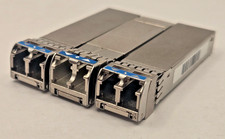
Genuine Cisco SFP-10G-LR 10-2457-02 SFP 10GBASE Transceiver x3 Tested Clean
$40.00

NEW Sealed Cisco SFP-10G-LR 10GBASE-LR SFP+ 1310nm 10km *US Shipping*
$24.00

Dell 10 Gigabit SFP+ SR Transceiver 0XYD50 NEW SEALED
$24.99



 Reply With Quote