

 Reply With Quote
Yup. And with NTFS they should stay that way. See answer #6.Originally Posted by Netzilla


I am completely new to Linux and am running KNOPPIX off the live CD to give it a trial run. So far everything has been running smooth, however there is a significant problem that I'm not sure if it's something I'm doing, KNOPPIX is doing or a hardware incompatability. All of my hard disks are Read Only even though only the Windows partition is actually NTFS. All are IDE.
When I attempt to save anything, here is the error message I recieve:
"The document could not be saved, as it was not possible to write to file:///media/sda5/Linux%20Printer%20Driver.txt.
Check that you have write access to this file or that enough disk space is available."
I have run the following diagnostic commands (unfortunately I can't make much of them myself as I'm not familiar enough with Linux):
knoppix@Knoppix:~$ cat /etc/fstab
/proc /proc proc rw,nosuid,nodev,noexec 0 0
/sys /sys sysfs rw,nosuid,nodev,noexec 0 0
/dev/shm /dev/shm tmpfs rw,nosuid,nodev,noexec 0 0
/dev/pts /dev/pts devpts mode=0622 0 0
/dev/fd0 /media/fd0 auto user,noauto,exec,umask=000 0 0
/dev/cdrom /media/cdrom auto user,noauto,exec,ro 0 0
/dev/hdc /media/hdc auto users,noauto,exec,ro 0 0
# Added by KNOPPIX
/dev/hda1 /media/hda1 ntfs noauto,users,exec,umask=000,uid=knoppix,gid=knoppi x 0 0
# Added by KNOPPIX
/dev/hda5 /media/hda5 vfat noauto,users,exec,umask=000,shortname=winnt,uid=kn oppix,gid=knoppix 0 0
# Added by KNOPPIX
/dev/hdb1 /media/hdb1 vfat noauto,users,exec,umask=000,shortname=winnt,uid=kn oppix,gid=knoppix 0 0
# Added by KNOPPIX
/dev/hdd1 /media/hdd1 vfat noauto,users,exec,umask=000,shortname=winnt,uid=kn oppix,gid=knoppix 0 0
# Added by KNOPPIX
/dev/sda5 /media/sda5 vfat noauto,users,exec,umask=000,shortname=winnt,uid=kn oppix,gid=knoppix 0 0
# Added by KNOPPIX
/dev/sda6 /media/sda6 vfat noauto,users,exec,umask=000,shortname=winnt,uid=kn oppix,gid=knoppix 0 0
knoppix@Knoppix:~$ cat /etc/mtab
/dev/root / ext2 rw 0 0
/ramdisk /ramdisk tmpfs rw,size=827780k,mode=755 0 0
/UNIONFS /UNIONFS aufs rw,br:/ramdisk:/KNOPPIX 0 0
/dev/hdc /cdrom iso9660 ro 0 0
/dev/cloop /KNOPPIX iso9660 ro 0 0
/proc/bus/usb /proc/bus/usb usbfs rw,devmode=0666 0 0
/dev/pts /dev/pts devpts rw 0 0
/dev/sda6 /media/sda6 vfat ro,nosuid,nodev,umask=000,shortname=winnt,uid=1000 ,gid=1000 0 0
/dev/sda5 /media/sda5 vfat ro,nosuid,nodev,umask=000,shortname=winnt,uid=1000 ,gid=1000 0 0
knoppix@Knoppix:~$ cat /proc/mounts
rootfs / rootfs rw 0 0
/dev/root.old / ext2 rw 0 0
/proc /proc proc rw 0 0
/sys /sys sysfs rw 0 0
/dev/hdc /cdrom iso9660 ro 0 0
/dev/cloop /KNOPPIX iso9660 ro 0 0
/ramdisk /ramdisk tmpfs rw 0 0
/UNIONFS /UNIONFS aufs rw,xino=/ramdisk/.aufs.xino,br:/ramdisk=rw:/KNOPPIX=ro 0 0
/proc/bus/usb /proc/bus/usb usbfs rw 0 0
/dev/root.old /dev/.static/dev ext2 rw 0 0
tmpfs /dev tmpfs rw 0 0
/dev/pts /dev/pts devpts rw 0 0
/dev/sda6 /media/sda6 vfat ro,nosuid,nodev,uid=1000,gid=1000,fmask=0000,dmask =0000,codepage=cp437,iocharset=iso8859-1,shortname=winnt 0 0
/dev/sda5 /media/sda5 vfat ro,nosuid,nodev,uid=1000,gid=1000,fmask=0000,dmask =0000,codepage=cp437,iocharset=iso8859-1,shortname=winnt 0 0
Thanks in advance for your help.
Yup. And with NTFS they should stay that way. See answer #6.
Only the Windows partition is NTFS. The other 5 are FAT32.
Everything in Linux mounts Readonly by default. This is a saftey measure and is completely normal.
To change a drives Read/Write status.... right click on the drives icon on the KDE Desktop and choose "Change Read/Write Mode"
Be warned as Mr Kuhman stated above and in his Wiki that writing to NTFS is probably not a good idea. Although as I understand it with Knoppix5.1+ it has gotten better.
Take Care,
-Justin
One Mynds Eye
I have been having a similar issue. What i am trying to do is copy files from my HDD to a USB flash drive. even if i change the permissions on the flash drive to 777 when i attempt to copy/paste or drag/drop from my HDD to the flash drive i recieve an error similar to " You cannot copy files to a directory that you do not have write permissions to" ( or something to that effect).
What is the linux command to mount a drive with write permissions?
Thanks in advance,
D
Hi,
I am using knoppix v4.02, and was having this same problem.
I found that the right click gave a drop-down list... select "properties". A window appears... under the 'permissiions' tab, select "read & write" for the appropriate user(s), then select the 'device' tab and remove the tick from the "read only" checkbox.
Not as simple as onemyndseye first suggested. What version are you running onemyndseye?
It took me hours to find the thing under the 'device' tab, and very frustrating hours they were!
MM
 Posting Permissions


Commodore 1541 Floppy Disk Drive, Powers on
$57.50

Commodore OS USB | Bootable LIVE + Install | The Ultimate Gaming Linux OS | NEW
$11.99
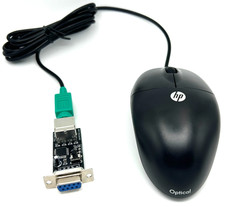
Commodore 64 1351 Compatible Optical Mouse with Adapter (Geos etc) - USA Seller
$29.99

Pi1541 Zero with Epyx Fastload Hat, Case & 16gb SD for Commodore 64 and 128
$79.99
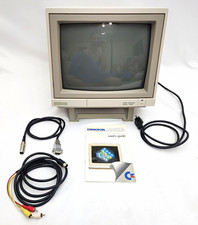
Commodore 1902A Color CRT Monitor C64 C128 Original Box Manual Cables Powers On
$290.00

Commodore 64 Serial Cable 6PIN DIN 1541 1571 C64 128 C128 Disk Drive Printer USA
$10.49

Commodore Amiga 500 Vintage Computer A500 No Power Supply
$249.95

Commodore 1541 Emulator Complete incl PI Zero & 2GB SD CARD, OLED, USA Seller
$59.99

Commodore 64 Dead Test & Diagnostic Cartridge & Test Harness Set - USA seller
$39.99
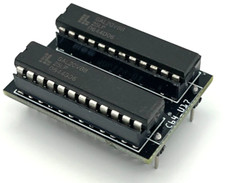
Commodore PLA Replacement MOS 906114-01 / PLS100 for C64, SX 64 High Quality USA
$12.99