-
Junior Member
registered user
How to configure Mozilla
hello
I have configured the modem to connect to the internet and it does, however when starting any browser and trying to access websites, it just cant open the sites ... one of the posts said I have to configure mozilla and the browsers with usernames/passwords and make it work correctly ......anyone tell me how ??
thanks
-
Senior Member
registered user
Hmmm, maybe I spoke to soon. I can't find the settings either for Navigator. I did have to configue the Mozilla usernames etc. for mail & newsgroups, this is where I had problems with the username. This is Edit-Mail & Newsgroup Account settings. but for web pages (Navigator) settings, it was just there. This was possibly because my password etc. to logon to my ISP was already programmed into the externel modem connected to the ethernet card since I had been using it on Windows (I have a dual boot system). These settings are the primary DNS settings & logon password etc. provided by your Internet provider service.
On my laptop with dial up connection, I had to install ltmodem driver to get the winmodem to work then used kppp to connect to the net.
Sorry I wasn't able to be of more help.
-
Senior Member
registered user
mahdi- have you tried another browser? I don't think it's your browser though. If I liked Mozilla I would use it - I have never configured anything but mozilla does work.
-
Senior Member
registered user
rickenbacherus- how do you configue a cable modem under Linux? I've never done it, mine was already configued when I first installed Linux.
I agree, probably mahdi's problem is not with the browser. Perhaps the modem is not really working.
-
Senior Member
registered user

Originally Posted by
CrashedAgain
rickenbacherus- how do you configue a cable modem under Linux?
You don't really- either you configure the network card it connects to or the USB hub it connects to. The cable modem itself has nothing to do with Linux. mahdi is on dial-up, his modem dials, he can ping by i.p. but not by domain name.
OK- I just found that in wimpdoze2k you can do
ipconfig /all
and that will tell you what DNS you're using.
Similar Threads
-
By marat in forum General Support
Replies: 3
Last Post: 11-08-2004, 11:39 AM
-
By rrfish72 in forum General Support
Replies: 0
Last Post: 09-11-2004, 12:49 AM
-
By turbines in forum Hdd Install / Debian / Apt
Replies: 0
Last Post: 06-09-2004, 09:21 PM
-
By turbines in forum General Support
Replies: 2
Last Post: 04-28-2004, 08:51 PM
-
By lavaman094 in forum Hdd Install / Debian / Apt
Replies: 2
Last Post: 11-03-2003, 06:32 AM
 Posting Permissions
- You may not post new threads
- You may not post replies
- You may not post attachments
- You may not edit your posts
-
Forum Rules


HP ProLiant MicroServer Gen8 Tower Server Xeon E3-1220 v2 2.3GHz 16GB RAM
$289.99

Supermicro CSE-937 3U Storage Chassis No CPU No HDD No Ram Tested & Reset
$129.99

HP Proliant MicroServer Gen 8 2.23GHz Xeon 16GB RAM NO SSD
$249.99

POGO ATLAS 1102 Server 32 Gb RAM 4TB Storage 2x2TB HDD’s (Tested-Working) No OS
$179.85

HPE ProLiant MicroServer Gen10 Plus 32GB RAM Xeon E-2224 3.40Ghz No HDD No AC
$750.00

New Barebones Supermicro 5019D Server, 4C/8T Xeon D-2123T, 1U Rackmountable, 10G
$449.99
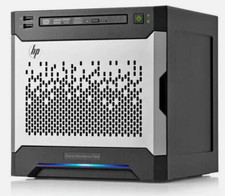
HP MicroServer Gen8 LOADED 12TB + 16GB RAM Win Server 2025 iLO Advanced SSD Boot
$679.00

Supermicro 5019D-4C-FN8TP Xeon D-2123IT (4C/8T) 64GB DDR4 10GbE 480GB 1U Server
$689.00

Supermicro E300-12C Mini 1U Barebone X12SCV-LVDS LGA1200 SNK-P0073A4 w/ Adapter
$225.00

Nasuni NF-50 Supermicro Server, Atom CPU C2558, @ 2.40GHz, 8GB RAM-No HDD/OS/AC
$250.00



 Reply With Quote