-
Nvidia Drivers not working
For the past 12 hours, I have tried everything I can think of to make nvidia drivers work. Installed from Nvidia web-site, Synaptic, apt-get, all I get is a black screen or errors. I installed the correct kernel source for 2.6.19, installed pkg-config and x.org sdk dev package, used dpkg-reconfigure and nvidia-xconfig ... every time get error that no usable screens are found - or just get black screen. Currently have installed Nvidia x86 v.1.0-9746, using 2.6.19 kernel and Nvidia GeForce 6200 card, Knoppix 5.1.1 installed to hdd
At last boot, typed startx - got black screen, rebooted, edited xorg.conf changed driver from nvidia to nv, startx
now getting several errors such as usr/lib/libnvidia-cfg.so.1 is not an ELF file, it has wrong magic bytes at start ... huh? I'm kinda new to linux ... didn't realize there were magic bytes. If anybody can help me, it would be greatly appreciated.
CJ
-
Senior Member
registered user
Hi, have a look at this tutorial for help:
http://wiki.debian.org/NvidiaGraphicsDrivers
I now have Nvidia acceleration but all I did was run synaptic then installed following packages:
nvidia-kernel-source
nvidia-settings
nvidia-glx
nvidia-kernel (matched against my kernel version)
You will find that synaptic automatically fills in the dependencies for you.
After that I manually edited my /etc/X11/xorg.conf file with changes as follows
--in module section--
Load "dbe" # Double Buffering Extension, very important.
Load "glx" # GLX Extension.
--in device section change driver from nv to nvidia as below
Section "Device"
### Available Driver options are:-
# sw_cursor is needed for some ati and radeon cards
# The following line is auto-generated by KNOPPIX mkxf86config
# Driver "nvidia"
# BusID "PCI:1:0:0"
Identifier "Card0"
Driver "nvidia"
VendorName "Sparkle"
BoardName "Geforce 5700 Ultra"
EndSection
Restarted X server.
When things go wrong, look for clues in var/log/Xorg.0.log or /var/log/messages, chances are the nvidia module may not have been loaded.
You can also try modprobe nvidia (as root) to prove this and
lsmod | grep nvidia
(to check if nvidia module has loaded)
Hope that helps
-
Thanks for your help, however, I attempted to load the drivers with Synaptic, but wasn't offered the correct kernel version ... only 2.6.18.45 - which I did install only to get the same results. Spent most of today recovering from a hard drive error of unknown origin, was finally able to recover my partitions and boot the PC. Now, after exhausting all ideas, I cannot even get X to start. I install Nvidia drivers, use nvidia-xconfig ... or edit xorg.conf manually, or use dpkg-reconfigure xserver-xorg ... no difference, screen goes black and freezes. I un-install nvidia drivers, change xorg.conf back, startx screen still goes black and freezes. I restored the xorg.conf file from a previous installation of Knoppix 5.1.1, didn't make any difference. Is there some other file I need to edit or is there a way to completely re-install X?? I don't want to re-install as I have lots of software and files on the drive and it took a long time to get settings tuned properly.
Thanks in advance for any advice.
Update ... I ran the script to determine which glx drivers I needed and the result was: no Nvidia card detected. That may be the source of the problem.
-
Kernel-source-2.6.19???
I am using knoppix 5.1.1 with kernel 2.6.19 I cant find the source kernel with apt-get. Where do i find the kernel source?
-
Re: Kernel-source-2.6.19???

Originally Posted by
Elysium444
I am using knoppix 5.1.1 with kernel 2.6.19 I cant find the source kernel with apt-get. Where do i find the kernel source?
It is stored in /usr/src directory on Knoppix DVD edition (Knoppix uses customized vanilla kernel).
Similar Threads
-
By Dioxin in forum Hardware & Booting
Replies: 2
Last Post: 05-26-2005, 03:29 PM
-
By naventus in forum Hdd Install / Debian / Apt
Replies: 8
Last Post: 06-28-2004, 08:00 PM
-
By Malo in forum Hardware & Booting
Replies: 11
Last Post: 01-02-2004, 03:44 AM
-
By slc in forum Hdd Install / Debian / Apt
Replies: 19
Last Post: 08-27-2003, 06:25 PM
-
By evilgeek in forum Hdd Install / Debian / Apt
Replies: 6
Last Post: 01-22-2003, 11:16 AM
 Posting Permissions
- You may not post new threads
- You may not post replies
- You may not post attachments
- You may not edit your posts
-
Forum Rules


Genuine Cisco SFP-10G-SR 0-2415-03 10 Gigabit Transceiver
$5.40

CISCO 10GBASE-SR SFP "Lot of 4” SFP-10G-SR
$47.99

NEW Sealed Cisco SFP-10G-LR 10GBASE-LR SFP+ 1310nm 10km *US Shipping*
$24.00

Cisco Acacia DP04QSDD-E25-840 400G QSFP-DD Coherent DCO Transceiver Module
$699.99
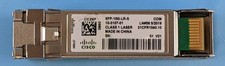
Lot of 2 Cisco 10-3107-01 SFP-10G-LR-S S-Class SFP+ 10G LR SMF LC Transceiver
$59.95

SFP TO RJ45 TRANSCEIVER SFP MODULE COPPER SFP OPTICAL PORT TO RJ45 ETHERNET PORT
$7.99

Intel X520-DA2 10Gb 10Gbe 10 Gigabit Network Adapter NIC Dual Port E10G42BTDA
$28.94

HP 560SFP+ 10GB 2-port PCIe NIC Ethernet ADAPTER 669279-001 w/ (2) 10GB SFP+
$16.99

Cisco WS-C3650-12X48UR-L 48-Port Stackable Layer 3 8x10G SFP+ Port Switch
$129.99
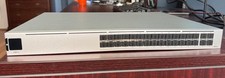
Ubiquiti Unifi USW PRO AGGREGATION 28x10Gbe 4x25Gbe QSFP28 Layer 3 Switch
$750.00



 Reply With Quote