-
Incorrect monitor DPI adversely effects font size
First of all, I am using the Knoppix 5.0.1 live DVD at work when I work on the company's website, due to the software I primarily use (GIMP, Inkscape, etc.) not running reliably on my Windows 98 box. I have noticed that certain apps under KDE control the size of their fonts based on the monitor's DPI as reported by the X server. Unfortunately, if the DPI is not set correctly, this can lead to fonts being too large or too small. In my case, they're too small--almost unreadable. The application in my case is Mozilla Firefox. I have tried the many suggestions I have found all over the web for manually setting the monitor's DPI, but to no avail. It seems as though all of my manual configuration attempts are ignored by KDE, and my settings are stuck at 75 DPI, whereas my monitor should be at 96 DPI. I have tried:
- added DisplaySize xxx xxx to xorg.conf under the Monitor section
added Option "UseEdidDpi" "False" under the Device section
added ServerArgsLocal=-dpi 96 -nolisten tcp to /etc/kde3/kdm/kdmrc
I found the following web page particularly informative during my attempted customizations: http://www.mozilla.org/unix/dpi.html
Does anybody know how this can be done? The small fonts drive me nuts! I would rather not force Mozilla font sizes with .css files as some have done, since I don't believe that is the solution to the real problem, only a coverup. I have also read that some people with NVIDIA graphics cards have solved the problem by switching from the open source nv driver to NVIDIA's driver, but I don't see how this would be possible running from the live DVD. Since Gnome defaults to 96 DPI, I am currently running Knoppix with that desktop mode. In Gnome, the fonts are just the right size, but things aren't set up very well compared to the KDE profile (as is to be expected since Knoppix was designed to be run under KDE).
Thanks for your time,
-~Chris
-
Senior Member
registered user
Have a look at this post, this is your problem and its the apps that use gtk font sizes under kde, i.e. firefox, gimp etc
http://www.knoppix.net/forum/viewtop...light=gtk+font
-
Thanks for the helpful info Hal8000,
It seems the problem has been resolved in the 5.1.1 version of Knoppix (I had been using 5.0.1).
Similar Threads
-
By kpxlover in forum General Support
Replies: 2
Last Post: 11-16-2007, 07:56 PM
-
By csodabogar in forum General Support
Replies: 1
Last Post: 07-09-2006, 11:59 AM
-
By jlowell in forum General Support
Replies: 4
Last Post: 07-19-2004, 11:00 PM
-
By beecee in forum General Support
Replies: 8
Last Post: 01-19-2004, 12:53 AM
-
By grungy in forum General Support
Replies: 2
Last Post: 04-30-2003, 06:03 AM
 Posting Permissions
- You may not post new threads
- You may not post replies
- You may not post attachments
- You may not edit your posts
-
Forum Rules


Dell Poweredge R720 8SFF 2.5" x Xeon E5-2680 v2 2.8GHz 20-Cores 128gb 4x Trays
$349.99

Dell EMC PowerEdge R440 Xeon silver 4215 2.5GHz 16 GB ram 2x 550W PSU No HDD
$275.00

Dell PowerEdge R730XD Server 2x E5-2695 V4 = 36 Cores H730p 32GB RAM 4x trays
$649.99

Dell PowerEdge R420 Rack Server Intel Xeon 1.90GHz Six-Core 8GB DDR3 RAM
$95.00

Dell Poweredge R720 8SFF 2.5" 2x Xeon E5-2680 v2 2.8GHz 20-Cores 64gb 4x Trays
$259.99

Dell PowerEdge R620 2x Xeon E5-2630 v2 3.1GHz 2.5" 4-BAY 32GB RAM No OS 2x 495w
$168.95

Dell Poweredge R740 8 Bay LFF 3.5" 2U Rack Server DUAL XEON GOLD CPUs HOMELAB US
$399.94
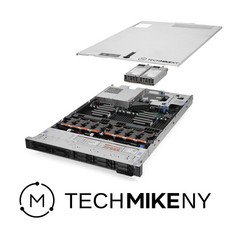
Dell PowerEdge R640 Server 2.10Ghz 32-Core 64GB RAM Energy-Efficient
$649.95

Dell PowerEdge R530 2x E5-2630v4 H330 iDRAC8 Port Card Riser No PSU/RAM/HDD
$99.99

Dell Poweredge R630 2x Xeon E5-2680 v3 2.5ghz 24-Cores / 64gb / Raid / 2x 1Tb
$374.99



 Reply With Quote