

 Reply With Quote
What happens when you try without the KVM ?Originally Posted by bubazoo
Also in order to use the frame-buffer, type simply "fb1024x768" at the boot prompt (it's aliased in isolinux.cfg, no need to prefix it with "knoppix")


after the hardware detection phase, during the X startup, I keep getting the dredded "black screen of death"
my hardware:
Athlon 64 3200+ (2.0 ghz) processor
Asus N8V-VM motherboard
NVIDIA GeForce 7300 GS PCI-E video card
I have tried booting with cheatcodes
"knoppix xserver=XFree86"
"knoppix xserver=XF86_SVGA"
"knoppix xmodule=nv"
"knoppix screen=1024x768"
"knoppix fb1024x768"
nothing I try seems to be working. Still black screen of death. mouse don't even come up, but yet is detected during hw detection. besides, my other 3 computers on the same KVM switch, all run the same knoppix CD just fine..
I'm thinking its probably the PCI-E video card, but how would I get around this?
the hw detection detects an AGP bridge, which isn't even right, the motherboard doesn't even have an AGP slot to begin with. its got a PCI-E x1 slot, and PCI-E x16 slot. The x1 slot isn't being used, the x16 is being used by the video card.
any suggestions as to what I can try?
am using the Knoppix DVD version 5.1.1
I tried the CD version, same problem. tried a version 3 and version 4 series knoppix CD too, same problem.
I know its not a bad DVD image, because the same DVD works fine on all my other computers, even those connected to the same KVM switch, so if its not hardware related, I don't know what it could be.
thanks
What happens when you try without the KVM ?
Also in order to use the frame-buffer, type simply "fb1024x768" at the boot prompt (it's aliased in isolinux.cfg, no need to prefix it with "knoppix")
still same problem. black screen loading X. its NOT the KVM. ruled that out along time ago.
I did type fb1024x768 without using knoppix in front of it. still same problem.Also in order to use the frame-buffer, type simply "fb1024x768" at the boot prompt (it's aliased in isolinux.cfg, no need to prefix it with "knoppix")
Possibly. But since you hadn't bothered mentioning it in your initial post, how were we supposed to know?
Only thing I can think of trying besides what you already did is "knoppix xmodule=vesa".
Also check /etc/X11/xorg.conf to see what knoppix auto-detects. You can boot to the command-line using "knoppix 2", review/edit the file then try it with "telinit 5"
Same here!
My hardware is different :
Intel mainboard,
Intel CPU (of course),
But exactly the same video card: NVIDIA GeForce 7300 GS PCI-E.
The system (incl. the video card under X11!) works nicely under Sabayon 3.3 and Kubuntu 7.04, I will try some other Linuxes soon. But so far, the blackout seems to be knoppix-specific.
Some details: The system seems to boot fine (except the wrong AGP report, what the heck), then when it comes to X the screen goes completely black and a few seconds later the monitor reports "No Signal". When I hit <Ctrl><Alt><F1> it switches to the first virtual console, the monitor wakes up and everything seems fine. So it is not exactly a black screen "of death", I rather assume that knoppix misconfigures the card for X. Just FYI: No KVM switch involved (I know they can cause some mischiev but this is usually because the monitor is not recognised, causing a "safe" (= too low, e.g. 640x480) resolution).
I have not yet tried "knoppix xmodule=vesa", Maybe tomorrow. Thanks for the hint, kirol!
On the other hand, while this might work, Vesa-mode would obviously be less than optimal. And as I said, Sabayon 3.3 and Kubuntu 7.04 can drive the system just fine... hmmm... I'm quite confident that Sabayon uses an NVidia driver... but Kubuntu... no idea, it might be Vesa-mode. I'll investigate...
This works, at least for me. A BIG THANK YOU, Kirol !!!
Hey, thank you! It's not that we crave for gratitude, but few posters take the time to report whether a suggestion helped at all!
hey guys thanks so much, i looked over the forums for the answer to the same issue, "xmodule=vesa" worked a treat for me too
much thanks
chris
 Posting Permissions

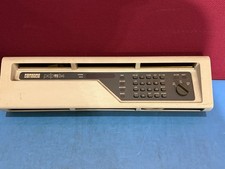
DEC PDP-11/34 Front Panel Complete PDP11 RARE
$450.00

Vintage Intel Mainframe Server MCM CPU Substrate Lot Prototyping PGA Validation
$500.00

HP 5060-8359 8K Semiconductor Memory Module 5080-9747 Vintage HP Computer
$157.30

HP 13210-60001 Disc Drive Interface PCB HP 7900A 7901A Vintage
$157.93

Vtg IBM Mainframe Prototype Chip Module Lot 146 pc 1988-1993 ES/9000 Lab Arcive
$649.00

Computer Tape Reel 1600 BPI 9 Track Vintage Mainframe LOT OF 2 WITH BOX
$89.95

Vintage Mainframe Computer Disk Drive Pack Dyson SMD 5 Level Disks
$79.00

Commodore 64 PC with Model 1541 Diskette Drive and Flight Simulator II *READ*
$199.99

Vintage Telex 952003-112 Mechanical Terminal Keyboard IBM 3270 Mainframe DB25
$799.00
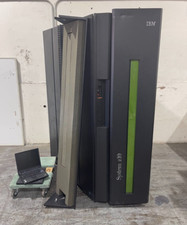
IBM System Z10 Type 2098 Mainframe (As-Is)
$6999.99