-
No partitions on the desktop
Hi, my brother recently installed [on the laptop, not this computer] what we thought was Photoshop which was downloaded from some Torrent site.
He ran setup, which took a long time, and when he opened the program, he got an error screen, with the red circle/X. He rebooted, and now there seems to be nothing bootable on the hdd. My XP CD is scratched beyond readability, and when I burned a copy, the computer still won't boot off of it, or the boot floppy I made. I can't even get to the dos prompt or whatever they call it now, command prompt...
I'd heard of Knoppix and downloaded it a long time ago, but never burned it or used it until an hour ago. It seems it can't detect the hdd or any partitions either.
I can't get the 'lspci -v' because it's not on this computer, and I can't seem to get the laptop online. Though, I haven't really tried that hard, other than trying Firefox once.
Should I just reformat/repartition, or should I try to get the POS online and post the thing?
--Awol
-
I don't think you should re-partition just yet. I assume you've booted your laptop with the Knoppix CD/DVD. Get a terminal (eg Run -> xterm) and at the prompt type the command
fdisk -l
which will list any hard drives Knoppix has identified. You might have /dev/hda (or /dev/hdb .. or similar). You say that no partitions are identified, so probably /dev/hda[1-4] are not listed. Now try the command
gpart /dev/hda
(or /dev/hdb or whatever). This command scans the drive /dev/hda and offers guesses (good guesses!) at how it is partitioned, even when this information has been lost, as your description of symptoms suggests. If what appears looks plausible (e.g. FAT32 or HPFS or ...) Now is the leap of faith: do you trust the gpart's guesses sufficiently to accept them and write a new partition table? It doesn't look as though you'll lose anything and this just might recover your partitions for you. And, if recovery is not 100%, you might be able to recover important user-specific data/ documents/ files, and then re-configure your machine from scratch.
Worth trying, maybe?
Fergus
-
fdisk -l does nothing but bring me to the next line, which is blank.
fdisk /dev/hda returns 'Unable to open /dev/hda'.
gpart /dev/hda returns a fatal error: No such file or directory.
Do laptop hdds use the same gray ribbon connection thing? [haha, you'd never guess I took an A+ cert class] I could hook it up to my pc and try to access it from there, if it's the same. I've never worked on laptop hardware.
-
Administrator
Site Admin-

Originally Posted by
Awol_
[haha, you'd never guess I took an A+ cert class]
Sure I would. I'll let you in on a little "secret". When I hire technical people I actuall look for the ones who know stuff over the ones who have the "cretifications". The ones who have certifications generally lack knowledge and yet expect better pay because of their "certifications".
To answer your question, you can't just plug a normal ide cable into a notebook drive. For pata notebook drives there are simple adapters. Many newer notebooks are now using sata drives rather than pata type drives, so it would matter which type your notebook (oh yea your "brotther's" notebook,  ) used.
Similar Threads
-
By LinuxCrusader in forum Hdd Install / Debian / Apt
Replies: 0
Last Post: 01-26-2005, 08:29 PM
-
By cyberstew in forum Hdd Install / Debian / Apt
Replies: 8
Last Post: 11-26-2004, 12:50 AM
-
By newknoppixguy in forum Hdd Install / Debian / Apt
Replies: 25
Last Post: 09-03-2004, 04:07 AM
-
By KnopperX in forum General Support
Replies: 5
Last Post: 02-27-2004, 04:48 PM
-
By Rython in forum Hdd Install / Debian / Apt
Replies: 1
Last Post: 08-15-2003, 07:44 PM
 Posting Permissions
- You may not post new threads
- You may not post replies
- You may not post attachments
- You may not edit your posts
-
Forum Rules

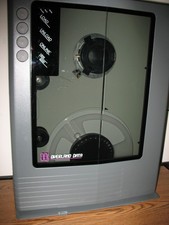
VINTAGE RARE Overland 9 Track tape drive for mainframe computer storage
$800.00
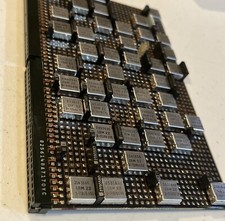
IBM MST-2 370 Integrated Circuit Computer Chips Lot Of 43 Rare 1970s Vintage
$249.00

Vintage Telex 952003-112 Mechanical Terminal Keyboard IBM 3270 Mainframe DB25
$679.15
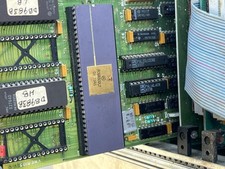
Mystery Vintage Computer Mizar Motorola 68000 Based System W Shugart Drives
$500.00

Vtg IBM Mainframe Prototype Chip Module Lot 146 pc 1988-1993 ES/9000 Lab Arcive
$649.00
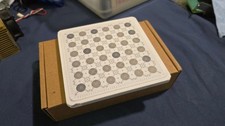
IBM Prototype ES/9000 Mainframe Computer MCM CPU Vintage White Ceramic Gold
$1000.00
Vintage Sperry Rand Univac Mainframe Control Board Gold IC Rare Piece Of History
$289.95

Vintage IBM #192726 Paper Tape Punch Mainframe Computer Programming Tool 1960s
$94.95

HP 5060-8359 8K Semiconductor Memory Module 5080-9747 Vintage HP Computer
$165.58

FOR PARTS Asus CUSL2-C Motherboard PGA370 SDRAM, Intel Pentium III 800EB 800Mhz
$69.99



 Reply With Quote