View Poll Results: Do you believe OS traveller's mode is the way of the future?
- Voters
- 5. You may not vote on this poll
-
Using KNOPPIX as a "traveler's mode" main OS?
As I travel a lot and like to be 'light', I use various computers to look at my data from a portable hard drive, instead of carrying a laptop with me everywhere. Well, I used to go around with my laptop, but invariably the machine would break down on me, too heavy to carry around and leaving it at the hotel poses a security risk etc...
So I've decided that not only my files, but also my OS and ideally my main programs (mainly Office, MS money etc...) should sit on my hard drive and the computers I use should boot from there (well, whenever they can boot from a USB port) directly into my preferred environment
After surfing the web, the closest solution I can find to it is Knoppix. This said, before I go ahead, I'd like to ask if anyone has done that before, and if that's possible. I'm not an IT pro so any experience would be helpful
I'd have some ancillary questions too: whether office files can be read in Knoppix (what about MS Outlook?), and whether MS applications like MS Money can be installed (I doubt it thought). I'm happy to shift to new programs if that's what it takes, however is there any that runs for KNOPPIX?
In short, I don't want to Knoppix for repairs only, which seems its main mission, I want to use it as my main OS with my basic non-hardware dependent applications.
This, my friends, is the future. I say let's free the OSs from technical configuration dependence.
-
Re: Using KNOPPIX as a "traveler's mode" main OS?

Originally Posted by
Greg Neatwork
After surfing the web, the closest solution I can find to it is Knoppix. This said, before I go ahead, I'd like to ask if anyone has done that before, and if that's possible.
Many places, like Internet cafes or hotels, will not allow you to boot your own OS, because they would have a problem tracking how long you have been on ... and so have no way of charging you. But if you can get around that, you should be fine.
Originally Posted by
Greg Neatwork
I'd have some ancillary questions too: whether office files can be read in Knoppix (what about MS Outlook?), and whether MS applications like MS Money can be installed (I doubt it thought). I'm happy to shift to new programs if that's what it takes, however is there any that runs for KNOPPIX?
Have a look at OpenOffice.org for your office files, Evolution for Outlook-like mail, and Wine for other MS-progies, all of which come on the Knoppix DVD and only some of which come on the Knoppix CD.
-
Terrific, thanks SiKing
You're right, booting can be a problem. Well, I usually use my company computers and can boot from them, and anyway my main use would be to take my environment between the various computers I own so I don't have to reinstall things on each or to go through set up again whenever a motherboard dies etc... so it's still useful to have my environment on the external drive. For the others, I can always use the hard drive to just access my files
So all in all, very useful. I've checked the other apps you mention and will give them a try. It's good to free myself from MS too! Only one thing I'm wondering is whether I can import my outlook files into Evolution, 'cos I've got 1000's of emails I'd like to keep... Anyway, small issue
Thanks again!!!
-
Originally Posted by
Greg Neatwork
It's good to free myself from MS too!
Like coming out of drug rehab, no? Kinda scary going into it, but you feel so much better when you get to the other side. 
Originally Posted by
Greg Neatwork
Only one thing I'm wondering is whether I can import my outlook files into Evolution, 'cos I've got 1000's of emails I'd like to keep.
The short answer is yes. The long answer depends on your setup: do you have the mail local, do you have the mail on the Exchange server, etc. Check the docs, I am almost certain it has to be all in there.
Good luck!
-
Senior Member
registered user
-
Justin I just saw your post, I hadn't logged in in a while
Wow this is very helpful. I'd have so many more questions as many of the technical details escape me a bit.
But the most important:
So you could get your own configured OS to work on pretty much any computer? The thing that intrigues me the most is the "profiling support" you refer to. How many different profiles did you have to set up? What do these consist of? And can you get Knoppix to load drivers and other computer-specific stuff automatically?
I think the key difference is that you appear to still use Knoppix as a repair tool whereas I want a full-fledged OS that loads things up automatically and quickly on any computer, just so I can use my own environment everywhere.
If I might ask, I'd appreciate if you could take a look at another thread I started, re: my attempt yesterday to install Knoppix on my external HD. I'm running into trouble... See http://www.knoppix.net/forum/viewtop...=113817#113817
Thanks a bundle for sharing your expertise. Someone should commercialize a dedicated "traveler's mode" OS. Or software makers should just make their software in traveler's mode. In fact, this whole idea of having to 'install' programs is ridiculous in the 1st place. I know how this can sound to an IT pro, but I bet the minute someone will take that seriously, a huge market will have opened...
-
Senior Member
registered user
Similar Threads
-
By AzJazz in forum Hardware & Booting
Replies: 3
Last Post: 04-20-2009, 08:43 PM
-
By fischer in forum Networking
Replies: 0
Last Post: 10-09-2006, 11:58 AM
-
By nn_root in forum General Support
Replies: 1
Last Post: 07-22-2006, 12:44 AM
-
By henrique in forum Customising & Remastering
Replies: 1
Last Post: 11-15-2003, 04:42 AM
-
By violinist in forum Hdd Install / Debian / Apt
Replies: 6
Last Post: 10-07-2003, 06:14 PM
 Posting Permissions
- You may not post new threads
- You may not post replies
- You may not post attachments
- You may not edit your posts
-
Forum Rules


Genuine Cisco SFP-10G-SR 0-2415-03 10 Gigabit Transceiver
$5.40
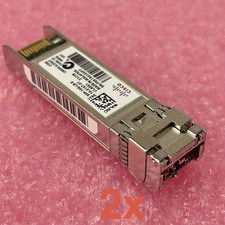
Cisco SFP-10G-LR-S Reset & Tested Lot of 2
$32.99

NEW Sealed Cisco SFP-10G-LR 10GBASE-LR SFP+ 1310nm 10km *US Shipping*
$24.00
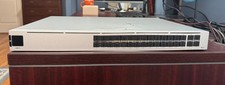
Ubiquiti Unifi USW PRO AGGREGATION 28x10Gbe 4x25Gbe QSFP28 Layer 3 Switch
$700.00

SFP TO RJ45 TRANSCEIVER SFP MODULE COPPER SFP OPTICAL PORT TO RJ45 ETHERNET PORT
$7.99

Intel X520-DA2 10Gb 10Gbe 10 Gigabit Network Adapter NIC Dual Port E10G42BTDA
$28.94

HP 560SFP+ 10GB 2-port PCIe NIC Ethernet ADAPTER 669279-001 w/ (2) 10GB SFP+
$16.99
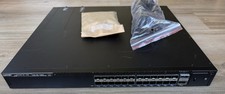
Ruckus ICX7550-24F-E2, 24 ports of 1/10GbE SFP+ & 2 ports of 40/100GbE QSFP28
$8995.00

Cisco Acacia DP04QSDD-E25-840 400G QSFP-DD Coherent DCO Transceiver Module
$699.99
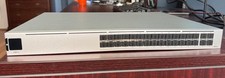
Ubiquiti Unifi USW PRO AGGREGATION 28x10Gbe 4x25Gbe QSFP28 Layer 3 Switch
$750.00



 Reply With Quote