-
usb flash drive doesn't work after booting without udev
I'm new with linux, so to try it I downloaded Knoppix V5.1.1.
After burning the CD I put it in the diskdrive, restarted the conputer and waited, it didn't work in one time, but at last it worked when I typed "expert noudev noaudio", so I could see what it looked like.
But now my problem, I can't look in my USB flash drive, I suspect that's because of the noudev part (I don't know what udev is, but it can't be because of the no audio, can it?).
Does anybody know how to fix this (by loading udev after I started knoppix maybe, but how). Maybe this also fixes my strange acting USB mouse, it jumps from left to right and back if I'm trying to point something (and I didn't drink  )
)
-
Re: usb flash drive doesn't work after booting without udev

Originally Posted by
EV-vD
I'm new with linux, so to try it I downloaded Knoppix V5.1.1.
Welcome, hope you stay a while. 
Originally Posted by
EV-vD
But now my problem, I can't look in my USB flash drive, I suspect that's because of the noudev part (I don't know what udev is, but it can't be because of the no audio, can it?).
You're correct, it's the udev part. udev is quite important to Linux, as it basically handles a lot of your hardware, such as USB flash drives.
Originally Posted by
EV-vD
Does anybody know how to fix this (by loading udev after I started knoppix maybe, but how).
Yes, you will need udev. How far does the boot get, if you supply no cheatcodes at all? You will need to figure out what is it that is causing the problems, and disable just that. noudev is almost like disabling half of your computer.
-
Thanks for your quick answer, I appreciate it, but (as always) after I posted the question I found the answer: I read about somebody who solved it by changing something in the BIOS, so I tried that (with some care, I don't want to make the other users of this computer too angry by making changes they do notice, but as you can see my computer still works  ).
).
It worked, so this problem is solved: I can start by just pressing " enter" now. But I'll probably return with some other questions later.
-
Junior Member
registered user
care to post a link to that BIOS fix?
-
Administrator
Site Admin-
Originally Posted by
wbatw
care to post a link to that BIOS fix?
I hope not. Doing so would only cause confusion and might get some people to ruin their mother boards. You don't just flip a few bits to fix a BIOS, you flash it with new BIOS code (for any modern BIOS), and that code is very specific to the manufacturer and specific motherboard model. So the best advice if you're seeing the same problems and hope to fix it by fixing the BIOS would be to check your manufacturer's website and see if there is an update posted, and flash your BIOS with that if it's newer than your current BIOS.
It likely would be helpful if we knew what brand of BIOS was affected by this problem (not what brand of motherboard, but what brand of BIOS it uses, AMI, Pheonix or whatever), and if there is any insight on a specific fix in the update notes that addresses this, so that others could confirm that their new BIOS also has this fix. Note: Some manufacturers may put out updates more slowly (or not at all) than other motherboard manufacturers. If this is the case your only fix may be to pester the motherboard manufacturer or buy a different motherboard (hopefully a different brand).
-
Junior Member
registered user
so - what other forums can we go to for useful knoppix info?
Similar Threads
-
By Vetrivela in forum Hardware & Booting
Replies: 9
Last Post: 02-12-2009, 04:46 PM
-
By PaulKraemer in forum General Support
Replies: 1
Last Post: 05-08-2006, 04:49 PM
-
By mjman in forum Hardware & Booting
Replies: 9
Last Post: 10-25-2004, 09:46 PM
-
By KnoppIXuser in forum Customising & Remastering
Replies: 4
Last Post: 03-08-2003, 01:27 AM
-
By KnoppIXuser in forum Ideas
Replies: 0
Last Post: 02-19-2003, 07:42 AM
 Posting Permissions
- You may not post new threads
- You may not post replies
- You may not post attachments
- You may not edit your posts
-
Forum Rules

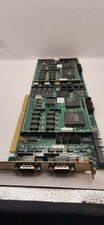
Vintage Cubix A2870 + 2x A2310 QL 2286 Video Module ISA Boards 1989 Untested
$207.92

Vintage HP 21MX 1000 M-Series Minicomputer Chassis Backplane Parts AS-IS
$325.99

Vintage Computer Keyboard Northgate OMNIKEY Ultra
$120.00

Lot of 2 Vintage Plextor PX-43CS SCSI CD-ROM Caddy Drives + 4 Caddies Used
$55.99

Original Vintage Old Style STANDARD Black CD Jewel Case (Heavy Duty) 90g Lot
$316.95
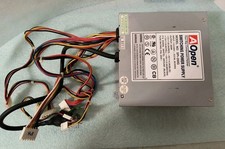
VINTAGE AOPEN MODEL SPI-200 200W AT POWER SUPPLY WITH SWITCH DS-PS-8
$34.95
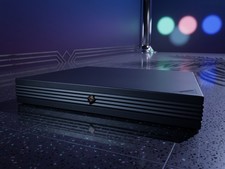
Vintage NeXTstation N1100 Computer Workstation w HDD & FDD Steve Jobs Powers On
$299.95

VINTAGE ESS ES1868 16 BIT ISA SOUND CARD COMPAQ 247428-001 - USA SELLER RM2-SC
$24.95
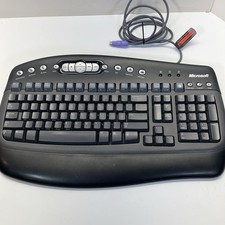
Vintage Microsoft Multimedia PS/2 Wired Computer Keyboard KB-0168 Black Tested
$26.95

Vintage Apple iMac G4 15" Lamp 700MHz 512MB Mac OS X 10.4.6 W/ Pro Speakers
$300.00



 Reply With Quote