

 Reply With Quote
I don't have the answer for you. But have you try insert the card first and then start the OS?Originally Posted by tallis
Rgds,
Chip


Hi there
I initially posted this under the laptops section of this forum, but while it received many viewings nobody has been able to help. Is there anyone here who can help me. I desperate to get this working, so help would be very much appreciated.
I'm running Knoppix 5.1.1 (CD version) on an IBM ThinkPad 600e laptop (192 MB RAM; 400 MHz CPU). Everything boots up okay (but I have to use nodma cheat code).
I'm trying to access an IBM Microdrive (512 MB) through the PCMCIA slot using a PCMCIA adapter. While I can eventually access the drive, and the files that it contains, the process take a very long time - so much so that it really isn't usable.
Once Knoppix has booted up, I insert the PCMCIA adapter containing the Microdrive. There are no beeps to indicate that it has been recognized and configured correctly. After about 5-10 minutes a 'PCMCIA disk [hde1]' icon appears on the desktop. Clicking on the icon to mount it opens a window with a progress bar. The window's heading is 'mounting /dev/hde1' (using source /mnt/hde1). However, the progress bar doesn't change and remains at 0% throughout the mounting process. Finally after a further 5-10 minutes the drive is mounted (indicated by the green arrow on the icon). Clicking the icon invokes Konqueror, but this takes a further 15 minutes(!) or so to display the contents of the Microdrive (hde1).
The stages described above take similar lengths of time when I issue the equivalent commands via a terminal window at the command line.
Any ideas what the problem is? Should I be entering any cheat codes at boot-up to aid PCMCIA access/configuration, or editing specific scripts? (I've noted that Knoppix starts the cardmgr at start-up and also adds an entry for hde1 to the /etc/fstab file.)
I would be extremely grateful for some help/advice.
All the best
Tallis

I don't have the answer for you. But have you try insert the card first and then start the OS?
Rgds,
Chip
Hi Chip
Yes I have tried to insert the card first, but this seems to hang the system and it doesn't boot up properly.
Any other ideas?
All the best
Tallis
That's very strange, why would a microdrive hang the system and cause Knoppix to not boot properly? More information needed: How far does Knoppix get into the boot process (when you try to boot with the microdrive inserted)? Does the CD start to boot at all, get to and past the first prompt, or never get to the prompt? If it gets to the prompt then it may be a Knoppix issue, but if it doesn't maybe your system is trying to boot the microdrive and is getting mucked up by whatever is on there.
Hi Harry
Thanks for responding and offering to help. I'll boot up Knoppix again (with the card inserted) and take note of the various stages in order to answer your questions.
In the meanwhile, here's the Dmesg list following a clean boot -- after which I inserted the PCMCIA adaptor containing the microdrive (note 'hde: lost interrupt' at the end of the listing:
Linux version 2.6.19 (root@Knoppix) (gcc version 4.1.2 20061028 (prerelease) (Debian 4.1.1-19)) #7 SMP PREEMPT Sun Dec 17 22:01:07 CET 2006
BIOS-provided physical RAM map:
BIOS-e820: 0000000000000000 - 000000000009fc00 (usable)
BIOS-e820: 000000000009fc00 - 00000000000a0000 (reserved)
BIOS-e820: 00000000000f0000 - 0000000000100000 (reserved)
BIOS-e820: 0000000000100000 - 000000000bfd0000 (usable)
BIOS-e820: 000000000bfd0000 - 000000000bfdf000 (ACPI data)
BIOS-e820: 000000000bfdf000 - 000000000bfe0000 (ACPI NVS)
BIOS-e820: 000000000bfe0000 - 000000000c000000 (reserved)
BIOS-e820: 00000000fffe0000 - 0000000100000000 (reserved)
0MB HIGHMEM available.
191MB LOWMEM available.
Entering add_active_range(0, 0, 49104) 0 entries of 256 used
Zone PFN ranges:
DMA 0 -> 4096
Normal 4096 -> 49104
HighMem 49104 -> 49104
early_node_map[1] active PFN ranges
0: 0 -> 49104
On node 0 totalpages: 49104
DMA zone: 32 pages used for memmap
DMA zone: 0 pages reserved
DMA zone: 4064 pages, LIFO batch:0
Normal zone: 351 pages used for memmap
Normal zone: 44657 pages, LIFO batch:7
HighMem zone: 0 pages used for memmap
DMI 2.2 present.
ACPI: RSDP (v000 IBM ) @ 0x000fd6e0
ACPI: RSDT (v001 IBM TP600R 0x00000001 0x00000000) @ 0x0bfd0000
ACPI: FADT (v001 IBM TP600R 0x00000001 0x00000000) @ 0x0bfd0100
ACPI: BOOT (v001 IBM TP600R 0x00000001 0x00000000) @ 0x0bfd0040
ACPI: DSDT (v001 IBM TP600R 0x0000001d MSFT 0x0100000b) @ 0x00000000
ACPI: BIOS age (1999) fails cutoff (2001), acpi=force is required to enable ACPI
ACPI: Disabling ACPI support
Allocating PCI resources starting at 10000000 (gap: 0c000000:f3fe0000)
Detected 363.973 MHz processor.
Built 1 zonelists. Total pages: 48721
Kernel command line: ramdisk_size=100000 init=/etc/init lang=us apm=power-off vga=791 initrd=minirt.gz nomce loglevel=0 quiet BOOT_IMAGE=knoppix BOOT_IMAGE=linux nodma
Local APIC disabled by BIOS -- you can enable it with "lapic"
mapped APIC to ffffd000 (0118a000)
Enabling fast FPU save and restore... done.
Initializing CPU#0
PID hash table entries: 1024 (order: 10, 4096 bytes)
Console: colour dummy device 80x25
Dentry cache hash table entries: 32768 (order: 5, 131072 bytes)
Inode-cache hash table entries: 16384 (order: 4, 65536 bytes)
Memory: 188520k/196416k available (2747k kernel code, 7352k reserved, 958k data, 336k init, 0k highmem)
virtual kernel memory layout:
fixmap : 0xffe16000 - 0xfffff000 (1956 kB)
pkmap : 0xff800000 - 0xffc00000 (4096 kB)
vmalloc : 0xcc800000 - 0xff7fe000 ( 815 MB)
lowmem : 0xc0000000 - 0xcbfd0000 ( 191 MB)
.init : 0xc04a6000 - 0xc04fa000 ( 336 kB)
.data : 0xc03aef9c - 0xc049e7b4 ( 958 kB)
.text : 0xc0100000 - 0xc03aef9c (2747 kB)
Checking if this processor honours the WP bit even in supervisor mode... Ok.
Calibrating delay using timer specific routine.. 728.94 BogoMIPS (lpj=1457897)
Security Framework v1.0.0 initialized
SELinux: Disabled at boot.
Capability LSM initialized
Mount-cache hash table entries: 512
CPU: After generic identify, caps: 0183f9ff 00000000 00000000 00000000 00000000 00000000 00000000
CPU: L1 I cache: 16K, L1 D cache: 16K
CPU: L2 cache: 256K
CPU: After all inits, caps: 0183f9ff 00000000 00000000 00000040 00000000 00000000 00000000
Compat vDSO mapped to ffffe000.
Checking 'hlt' instruction... OK.
Checking for popad bug... OK.
SMP alternatives: switching to UP code
Freeing SMP alternatives: 16k freed
CPU0: Intel Mobile Pentium II stepping 0a
SMP motherboard not detected.
Local APIC not detected. Using dummy APIC emulation.
Brought up 1 CPUs
checking if image is initramfs...it isn't (no cpio magic); looks like an initrd
Freeing initrd memory: 1188k freed
NET: Registered protocol family 16
EISA bus registered
PCI: PCI BIOS revision 2.10 entry at 0xfd880, last bus=7
PCI: Using configuration type 1
Setting up standard PCI resources
ACPI: Interpreter disabled.
Linux Plug and Play Support v0.97 (c) Adam Belay
pnp: PnP ACPI: disabled
PnPBIOS: Scanning system for PnP BIOS support...
PnPBIOS: Found PnP BIOS installation structure at 0xc00fe700
PnPBIOS: PnP BIOS version 1.0, entry 0xf0000:0xe724, dseg 0xf0000
PnPBIOS: 23 nodes reported by PnP BIOS; 23 recorded by driver
SCSI subsystem initialized
libata version 2.00 loaded.
PCI: Probing PCI hardware
PCI: Probing PCI hardware (bus 00)
* Found PM-Timer Bug on the chipset. Due to workarounds for a bug,
* this clock source is slow. Consider trying other clock sources
PCI quirk: region ef00-ef3f claimed by PIIX4 ACPI
PCI quirk: region efa0-efaf claimed by PIIX4 SMB
PIIX4 devres C PIO at 15e8-15ef
PIIX4 devres I PIO at 002e-002f
Boot video device is 0000:01:00.0
PCI: Using IRQ router PIIX/ICH [8086/7110] at 0000:00:07.0
NetLabel: Initializing
NetLabel: domain hash size = 128
NetLabel: protocols = UNLABELED CIPSOv4
NetLabel: unlabeled traffic allowed by default
pnp: 00:0a: ioport range 0x4d0-0x4d1 has been reserved
pnp: 00:0a: ioport range 0x15e0-0x15ef has been reserved
pnp: 00:0a: ioport range 0xef00-0xefaf could not be reserved
PCI: Ignore bogus resource 6 [0:0] of 0000:01:00.0
PCI: Bridge: 0000:00:01.0
IO window: d000-dfff
MEM window: 70000000-dfffffff
PREFETCH window: e0000000-f7ffffff
PCI: Bus 2, cardbus bridge: 0000:00:02.0
IO window: 00001000-000010ff
IO window: 00001400-000014ff
PREFETCH window: 10000000-11ffffff
MEM window: 12000000-13ffffff
PCI: Bus 6, cardbus bridge: 0000:00:02.1
IO window: 00001800-000018ff
IO window: 00001c00-00001cff
PREFETCH window: 14000000-15ffffff
MEM window: 16000000-17ffffff
PCI: setting IRQ 11 as level-triggered
PCI: Found IRQ 11 for device 0000:00:02.0
PCI: Sharing IRQ 11 with 0000:00:06.0
PCI: Sharing IRQ 11 with 0000:01:00.0
PCI: Found IRQ 11 for device 0000:00:02.1
NET: Registered protocol family 2
IP route cache hash table entries: 2048 (order: 1, 8192 bytes)
TCP established hash table entries: 8192 (order: 4, 98304 bytes)
TCP bind hash table entries: 4096 (order: 3, 49152 bytes)
TCP: Hash tables configured (established 8192 bind 4096)
TCP reno registered
Simple Boot Flag at 0x33 set to 0x1
audit: initializing netlink socket (disabled)
audit(1186334511.848:1): initialized
Total HugeTLB memory allocated, 0
VFS: Disk quotas dquot_6.5.1
Dquot-cache hash table entries: 1024 (order 0, 4096 bytes)
fuse init (API version 7.
fuse distribution version: 2.6.1
io scheduler noop registered
io scheduler anticipatory registered
io scheduler deadline registered (default)
io scheduler cfq registered
Limiting direct PCI/PCI transfers.
vesafb: framebuffer at 0xe0000000, mapped to 0xcc880000, using 2496k, total 2496k
vesafb: mode is 1024x768x16, linelength=2048, pages=0
vesafb: protected mode interface info at c000:a640
vesafb: pmi: set display start = c00ca676, set palette = c00ca6d6
vesafb: scrolling: redraw
vesafb: Truecolor: size=0:5:6:5, shift=0:11:5:0
Console: switching to colour frame buffer device 128x48
fb0: VESA VGA frame buffer device
isapnp: Scanning for PnP cards...
isapnp: No Plug & Play device found
Real Time Clock Driver v1.12ac
Floppy drive(s): fd0 is 1.44M
FDC 0 is a National Semiconductor PC87306
RAMDISK driver initialized: 16 RAM disks of 100000K size 1024 blocksize
Uniform Multi-Platform E-IDE driver Revision: 7.00alpha2
ide: Assuming 33MHz system bus speed for PIO modes; override with idebus=xx
PIIX4: IDE controller at PCI slot 0000:00:07.1
PIIX4: chipset revision 1
PIIX4: not 100% native mode: will probe irqs later
ide0: BM-DMA at 0xfcf0-0xfcf7, BIOS settings: hdaMA, hdb
io
ide1: BM-DMA at 0xfcf8-0xfcff, BIOS settings: hdc
Probing IDE interface ide0...
hda: IBM-DBCA-206480, ATA DISK drive
ide0 at 0x1f0-0x1f7,0x3f6 on irq 14
Probing IDE interface ide1...
hdc: TOSHIBA CD-ROM XM-1902B, ATAPI CD/DVD-ROM drive
ide1 at 0x170-0x177,0x376 on irq 15
ide0: generic PnP IDE interface
ide1: generic PnP IDE interface
Probing IDE interface ide0...
hda: IBM-DBCA-206480, ATA DISK drive
Probing IDE interface ide1...
hdc: TOSHIBA CD-ROM XM-1902B, ATAPI CD/DVD-ROM drive
ide0 at 0x1f0-0x1f7,0x3f6 on irq 14
ide1 at 0x170-0x177,0x376 on irq 15
hda: max request size: 128KiB
hda: 12594960 sectors (6448 MB) w/420KiB Cache, CHS=13328/15/63
hda: cache flushes not supported
hda: hda1
hdc: ATAPI 24X CD-ROM drive, 128kB Cache
Uniform CD-ROM driver Revision: 3.20
Loading iSCSI transport class v2.0-724.<6>PNP: PS/2 Controller [PNP0303,PNP0f13] at 0x60,0x64 irq 1,12
serio: i8042 KBD port at 0x60,0x64 irq 1
serio: i8042 AUX port at 0x60,0x64 irq 12
mice: PS/2 mouse device common for all mice
EISA: Probing bus 0 at eisa.0
Cannot allocate resource for EISA slot 1
Cannot allocate resource for EISA slot 8
EISA: Detected 0 cards.
Initializing XFRM netlink socket
NET: Registered protocol family 1
NET: Registered protocol family 15
Using IPI No-Shortcut mode
Time: tsc clocksource has been installed.
input: AT Translated Set 2 keyboard as /class/input/input0
input: ImPS/2 Generic Wheel Mouse as /class/input/input1
RAMDISK: Compressed image found at block 0
EXT2-fs warning: checktime reached, running e2fsck is recommended
VFS: Mounted root (ext2 filesystem).
Failed initialization of WD-7000 SCSI card!
usbcore: registered new interface driver usbfs
usbcore: registered new interface driver hub
usbcore: registered new device driver usb
USB Universal Host Controller Interface driver v3.0
PCI: Found IRQ 11 for device 0000:00:07.2
uhci_hcd 0000:00:07.2: UHCI Host Controller
uhci_hcd 0000:00:07.2: new USB bus registered, assigned bus number 1
uhci_hcd 0000:00:07.2: irq 11, io base 0x00008400
usb usb1: configuration #1 chosen from 1 choice
hub 1-0:1.0: USB hub found
hub 1-0:1.0: 2 ports detected
ohci_hcd: 2006 August 04 USB 1.1 'Open' Host Controller (OHCI) Driver (PCI)
usbcore: registered new interface driver libusual
usbcore: registered new interface driver hiddev
usbcore: registered new interface driver usbhid
drivers/usb/input/hid-core.c: v2.6:USB HID core driver
Initializing USB Mass Storage driver...
usbcore: registered new interface driver usb-storage
USB Mass Storage support registered.
ieee1394: Initialized config rom entry `ip1394'
ieee1394: sbp2: Driver forced to serialize I/O (serialize_io=1)
ieee1394: sbp2: Try serialize_io=0 for better performance
Unable to identify CD-ROM format.
VFS: Can't find an ext2 filesystem on dev hda.
ReiserFS: hda: warning: sh-2021: reiserfs_fill_super: can not find reiserfs on hda
FAT: invalid media value (0xb9)
VFS: Can't find a valid FAT filesystem on dev hda.
ISO 9660 Extensions: Microsoft Joliet Level 3
ISO 9660 Extensions: RRIP_1991A
cloop: Initializing cloop v2.05
cloop: loaded (max 8 devices)
cloop: /cdrom/KNOPPIX/KNOPPIX: 15609 blocks, 131072 bytes/block, largest block is 131098 bytes.
cloop: loaded 32 blocks into cache.
ISO 9660 Extensions: RRIP_1991A
aufs 2.6.19-20061211
Freeing unused kernel memory: 336k freed
IBM machine detected. Enabling interrupts during APM calls.
apm: BIOS version 1.2 Flags 0x03 (Driver version 1.16ac)
cpufreq: No nForce2 chipset.
powernow: This module only works with AMD K7 CPUs
Yenta: CardBus bridge found at 0000:00:02.0 [1014:00eb]
Yenta: Enabling burst memory read transactions
Yenta: Using CSCINT to route CSC interrupts to PCI
Yenta: Routing CardBus interrupts to PCI
Yenta TI: socket 0000:00:02.0, mfunc 0xfba97543, devctl 0x62
Yenta: ISA IRQ mask 0x06b8, PCI irq 11
Socket status: 30000006
Yenta: CardBus bridge found at 0000:00:02.1 [1014:00eb]
Yenta: Using CSCINT to route CSC interrupts to PCI
Yenta: Routing CardBus interrupts to PCI
Yenta TI: socket 0000:00:02.1, mfunc 0xfba97543, devctl 0x62
Yenta: ISA IRQ mask 0x06b8, PCI irq 11
Socket status: 30000006
pcmcia: Detected deprecated PCMCIA ioctl usage from process: cardmgr.
pcmcia: This interface will soon be removed from the kernel; please expect breakage unless you upgrade to new tools.
pcmcia: see http://www.kernel.org/pub/linux/util...ia/pcmcia.html for details.
cs: IO port probe 0xc00-0xcff: clean.
cs: IO port probe 0xc00-0xcff: clean.
cs: IO port probe 0x820-0x8ff: clean.
cs: IO port probe 0x820-0x8ff: clean.
cs: IO port probe 0x800-0x80f: clean.
cs: IO port probe 0x800-0x80f: clean.
cs: IO port probe 0x100-0x4ff: clean.
cs: IO port probe 0x100-0x4ff: clean.
cs: IO port probe 0xa00-0xaff: clean.
cs: IO port probe 0xa00-0xaff: clean.
Linux agpgart interface v0.101 (c) Dave Jones
pci_hotplug: PCI Hot Plug PCI Core version: 0.5
shpchp: Standard Hot Plug PCI Controller Driver version: 0.4
agpgart: Detected an Intel 440BX Chipset.
agpgart: AGP aperture is 64M @ 0x40000000
piix4_smbus 0000:00:07.3: Found 0000:00:07.3 device
piix4_smbus 0000:00:07.3: IBM system detected; this module may corrupt your serial eeprom! Refusing to load module!
piix4_smbus: probe of 0000:00:07.3 failed with error -1
NET: Registered protocol family 23
Serial: 8250/16550 driver $Revision: 1.90 $ 4 ports, IRQ sharing disabled
pnp: Device 00:0d activated.
00:0d: ttyS0 at I/O 0x3f8 (irq = 4) is a 16550A
pnp: Device 00:0b activated.
parport: PnPBIOS parport detected.
parport0: PC-style at 0x3bc, irq 7 [PCSPP]
pnp: Device 00:0e activated.
CS4232 WSS PnP manual resources are invalid, using auto config
CS4232 WSS PnP configure failed for WSS (out of resources?)
PnP BIOS detection failed for CS4232
pnp: Device 00:0e disabled.
cs4232-pnpbios: probe of 00:0e failed with error -16
CS4232 soundcard not found or device busy
pnp: Device 00:10 activated.
gameport: NS558 PnP Gameport is pnp00:10/gameport0, io 0x200, speed 677kHz
pnp: Device 00:13 activated.
nsc-ircc, chip->init
nsc-ircc, Found chip at base=0x02e
nsc-ircc, driver loaded (Dag Brattli)
IrDA: Registered device irda0
nsc-ircc, Found dongle: Differential serial interface
pnp: Device 00:0e activated.
CS4232 WSS PnP manual resources are invalid, using auto config
CS4232 WSS PnP configure failed for WSS (out of resources?)
PnP BIOS detection failed for CS4232
pnp: Device 00:0e disabled.
cs4232-pnpbios: probe of 00:0e failed with error -16
CS4232 soundcard not found or device busy
PCI: Found IRQ 11 for device 0000:00:06.0
PCI: Sharing IRQ 11 with 0000:00:02.0
PCI: Sharing IRQ 11 with 0000:01:00.0
create - never read codec ready from AC'97
it is not probably bug, try to use CS4236 driver
Sound Fusion CS46xx: probe of 0000:00:06.0 failed with error -5
device-mapper: ioctl: 4.10.0-ioctl (2006-09-14) initialised: [email protected]
NET: Registered protocol family 10
lo: Disabled Privacy Extensions
Mobile IPv6
pccard: PCMCIA card inserted into slot 1
cs: memory probe 0xa0000000-0xa0ffffff: excluding 0xa0000000-0xa0ffffff
cs: memory probe 0x60000000-0x60ffffff: clean.
pcmcia: registering new device pcmcia1.0
Probing IDE interface ide2...
hde: IBM-DSCM-10512, CFA DISK drive
ide2 at 0x100-0x107,0x10e on irq 3
hde: max request size: 128KiB
hde: 1052352 sectors (538 MB) w/60KiB Cache, CHS=1044/16/63
hde:<4>hde: lost interrupt
hde: lost interrupt
hde: lost interrupt
hde: lost interrupt
hde1
ide-cs: hde: Vpp = 0.0
hde: lost interrupt
hde: lost interrupt
hde: lost interrupt
hde: lost interrupt
hde: lost interrupt
hde: lost interrupt
hde: lost interrupt
hde: lost interrupt
hde: lost interrupt
hde: lost interrupt
hde: lost interrupt
hde: lost interrupt
hde: lost interrupt
hde: lost interrupt
hde: lost interrupt
hde: lost interrupt
hde: lost interrupt
hde: lost interrupt
hde: lost interrupt
hde: lost interrupt
hde: lost interrupt
hde: lost interrupt
hde: lost interrupt
hde: lost interrupt
hde: lost interrupt
All the best
Simon
Hi Harry
Does the Dmesg listing I posted reveal what the problem is? Any ideas?
All the best
Tallis
Doesn't tell me anything. No one else seems to be responding either.
---
Verifying of md5 checksum and burning a CD at slow speed are important.
Thanks Harry
All the best
Tallis
 Posting Permissions


Cisco SFP-10G-LR 10Gb 40Km Long Range Transceiver Hologram in Clamshell * 1 unit
$45.00

NEW Sealed Cisco SFP-10G-LR 10GBASE-LR SFP+ 1310nm 10km *US Shipping*
$24.00

Qty 20 New Cisco QSFP-100G-FR-W2 10-3659-01 Module Hologram Brand New 20 Pack
$260.00

For Cisco SFP-10G-T-X Module, 10G SFP to RJ-45 Copper, 10GBase-T, 1/2.5/5/10Gbps
$39.99

SFP TO RJ45 TRANSCEIVER SFP MODULE COPPER SFP OPTICAL PORT TO RJ45 ETHERNET PORT
$7.99
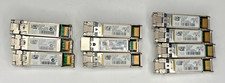
Lot of 10 - SFP-10G-SR OEM CISCO 10-2415-03 850nm 10GBASE-SR SFP+
$28.99

$4.00

Intel X520-DA2 10Gb 10Gbe 10 Gigabit Network Adapter NIC Dual Port E10G42BTDA
$28.94

30PCS Sealed Cisco SFP-10G-SR 10GBASE-SR SFP+ Transceiver Module MMF 850nm 300m
$499.99

10Gtek SFP+ DAC Twinax Cable 10G Direct Attach Copper Cable 0.5m 10-pack
$59.95
