

Hello all,
I have a number of questions to ask/things to say. I hope you'll all bear with me here, and hopefully I'll learn a bit about
making Knoppix do as I wish, and eventually be able to give some of that knowledge back to the community.
So the prelude to this is my attempts to get a webcam working, as discussed in another thread.
What I've discovered as a result of these ongoing attempts, are as follows;
a) The gspacv1 driver will make a Logitech QuickCam Chat function under Linux (yay!)
b) It's a lot easier to compile drivers under Ubuntu than Knoppix.
c) None the less, I'd rather stick with Knoppix, because Ubuntu's hardware detection is STUFFED! (i.e. the Ubuntu live CD I used doesn't even realise that I have any HDD partitions AT ALL!)
d) Knoppix 5.1.1 won't boot on my laptop unless I boot with acpi=off, hence disabling sound and power management (which sucks for VoIP applications!).
e) Knoppix 5.0.1 boots just fine with no need to disable acpi or anything, however the microphone doesn't seem to record properly.
So here's my issues, and a request for help on any or all of them.
A) I have a driver that will work for a Logitech webcam. Once I figure out how to install it under Knoppix, I'd like to write up a tutorial and put it on the wiki, so other folks can set up Ekiga/webcams too! However, here I run into the following problem;
B) Under Ubuntu, installing the driver was easy. Just unpack the tarball, cd to the appropriate directory, then run a script, with 'sudo ./gspca_build', or do 'make' followed by 'sudo make install'.
When I try the same in Knoppix, I get told that I need the kernel source packages installed. It seems that /lib/modules/<kernel number>/build should be pointing at /usr/src/linux-headers-<kernel number>/ but this directory (the linux-headers one) isn't there. For knoppix 5.0, this will be 2.6.17, for 5.1 it'll be 2.6.19. Now, I tried to find linux-headers-2.6.17 or 2.6.19 on snapshot.debian.net, but couldn't!
If anyone can help me out here, either by telling me where to find the appropriate files, or telling me what changes to make to the gspcav1 Makefile, or whatever, I'd be extremely grateful.
And while I'm at it, I have a small comment to make, about how Knoppix could be improved. I know it's supposed to be a live CD, but more and more it's veering towards allowing the user to install their own software, either by having a persistent disk image, or booting from a USB device, or installing to HDD. In that spirit, wouldn't it make sense to include the necessary files that allow a user to run a Makefile, straight-out-of-the-box, rather than having to install something before you can install something, in order to eventually install what you actually wanted to install in the first place?
Maybe this is just because I'm not a very experienced user, but it seems to me that Knoppix's ease-of-setup is wonderful, its ease-of-use is terrific, but its ease-of-tweak is dreadful!
C) A version of Linux with Knoppix's hardware detection and range of pre-installed software, and Ubuntu's ease-of-tweak would get my vote for best OS in the world any day!
D) So, unless I boot with 'knoppix acpi=off', 5.1.1 just locks up and gives me a black screen immediately after the boot options screen. As long as I turn acpi off, it boots fine, but I can't use sound (the Kmixer icon has a red cross on it, and Audacity gives error messages about not being able to find the audio device), and whether my laptop is plugged in or not, my battery registers as being completely flat. Oddly, wireless works just fine...
The laptop in question is an ASUS M2400N, Pentium M, centrino wireless, AC '97 audio controller. If anyone wants more details and can tell me what commands to type to get useful information, I'll provide it.
As far as I can tell, from the ASUS website, I have the latest version of the BIOS.
My question is, is there some way I can make audio and power management work, after I've booted in with acpi=off, and if I did a HDD install, how would I make sure this happened automatically whenever I booted?
As noted above, this doesn't happen with knoppix 5.0.1. Everything boots and detects perfectly, so I think something has been broken in the latest version. Hopefully it'll be fixed again in Knoppix 5.2!
E) The only problem I've found with Knoppix 5.0.1 is that when I fire up Audacity and try to record something from the microphone it sounds dreadful. It records, but when I play it back, well... it's recogniseable, but it sounds like Stephen Hawking's speech synthesiser crossed with Darth Vader doing an impression of a toad with laryngitis! It's really, really bad! Audio playback of oggs or other prerecorded sounds is fine, so it's definitely a problem with the recording process.
Thanks in advance for any and all help
 Posting Permissions


IBM System X3850-X5 Server w/4x Intel Xeon E7-4870 CPU , 512 GB DDR3 RAM,NO HDD
$1599.99

IBM QRadar xx29 2x Xeon E5-2650v4 2x 900W PSU M5120 12x 3.5" Bay Server No RAM
$179.99

DELL POWEREDGE HP IBM SERVER XEON GOLD 5315Y 8 CORE PROCESSOR 3.2 GHZ SRKXR
$1100.00

IBM X3650 M4 Server System Board 00MX553 00AM209 00Y8499 00Y8457 00D2888 00W2671
$230.00
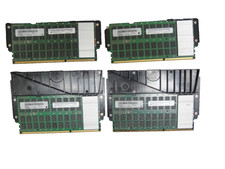
Lot of 4 IBM 00LP740 32GB DDR3 CDIMM Server DRAM MT80KLF4G72MDZ-1G6N1B50A
$109.95

IBM X3650 M5 5462-AC1,2 X E5-2640V3 2.6GHZ 8C, 16 GB, DUAL 750W, 2 X 1TB SERVER
$349.99

IBM SYSTEM X3500 M3 SERVER 7380AC1 TOWER Server XEON E5620 8GB RAID SEE NOTES
$111.70

IBM System x3550 M3 1U Server 2x Xeon E5645, 192GB RAM, 2x 300GB HDD (7944-AC1)
$150.00

IBM ADP Server Type 7870 AC1 NO HDD | 128GB RAM PC3L | 2 x Xeon E5620
$199.99

IBM 7915 AC1 M4 E27R704 Server Intel 2650V2 32GB RAM NO HDD w/ 2x 750w PSU
$225.00


 Reply With Quote