-
put each block of a HDD to zero
hy folks,
the topic == my question, cause long time ago, i can hardly remember there was a command i read in a linux magazine, in the magazine there was a Live-CD of Knoppix - i think it was version 3.4 - and the magazine said that with just this single one command you could put or set each block of a HDD to zero, so i don'T have this magazine anymore but would strongly need this command now.
I would be happy  if it were possible for someone here to help me, but pleaze do not give me the impolite advise to use google, cause i already did but without success...
greetz && thx m8s
-
ok, no need for posting replies i think! i figured it out:
dd if=/dev/zero of=/dev/hda
thats the command disc-dump: means that everything that comes within the if(=inputfile) will be copied to /dev/hda (=the common 1st HDD), in this case the if /dev/zero is a virtual file which can permanently supply 0-Bytes as long as the end of /dev/hda is reached.
if there are some bad sectors on the HDD you can use # dd if=/dev/zero of=/dev/hda conv=noerror to delete those too otherwise the disc-dump would stop immediately when arriving a bad sector.
so, i hope thats the right way to do such a thing, if i am wrong pleaze correct me... thx anyway
p.s.: if u believe i'm not native english speaker - u r goddamn RIGHT!
-
Senior Member
registered user

Originally Posted by
x-ray
dd if=/dev/zero of=/dev/hda
I suspect this may be slow with the default block size of 512 bytes; try using something bigger instead, e.g:
Code:
dd if=/dev/zero of=/dev/hda bs=4096k
-
thanx m8, it did work, fact is that there were 2 PC, i name them "the old" PC and "the new" one - ok?
ok, the old PC has a very small sized HDD with 14GB, so i did it with a blocksize of 1024k, worked fine and didn't last long, guess half an hour.
So, the new one doesn't use the IDE technology, but S-ATA (DVD) - that means that Knoppix is not able to boot. hm, tried to make a USB-Stick bootable with this tutorial: http://www.plop.at/de/ploplinux.html#windows - i also changed the BIOS HDD-bootlist and put the USB:memory on 1st place, then the same in boot sequence but it didn't work, maybe cause the stick is too old, no idea Y? so now I go on by tryin make a bootable floppy with the knoppix version 3.8 - i hope that will work cause otherwise i will use the 6.2 DOS to format the HDD with format -U, or get the DVD Drive connected with IDE instead of SATA...
-
I did it with Kubuntu 7.10, since version 7.04 they implemented S-ATA Driver, it's another open source Live-distribtion, but does exact the thing i want! NICE! i would like to advise everybody with S-ATA havin the same prob to use this distribution. eheh kk cu guys
Similar Threads
-
By Brokoro in forum General Support
Replies: 3
Last Post: 02-21-2006, 02:18 AM
-
By AugustQ in forum Hdd Install / Debian / Apt
Replies: 7
Last Post: 06-03-2005, 08:19 PM
-
By Facteur in forum Hdd Install / Debian / Apt
Replies: 12
Last Post: 05-11-2005, 06:09 PM
-
By smeadows in forum Hdd Install / Debian / Apt
Replies: 1
Last Post: 07-23-2004, 03:15 AM
-
By winowman in forum Hdd Install / Debian / Apt
Replies: 8
Last Post: 01-01-2003, 04:25 AM
 Posting Permissions
- You may not post new threads
- You may not post replies
- You may not post attachments
- You may not edit your posts
-
Forum Rules


Dell Poweredge R730xd 12LFF 2*2660v4 4*1Gbe h730 2x 750W Server CTO
$308.00

Dell EMC PowerEdge R440 Xeon silver 4215 2.5GHz 16 GB ram 2x 550W PSU No HDD
$275.00

VMware vCenter Server 8 STANDARD Perpetual License Key VC-STD-C (Legacy Pack)
$1599.95

Dell EMC VxRail E560F 10-SFF 2*Gold 6230R 2.1GHz No RAM HBA330 iDrac Ent Server
$349.99
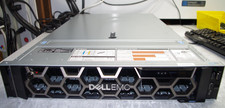
Dell R740XD All Flash 2U Server Full 24 x U.2 NVME 2x Xeon 6240R 48 CORE HOMELAB
$849.95

Dell PowerEdge C4130 1U AI GPU Server | 2x E5-2680 v3 | 32gb Ram | 2x 1600W
$409.99

Dell EMC PowerEdge R740 8 Bay Server w/ 32GB RAM 2x GOLD 6132 2x 1600W PSU H730p
$499.88
HP ProLiant DL360 Gen 11 - Xeon Gold 5th Gen - 192 GB DDR5 ECC - 2x 240 GB SSD
$17000.00

RDS CAL - Remote Desktop Services Windows Server 2022 50 User/Device Connections
$60.00
Windows Server 2025 Standard✔ 24-CORE✔ 10 CALs✔ 50 RDS✔ Remote Desktop EP2-25205
$317.56



 Reply With Quote