-
Knopix 5.1 Live with Netgear WG511 v2 Wireless PC Card
Knopix 5.1 Live with Netgear WG511 v2 Wireless PC Card Netgear wireless Router using WPA-PSK security.
I have a Compaq Persario 2100 Laptop and I finally got Knopix 5.1 live running wireless.
Here's how I did it.
First off it booted and connected to the internet thru my router when connected via the internal ethernet adapter. (Wired)
Next I tried wireless,( I disconnected the ethernet cable and plugged in the PC Card)
Booted from the same Knoppix 5.1 CD and it didnot connect, no lights on the PC card, no connection to the Internet.
After reading many forum entried the following is the setup that worked for me.
I used a USB 1GB memry stick to hold the drivers and config files.
I didn't want to wipe out my windows XP hard drive yet. I'm still evaluating linux.
Under windows I copied the drivers from the WinXP directory on the Netgear setup CD to the USB Memory Stick.
WG511v2.sys
WG511v2.INF
WG511v2.cat
I also created 2 other files.
A batch file to run all of my setup commands, and a config file for the program wpa_supplicant
startw (Batch file) It's contents follow.
-------------------------------------------------------------------------------------------------
ndiswrapper -i /mnt/*.INF
modprobe ndiswrapper
wpa_supplicant -Bw -Dwext -iwlan0 -c/mnt/wpa_supplicant.conf
pump -i wlan0
-------------------------------------------------------------------------------------------------
wpa_supplicant.conf (Config file for the program wpa_supplicant)
-------------------------------------------------------------------------------------------------
network={
ssid="OURHOUSE"
psk="12345678"
key_mgmt=WPA-PSK
proto=WPA
pairwise=CCMP TKIP
}
-------------------------------------------------------------------------------------------------
Put your networks SSID where OURHOUSE is.
Put your WPA-PSK passphrase where 12345678 is.
This is how I run the setup.
After Knoppix 5.1 boots with the memory stick and the Netgear PC Card installed.
Open a console window.
Enter the following at the command prompt.
su
mount -t auto /dev/sda1 /mnt
/mnt/startw
Good Luck
-
wireless card without hard drive - no problems
These are the steps I follow every time I boot up with ver 5.1.
Click on Knoppix applications, then
Network/internet
Network Card configuration
Wireless (ath0)
OK for each possibile entry (without entering anything) through all questions-nice and fast)
with last OK at "Obtain address automatically"
and your green lights should start flashing.
Once in a while this might fail so just trying again has worked with me and my Netgear card and old Dell C600 without hard drive)
I hope this helps and have a great Holiday![/i]
Similar Threads
-
By shodanjr_gr in forum Laptops
Replies: 3
Last Post: 03-27-2006, 10:59 AM
-
By eizo in forum Networking
Replies: 3
Last Post: 11-20-2004, 02:52 PM
-
By andymadigan in forum Hardware & Booting
Replies: 1
Last Post: 09-07-2004, 11:39 PM
-
By :-) in forum Hardware & Booting
Replies: 1
Last Post: 05-09-2004, 02:04 PM
-
By manjo in forum Networking
Replies: 2
Last Post: 08-13-2003, 12:20 AM
 Posting Permissions
- You may not post new threads
- You may not post replies
- You may not post attachments
- You may not edit your posts
-
Forum Rules


Original Vintage Old Style STANDARD Black CD Jewel Case (Heavy Duty) 90g Lot
$316.95

Vintage GTE XT300 Action Station Terminal 1984 - Tested Works Orig. Box & Foam
$889.00

Vintage Tandy Computer Varsity Scripsit Word Processing 3.5 & 5.25 Disks SEALED
$29.95
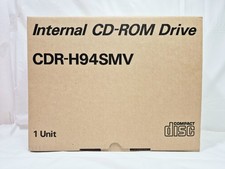
Vintage Sanyo CDR-H94SMV Internal SCSI CD-ROM Drive. 1994 NIB
$70.00
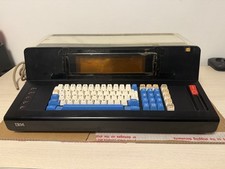
Rare Vintage IBM 3604 Model 2 Keyboard Display Terminal, Beam-Spring, Blue Caps
$1749.00
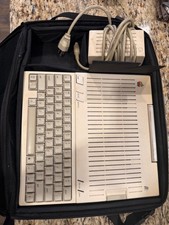
Apple IIc Computer and Monitor Vintage 1980s Working
$499.00
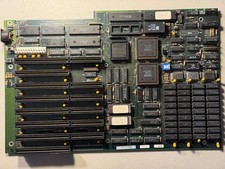
Vintage Everex EV1812 Intel 80286-10 640K Motherboard - Works
$160.00
Vintage Siemens 286-16 Motherboard - Works
$140.00
Vintage Super Rare Exxon Office Supplies Keyboard Mechanical Untested* 1980-85
$499.99

VINTAGE COLLECTIBLE Comp USA Maxtor 20 GB 3.5 Inch EIDE Hard Drive NEW SEALED
$500.00



 Reply With Quote