-
Senior Member
registered user
-
Junior Member
registered user
My predicition of user behavior and/or Tech support response, based on my own experience giving tech support, and my experience getting it from a certain company working to make an OS so simple a monkey could use it.
-----No monkeys were hurt during the writing of this post-----
Copy or Move to Specified Path < Click 'n Drag, Miss Folder, Call Tech Support, you must have a virus
How do I use the built-in CD burning in Windows XP? < Put in a blank CD, Click 'n Drag, Miss Folder, Burn CD, Call Tech Support tell them how your burner is broke
Force NumLock to Behave < This is a hardware problem, call Tech Support for your computer. They say it's a software problem, call Tech Support for your OS, they say it's a hardware problem repeat
Display your file extensions < Why on earth would you want to do that? Displaying file types is so much easier to understand. Never mind if you can't tell the difference between an mpeg and an avi. (Tools, Folder Options, View, Bottom checkbox on the window if you don't scroll)
Go Directly to Device Manager < Why on earth would you want to do that? All your hardware should be automatically configured, if it's not it's not safe to run and installing drivers for it could seriously damage the system.
Make a Duplicate of a File < Done for you automatically whenever you Click n' Drag and miss the folder.
Move or Copy Files at Will < You have no will when it comes to your computer. We have even limited the colors you can make your windows.
How do I store files on floppies that are too large to fit? < Buy a CD burner See how to burn a CD above
Display an index all the files on your system < You can't see all the files on your system. You may make changes to important system files. Your computer is being protected from you.
Prevent New Users From Logging In < Sit continously at the computer, however as this does not prohibit unauthorized login over the internet, Call Tech Support and complain you have a virus when the littlest thing looks suspicious. Shortcuts appearing on your desktop for example
How do I hide running applications? < Three buttons on the top right corner of the window, click the X
Turn Off Delete Confirmation < This is a feature we have added to protect your computer from you, we strongly recommend you leave it on.
Boot Directly into DOS < DOS is obsolete and old, we have announced with every release that this release is not based on DOS any more. Use a boot disk, we have lied every time.
Downloading Windows Updates < Your computer should do this for you automatically. This is yet another step in removing all control from the user.
How to Exit to DOS < See booting to DOS
Learn to Explore with Folders < Research is currently being conducted on a new file storage system, as Folders seem to be too difficult for some. Thank God they don't use directories anymore
Get Find/Search to Look Where You Want < The locations that Find/Search searches are complete except for system folders we hide to protect your computer from you.
How do I know if I can delete a specific file? < We will not even let the administrator delete files that should not be deleted. However, for your computer's protection we recommend that you don't delete anything at all.
How do I unhide a file? < Hidden files are hidden for a reason, we are protecting your computer from you.
Help! I've lost a file, and I can't find it! < See previous question
Sort by Extension in Explorer < See question about how to view extentions above. If you must though, click View, and then Details, Details view is a well kept secret. Click the File Type header.
Use Long Filenames in a DOS Window < We strongly recommend you do not use the DOS window in order to protect your computer from you.
How do I install, remove, or re-install one of the components that came with Windows? < All components are included for your benefit and they should never develop problems so we do not recommend making any changes.
How do I move the TaskBar and the Start Menu? < Click 'n Drag
Various Keyboard Shortcuts < Why?
Uninstalling Windows < We do not provide this information in order to protect your computer from you.
Run a Shortcut from the Command Prompt < We strongly recommend you do not use the Command Prompt, double-click shortcuts. Of course it works, you have to double-click faster.
My Taskbar has disappeared - how do I get it back? < Your computer should have been better protected from you. We will fix this in an upcoming release.
-
Junior Member
registered user
I laughed...and then it occurred to me that this is the level of many of the questions I'm asking about Lunux!
A little dose of humility!
-
Junior Member
registered user
Ilaughed everytime I read protecting your computer from you!
I hope you can have a few laughs at my expence when I ask an all to obvious question. Thanks again for the yuks! bob 
 Posting Permissions
- You may not post new threads
- You may not post replies
- You may not post attachments
- You may not edit your posts
-
Forum Rules


Refurbished Working 1960's Heathkit EC-1 Educational Electronic Analog Computer
$2999.99

Vintage George A Philbrick Researches Tube Analog Computer Module Serial 005503
$109.99

1969 EAI TR-20 Analog Computer Programming PACE Philbrick Electronic Associates
$36.00

Vintage Goodyear Electronic GEDA Analog Computer Plug -- Extremely Rare
$179.00

Vintage 1970’s Analogic MP2110 10-Bit A/D Converter Computer Circuit Board
$24.99

Vintage Early Week 12 1984 Apple Macintosh 128K Computer M0001 w/Analog Board+
$209.99
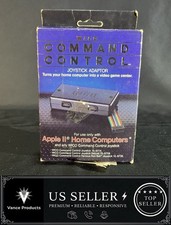
WICO Computer Command Apple II Analog Joystick Adaptor NOS 72-4525
$59.99
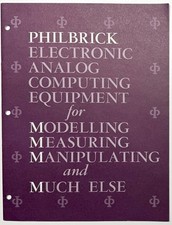
1964 PHILBRICK ELECTRONIC ANALOG COMPUTING OP AMP CATALOG PRICE LIST DIRECTORY
$139.97

VINTAGE Apple Unidisk Analog Card - Circa 1986 | P/N 820-0190-A
$22.67

Rare Vintage CH Product Mach III Analog Joystick for Apple Mac
$35.00



 Reply With Quote