-
"Could not mount device"
"Could not mount device.
The reported error was:
mount: I could not determine the filesystem type, and none was specified'
This is an error I get whenever I try to access my IDE hard drive through Knoppix 5.1.1(running off a CD).
I'm trying to save all the data on that drive by transfering it to a USB external. The filesystem is NFTS so I'm confused as to why it will not let me access it?
The strange thing is only a week ago I could browse the contents of this drive perfectly. Only when I connected the IDE drive to my new computer (whcih already has a SATA) does the IDE HDD seem impossible to access.. I am very new at Linux so if someone can help me through this process I'd appreciate it.
I really need the data on this HDD!
-
Senior Member
registered user
Hi Samizdat,
Well so far you haven't given enough details about what mount command you tried to use, or what knoppix 5.1.1 sees your hard drives as.
If you just want the files off of the ide drive... I would just disconnect the sata drive, and plug in the usb external drive after you have booted up into the gui. You can copy your files and be done with the ide problem.
Similar Threads
-
By Mr K in forum Hdd Install / Debian / Apt
Replies: 3
Last Post: 10-05-2008, 06:37 PM
-
By rioachim in forum Hardware & Booting
Replies: 0
Last Post: 04-17-2005, 01:47 AM
-
By sakiZ in forum General Support
Replies: 9
Last Post: 12-30-2004, 10:34 AM
-
By gooz in forum General Support
Replies: 1
Last Post: 10-23-2004, 09:11 PM
-
By YuXeL in forum Hdd Install / Debian / Apt
Replies: 0
Last Post: 12-08-2003, 01:48 AM
 Posting Permissions
- You may not post new threads
- You may not post replies
- You may not post attachments
- You may not edit your posts
-
Forum Rules


VINTAGE DEC LA34/ LA100 SERIES KEYBOARD W/NUMERIC PAD 70-17864-01C
$140.00

Vintage DEC Digital Starion 200 Desktop PC Powers On Boots To BIOS NO HDD - DW
$269.99

Vintage Digital DEC 54-15688 rainbow color graphics option
$129.99

Vintage DEC/Mostek memory systems MK 8015 AA-00 6805-08015 1100 REV C(B7)
$279.99

Vintage DEC PDT11 (VT100 Series) Terminal (Powers On).
$550.99

Vintage DEC LK201 Computer Keyboard Used
$59.97

VINTAGE DEC VX20A-OP ACCELERATOR, 54-20309 FOR VXT2000 SYTEMS
$95.00
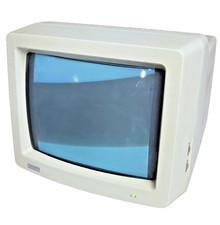
Vintage Digital VR241-A color CRT monitor, powers on, DEC Rainbow or terminal
$185.00

Vintage DEC Digital VR319-DA 19" High Resolution Monochrome CRT Monitor - Tested
$180.00
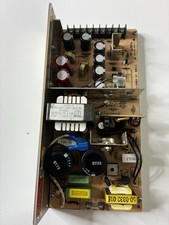
Vintage DEC LR150-11 Power Supply 70-0464-01 Rev C Sun Shoebox Micropolis
$140.00



 Reply With Quote