-
Senior Member
registered user

Originally Posted by
simone.montanari
Originally Posted by
cbagger01
FYI,
There is a Linux command line program that will do the work for you. It is called "isoinfo":
.
Thanks cbagger01,
you solved the reading during booting
Code:
isoinfo -d -i ./DVD.dat | grep "Volume set id:" | cut -d : -f 2
Now remains the bigger problem of writing the label "Volume set id" in a very easy way on the ISO.
If I have time I will try something this evening.
Simone
Looks like you figured out another way. This is how I did it. In this example, the contents of the publisher field is stored inside the shell variable named $PUBLISHER
Code:
PUBLISHER="$(isoinfo -d -i /dev/cdrom1 | sed -n 's/^Publisher\ id://p')"
I know that K3b can be used to modify the volume/author/publisher for a project, but I do not know if you can do this to an already created knoppix.iso file.
You also may be able to use a program like ISO MASTER in the knoppix utilities menu to build a new iso with different volume/author/publisher.
Similar Threads
-
By Gemu in forum General Support
Replies: 2
Last Post: 02-21-2009, 03:29 AM
-
By Maud_Dib in forum Hardware & Booting
Replies: 6
Last Post: 07-05-2005, 01:49 AM
-
By cyberdog in forum General Support
Replies: 0
Last Post: 04-14-2005, 07:47 PM
-
By larryks in forum Customising & Remastering
Replies: 4
Last Post: 06-09-2003, 12:43 PM
-
By George Wiedmann in forum Hdd Install / Debian / Apt
Replies: 1
Last Post: 04-20-2003, 05:21 AM
 Posting Permissions
- You may not post new threads
- You may not post replies
- You may not post attachments
- You may not edit your posts
-
Forum Rules

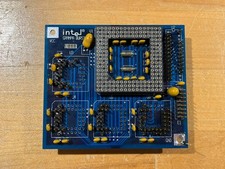
Intel GRAMPA BURST 168-pin 486 CPU Interposer/Testing Adapter Board Vintage
$289.99
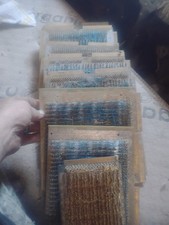
Title:Rare Vintage Magnetic Core Memory Board Plane – Retro Computing Collectibl
$2000.00

Vintage Promise EIDEMAX Enhanced IDE Disk Controller ISA Non-RAID Card Boxed
$34.99
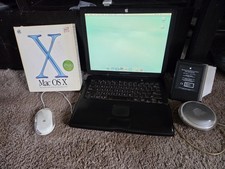
VINTAGE Apple PowerBook G3 Lombard M5343 400MHz 192MB Working Mac OS X Bundle
$299.00

Lot of 8 1980s Vintage INTERSIL microprocessors Computer Store Dealer Posters
$129.99

Apple II ProDOS User's Manual & IIe Supplement Factory Sealed Vintage
$79.99
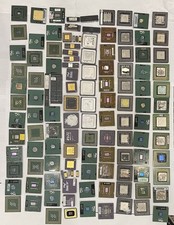
Vintage CPU For Gold Recovery
$1078.26
Vintage WordStar Pro Pack 3.30 TRS-80 Model 4 CP/M-80 MicroPro Factory Sealed
$349.99

Vintage Sun 320-1005 Type 4 Keyboard & 370-1170 Type-4 Mouse & Optical Mouse Pad
$129.00
Adaptec AHA-2940 PCI SCSI Adapter Card PCB 50 Pin 1995 Vintage PC Computer
$30.00



 Reply With Quote