

 Reply With Quote
If I remember correctly, gpart and testdisk need to be run against the entire drive device, not the mountpoint.
In other words:
/dev/sda
NOT
/media/sda1


I just can't quite figure out what this is saying. /FIXMBR should not write any text file to anywhere on the disk, what it is intended to do is to replace the boot code part of the MBR with plain vanilla Microsoft boot code (which would, for example, remove grub or other third party boot loaders if they have been installed, or just plain replace the boot code if for some reason it's not there or corrupt. It should not change, replace or "fix" the partition table, which is the last 64 bytes of sector zero track zero cylinder zero, aka the MBR. Can you tell us more about this text file? It almost sounds like the drive has been directly written to, as would be a floppy or a USB flash drive, rather than a properly partitioned hard drive. If that's the case then gpart or testdisk will be essential to rebuild the partition table. The /fixmbr option would also restore the boot code, but I would expect that should make any text file on an unpartitioned hard drive vanish. You shouldn't need to run /fixmbr to read the disk with Knoppix, but you might need it in eventually recovering the disk for Windows use. The good news is that since modern hard drives contain so much space on cylinder zero, if the text file is reasonably small, you may not have damaged any or much data on the FAT partition if something did write to cylinder zero as if the disk wasn't partitioned. I'm at a loss on how that would have happened though, unless someone forced a Linux system to mount sda rather than sda1 and then wrote to it or formatted it.Originally Posted by michaelmaxim
If I remember correctly, gpart and testdisk need to be run against the entire drive device, not the mountpoint.
In other words:
/dev/sda
NOT
/media/sda1
I'm getting the same error on a Toshiba Satellite A55-1064 laptop. That is, /dev/sda exists, but /dev/sda1 doesn't exist, even though it should. The hard drive is listed as "40GB (5400 RPM); Enhanced IDE (ATA-6) hard disk drive." The MBR on the hard drive is not messed up. QTParted and GParted both report the hard drive as I expect (/dev/sda, with /dev/sda1 being the only partition and filling the entire drive). The partition has a windows install on it, and is NTFS. Windows can boot, but fails after about two minutes, still in the loading screen. I'm using the lastest knoppix cd.
dmesg | grep sda revealed
I have no idea what this means or what to do nextCode:SCSI device sda: 78140160 512-byte hdwr sectors (40008 MB) sda: Write Protect is off sda: Mode Sense: 00 3a 00 00 SCSI device sda: drive cache: write back SCSI device sda: 78140160 512-byte hdwr sectors (40008 MB) sda: Write Protect is off sda: Mode Sense: 00 3a 00 00 SCSI device sda: drive cache: write back sda: <3>ata1.00: exception Emask 0x0 SAct 0x0 SErr 0x0 action 0x2 sda: Current: sense key=0xb end_request: I/O error, dev sda, sector 0 Buffer I/O error on device sda, logical block 0 sd 0:0:0:0: Attached scsi disk sda
 Posting Permissions


New Barebones Supermicro 5019D Server, 4C/8T Xeon D-2123T, 1U Rackmountable, 10G
$449.99

HP ProLiant MicroServer Gen8 G1610T @2.3 GHz, 16GB, 712317-001 NO HDD/OS
$199.00

Nasuni NF-50 Supermicro Server, Atom CPU C2558, @ 2.40GHz, 8GB RAM-No HDD/OS/AC
$250.00

Supermicro CSE-937 3U Storage Chassis No CPU No HDD No Ram Tested & Reset
$129.99

Supermicro 2U X10DRU-i 2x E5-2680 v3 2.5ghz 32gb Ram 240gb SSD 2x GPU *READ*
$369.99

1U Edge Firewall Server X11SCW-F Xeon E-2174G 0 RAM M.2 NVME 3x PCI-e 2x PSU X
$175.00

SuperMicro 4U CSE 847 36 Bay LFF Barebone 2x 1280W w/ 2x Bays 2.5 Rear w/Trays
$499.99
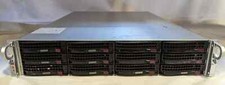
Supermicro X10DRU-i 2U 12LFF 2x E5-2680 v4 128gb Ram 480gb SSD 2x Nvidia K80
$749.99

$280.00

Supermicro 1U Network Server Appliance 16GB RAM 800GB SSD 6 LAN Ports Powers On
$450.00