

 Reply With Quote
Found it... Right click on sdb icon and select Change Read/Write options... DUH.


Good Evening All,
I am currently in an introduction to UNIX class and am having an issue getting started with an assignment. The assignment calls for booting to Knoppix (I am using version 5.5.1) and creating directories on external media using the command prompt rather than the GUI.
All is well until I try to create directories on my flash drive (I have tried many, all formatted FAT) (I also ensured that the drive is plugged in pre-boot)
I get an error that says that the drive is read only whenever I do a mkdir foldername
The directory is as such
Root - Media - sdb
I checked the permissions at Root/Media/ and sbd (flash drive) folders and they all suggest write access.
Any thoughts or guidance would be appreciated.
Thank You
Found it... Right click on sdb icon and select Change Read/Write options... DUH.
or you could do
Replace pendrive with whatever fits your situation (sdb in this case) .Code:sudo mount -t vfat /dev/pendrive /mnt/pendrive -o rw,users
to be successfull you should do this when the disk is NOT YET MOUNTED!
that is plug it in AFTER boot and do NOT touch any icons...
or even better start knoppix in runlevel 2 ( knoppix 2 ,at bootprompt) which is console only, then mount it manually.
just remember unmounting it befre removing it and wait untill it is fully unmounted before removing it, otherwise it can be damaged.
by the way runlevels 2, 3, and 4 are all text only, runlevel 0 is halt, runlevel 6 =reboot and runlevel 1 is single user admin mode.Code:umount /mnt/pendrive
you can change runlevel with init or telinit.
same goes for may other linux distributions, runlevels 0 and 6 are more or less set in stone, and 95% on runlevel 1, but not all have any non gui mode.
by the way, here you have a very short intensive course in textode linux if you want to try, http://floppix.com/labs.html
in my popinion it is hard to beat for short and to the point learning, true it is somewhat outdated in few areas, but not too bad.
 Posting Permissions


Commodore 1541 Floppy Disk Drive, Powers on
$57.50

Commodore OS USB | Bootable LIVE + Install | The Ultimate Gaming Linux OS | NEW
$11.99
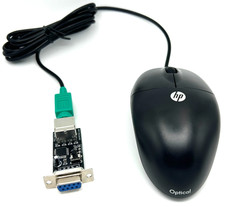
Commodore 64 1351 Compatible Optical Mouse with Adapter (Geos etc) - USA Seller
$29.99

Pi1541 Zero with Epyx Fastload Hat, Case & 16gb SD for Commodore 64 and 128
$79.99
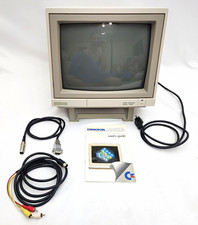
Commodore 1902A Color CRT Monitor C64 C128 Original Box Manual Cables Powers On
$290.00

Commodore 64 Serial Cable 6PIN DIN 1541 1571 C64 128 C128 Disk Drive Printer USA
$10.49

Commodore Amiga 500 Vintage Computer A500 No Power Supply
$249.95
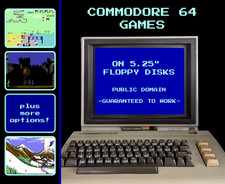
🕹️ Commodore 64 Games on Floppy Disks: Retro Public Domain C64 🕹️
$8.95

Commodore 64 Dead Test & Diagnostic Cartridge & Test Harness Set - USA seller
$39.99
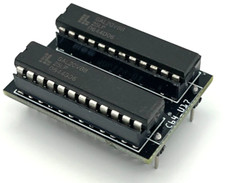
Commodore PLA Replacement MOS 906114-01 / PLS100 for C64, SX 64 High Quality USA
$12.99