-
an interseting solution
I have Knoppix installed on an external USB drive. Also had it installed on a USB flash but later removed most files, but the
syslinux file is still there. As with others, my internal Windows HD is not accessable when I boot Knoppix from the
external USB HD. I tried to mount the HD, as per the instructions posted her, but to no avail.
However, I found a trick that seems to work for me. After booting from the USB drive, I then install the USB KEY that has the
syslinux file. After it is mounted, I perform an fdisk-l to see all the disk devices. Then I unmount the USB KEY and 99% of
the time the internal hard drive (Windows) is now mounted and usable. Why? I have no idea. I am a real
newbie to Linux.
As the man says, DO NOT WRITE to the NTFS disk. You will probably make is unusable in Windows.
Similar Threads
-
By mikeadams in forum Hardware & Booting
Replies: 2
Last Post: 01-23-2006, 06:30 PM
-
By royston in forum Hdd Install / Debian / Apt
Replies: 3
Last Post: 07-09-2004, 12:42 AM
-
By jimandjeanette in forum The Lounge
Replies: 1
Last Post: 07-05-2004, 02:50 PM
-
By A. Jorge Garcia in forum General Support
Replies: 2
Last Post: 07-04-2004, 04:29 AM
-
By A. Jorge Garcia in forum Hdd Install / Debian / Apt
Replies: 2
Last Post: 07-04-2004, 04:26 AM
 Posting Permissions
- You may not post new threads
- You may not post replies
- You may not post attachments
- You may not edit your posts
-
Forum Rules

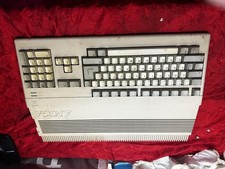
Amiga Commodore A500 - Untested-For Parts or Repair - Vintage
$200.00

TeensyROM+ TR+ v0.4 Cartridge for C64/128 - w/ Case & 32GB SD Preloaded
$89.50

Commodore VIC-20 Diagnostic Cartridge & Test Harness Set - USA seller
$39.99

Commodore 64 Dead Test & Diagnostic Cartridge & Test Harness Set - USA seller
$39.99
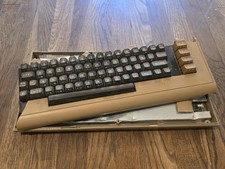
Commodore 64 Vintage Computer System *PARTS/AS IS*
$70.00

Commodore 64 Serial Cable 6PIN DIN 1541 1571 C64 128 C128 Disk Drive Printer USA
$10.49

Commodore 128 C128 Computer FOR PARTS / REPAIR Untested Missing Key No Cords
$149.99
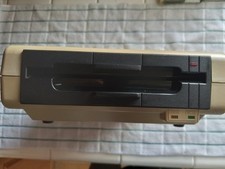
Commodore 64 disk drive - enhancer 2000 & 30 disks
$110.00
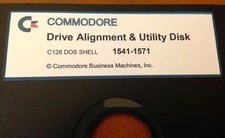
Commodore 64 Drive Alignment & Utility Diskette
$9.99
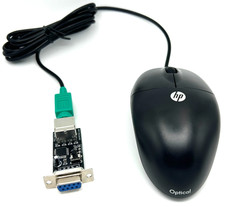
Commodore 64 1351 Compatible Optical Mouse with Adapter (Geos etc) - USA Seller
$29.99



 Reply With Quote