-
saving .txt, .obt. etc documents
I am using knoppix 6.0 and am trying to save documents to a hard drive in my computer. The hard drives are linux formatted and are mounted when the desktop comes up so I can open them and read files in them. Whenever I try to save a document it will not write to the hard drive directory I designate but gives an error that access to the directory is not permitted. I have checked the permissions that show root has full permission to read-write. Does anyone know how to correct this problem. Your help is appreciated in advance.[/list]
-
Administrator
Site Admin-
Re: saving .txt, .obt. etc documents

Originally Posted by
derwalroszsagt
.....I have checked the permissions that show root has full permission to read-write. Does anyone know how to correct this problem. ....
I believe this is not a permission issue but rather a mounting issue. Knoppix by default will open files "read only". There used to be a menu item to mount a partition as r/w, but that may have vanished or be in hiding with the version 6.x releases. You should be able to mount the partition as r/w with the mount command fron a shell though. See man mount for details.
-
Thanks for the reply. I think I tried to mount it but got the error message that it was already mounted. Will try it again.
-
Thanks for the reply. I think I tried to mount it but got the error message that it was already mounted. Will try it again.
-
Administrator
Site Admin-
Originally Posted by
derwalroszsagt
Thanks for the reply. I think I tried to mount it but got the error message that it was already mounted. Will try it again.
Yea, it's already mounted, but it is mounted read only. Once again, I suggest that you read man mount, it explains how to remount as read-write.
---
Verifying of md5 checksum and burning a CD at slow speed are important.
-
I tried it without effect. Get the error that only root could do the mount. Kind of expected that as the disk is write only. Tried a sudo mount also and got the same error. In the same vein i had another problem copying a text document to the floppy by using the desktop. In fact the desktop would not read a floppy. I went to /media/floppy and was able to ls the floppy and open documents that way. Was also able to cp to the floppy from the desktop using the terminal program. I think the problem is that on the desktop the floppy is called "floppy drive" and in media it is called "floppy" and the program can't find the floppy on the desktop. Don't know how to fix it as I can't change anything on the disk. It all worked ok on Ver 5.3.x and KDE but Ver 6.0.x seems to be screwed up.
-
Continued fooling around with it. Finally did a mkdir h** in /media and was able to mount -arw hdc on h**. This still did not let me save a leafpad file to h**/** (error can not open file). Saved to Desktop and then used the xterm to cp from Desktop to the hdc/** file I wanted. PITA but it worked. I think that Knoppix 6.0.x needs some work.
Similar Threads
-
By johnnyseriuss in forum MS Windows & New to Linux
Replies: 7
Last Post: 12-23-2009, 07:36 AM
-
By keebz in forum Hardware & Booting
Replies: 2
Last Post: 01-16-2009, 01:31 PM
-
By triviaace11 in forum General Support
Replies: 3
Last Post: 01-11-2009, 05:36 AM
-
Replies: 3
Last Post: 11-16-2004, 02:16 AM
-
By manatarms1775 in forum General Support
Replies: 3
Last Post: 04-10-2004, 07:41 PM
 Posting Permissions
- You may not post new threads
- You may not post replies
- You may not post attachments
- You may not edit your posts
-
Forum Rules


Genuine Cisco SFP-10G-SR 0-2415-03 10 Gigabit Transceiver
$5.40

Dell Intel X710-DA2 5N7Y5 Dual-Port 10GbE SFP+ PCIe 3.0 x8 Network Adapter
$27.50

NEW Sealed Cisco SFP-10G-LR 10GBASE-LR SFP+ 1310nm 10km *US Shipping*
$24.00

Cisco Acacia DP04QSDD-E25-840 400G QSFP-DD Coherent DCO Transceiver Module
$699.99

SFP TO RJ45 TRANSCEIVER SFP MODULE COPPER SFP OPTICAL PORT TO RJ45 ETHERNET PORT
$7.99

Intel X520-DA2 10Gb 10Gbe 10 Gigabit Network Adapter NIC Dual Port E10G42BTDA
$28.94

HP 560SFP+ 10GB 2-port PCIe NIC Ethernet ADAPTER 669279-001 w/ (2) 10GB SFP+
$16.99
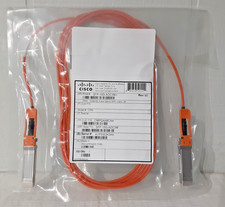
New Cisco SFP-10G-AOC3M= Compatible 10G SFP+ 3m (10 ft.) Active Optical Cable
$49.95

CISCO 10GBASE-SR SFP "Lot of 4” SFP-10G-SR
$47.99

Cisco WS-C3650-12X48UR-L 48-Port Stackable Layer 3 8x10G SFP+ Port Switch
$129.99



 Reply With Quote