-
Thanks. It's a rather funny irony that I have working knowledge of half a dozen programming languages and have been online for 8 years now yet I don't know most of the web acronyms.
-
Senior Member
registered user
Just tried this the other day after having upgraded to a new motherboard and processor and it works well I must say. A couple things I would add you do not need arts (I'm using KDE3.2 and xmmsarts is broken) it will work fine without it you just have to kill off the artsd daemon in a console for XMMS to work. Second the changes will work for the other Sound Systems at least OSS which I am using for XMMS.
-
Re: The Official AC97/Via Onboard Sound Problem Thread Thing
Hi,
I did the things that were suggested, and they worked out quite well (the acpi wasn't that successful).
But now I have a simple problem. I did all the changes as root. But when I change to another user, the problem is there again. What do I have to do to make the changes of the soundsettings public?
(ok... I admit that I am a linux newbie, but hey, that's why I post this to the knoppix forum  )
)
Thanks
Heiko
www.krimispiel.net
-
My Averatec laptop sound is not working.
When probing with SNDCONFIG (which is funny because I believe this is the tool to probe yr soundcard under Linux), it comes up with VIA Technologies IVT8233 [AC97 Audio Controller].
When modprobing that module, I get a ton of errors.
Code:
No such device

insmod

failed

insmod sound-slot-0 failed
What is ALSA? It is on my knoppix machine, but I can't get it to run and there are no man pages for it.
Any input would be awesome here.
thanks
-
Senior Member
registered user

Originally Posted by
JockVSJock
My Averatec laptop sound is not working.
When probing with SNDCONFIG (which is funny because I believe this is the tool to probe yr soundcard under Linux), it comes up with VIA Technologies IVT8233 [AC97 Audio Controller].
When modprobing that module, I get a ton of errors.
Code:
No such device

insmod

failed

insmod sound-slot-0 failed
What is ALSA? It is on my knoppix machine, but I can't get it to run and there are no man pages for it.
Any input would be awesome here.
thanks
Try /etc/init.d/alsa-autoconfig as root in a console to create the devices for alsa and now that I look I answed this in a post above. 
-
Originally Posted by
Stephen
Originally Posted by
JockVSJock
My Averatec laptop sound is not working.
When probing with SNDCONFIG (which is funny because I believe this is the tool to probe yr soundcard under Linux), it comes up with VIA Technologies IVT8233 [AC97 Audio Controller].
When modprobing that module, I get a ton of errors.
Code:
No such device

insmod

failed

insmod sound-slot-0 failed
What is ALSA? It is on my knoppix machine, but I can't get it to run and there are no man pages for it.
Any input would be awesome here.
thanks
Try
/etc/init.d/alsa-autoconfig as root in a console to create the devices for alsa and now that I look I answed this in a post above.
Is there anyway to get these modules to stay loaded once I load them up under /etc/init.d?
I can't find where they are at when I check lsmod.
thanks
-
Senior Member
registered user
Originally Posted by
JockVSJock
Is there anyway to get these modules to stay loaded once I load them up under /etc/init.d?
I can't find where they are at when I check lsmod.
thanks
They are devices that are created once for the sound card they should be available every time you boot (at least that's how it works for me) after you run the auto-config however the configuration of ALSA defaults to mute so you will not hear any sound unless you set the mixer levels on re-boot. Add the line aumix -w 75 -v 75 to the bottom of the file /etc/init.d/bootmisc.sh I have also seen a post with the -cd option used which I would presume is for the level for the CD player.
-
I tried the ALSA boot prompt cheat, and /etc/init.d/asla-config as root, but still...no sound. Some threads here said disable legacy in BIOS, but there was only USB Legacy, so I disabled that. Still no luck. Any other help?
(Also tried 'knoppix xmodule-fbdeva alsa'
-
Senior Member
registered user
Originally Posted by
KneeLess
I tried the ALSA boot prompt cheat, and /etc/init.d/asla-config as root, but still...no sound. Some threads here said disable legacy in BIOS, but there was only USB Legacy, so I disabled that. Still no luck. Any other help?
(Also tried 'knoppix xmodule-fbdeva alsa'
What type of card do you have? If you have no on board sound you don't really need alsa.
-
Also works under KDE, RH8
Hi The CafFIEND
Your tips also works fine in KDE under RH8. Sounds much better but like you say with a little finetouch it would be perfect.
My machine Is: Via EPIA ME 6000 (Mini ITX) with VT1616 AC97 Sound.
Well this works fine from the controll center in KDE but my new problem is how to do the same thing under Window Maker or if anyone know's there the real configfile there i can enter 44Khz and Full Duplex. If somebody knows there this file in another Window Manager (KDE for Ex.) It could also help me.
Thanx The CafFIEND for a superb tips.
Similar Threads
-
By psychopath in forum Hardware & Booting
Replies: 0
Last Post: 03-10-2005, 09:27 PM
-
By greygooseplz in forum Hardware & Booting
Replies: 11
Last Post: 11-20-2004, 10:12 AM
-
By BNU-FaNtAsMa in forum Hardware & Booting
Replies: 6
Last Post: 09-04-2004, 04:31 PM
-
By darkhack in forum Hardware & Booting
Replies: 1
Last Post: 01-26-2004, 05:51 AM
-
By Roger in forum Hardware & Booting
Replies: 2
Last Post: 01-30-2003, 06:33 AM
 Posting Permissions
- You may not post new threads
- You may not post replies
- You may not post attachments
- You may not edit your posts
-
Forum Rules


IBM System X3850-X5 Server w/4x Intel Xeon E7-4870 CPU , 512 GB DDR3 RAM,NO HDD
$1599.99

IBM 7915 AC1 M4 E27R704 Server Intel 2650V2 32GB RAM NO HDD w/ 2x 750w PSU
$225.00

IBM QRadar xx29 2x Xeon E5-2650v4 2x 900W PSU M5120 12x 3.5" Bay Server No RAM
$179.99

IBM 9307-RC4 42U 19in Freestanding Server Rack Cabinet 1000 lb Capacity
$100.00

IBM SYSTEM X3500 M3 SERVER 7380AC1 TOWER Server XEON E5620 8GB RAID SEE NOTES
$111.70

IBM X3650 M5 5462-AC1,2 X E5-2640V3 2.6GHZ 8C, 16 GB, DUAL 750W, 2 X 1TB SERVER
$349.99

IBM x3550 M4 1x 3.50GHz Quad Core Xeon E5-2637v2 32GB RAM 8-Bay No HDDs - READ
$20.00

IBM Power 720 8202-E4B Server - POWER7 4-Core 3GHz, 8GB, 2x 146GB HDD, 1725W PSU
$450.00
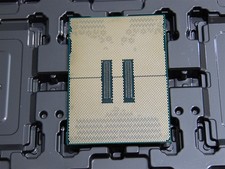
DELL POWEREDGE HP IBM SERVER XEON GOLD 5415+ 8 CORE PROCESSOR 2.9 GHZ SRMGC
$1299.00

DELL POWEREDGE HP IBM SERVER XEON GOLD 5315Y 8 CORE PROCESSOR 3.2 GHZ SRKXR
$1100.00



 Reply With Quote