

 Reply With Quote
set it up right, and any one can run it. since you didnt set it up correctly for users ( i am assuming, since you said rootis the only one that can use it) I am also wondering if you changed the max burn speed on it?


AMD 300mhz k-62 128mb memory 135mb swap usb2 cd-rw on installed knoppix
I see memory just to run knoppix with only the memory check running leaves only about 35mb free.
xCDRoast (apparently need to be in root) is hard to start up, slow.
Is this a memory problem?
What and how do I turn off unnecessary services if that's my problem?
Thanks for any help.
set it up right, and any one can run it. since you didnt set it up correctly for users ( i am assuming, since you said rootis the only one that can use it) I am also wondering if you changed the max burn speed on it?
You need more ram even though you can run with what you have it is using the swap on the hd. One thing you can do though is to make sure DMA is turned on for the HD. To check in a root console hdparm /dev/hd? checks current settings. other hdparm options:
hdparm -Tt /dev/hd? - Tests hard drive speed
hdparm -d1 /dev/hd? - Turns on DMA
hdparm -i /dev/hd? - If drive chipset supports it tells you drive info.
Another option you may want is either -c1 or -c3 to turn on 32 bit support.
[edit]
man hdparm for complete options.
[/edit]
When you get the settings the way you want them you can put them in /etc/init.d/bootmisc.sh to start at boot ( the dma settings may already be there commented out )
Replace the ? with your drive letter above.
Settings I use:
With the hdc I went from ~4mb/sec it was using to 28mb/sec on the 64mb reads. As always this works for me YMMV.Code:# enable DMA /sbin/hdparm -q -d1 -X66 -u1 -c3 /dev/hdc /sbin/hdparm -q -d1 -c3 /dev/hda
Also with your xcdroast there are settings in the config to allow non-root users you have to add yourself to allowed users. Or you can edit /etc/sudoers file with the command visudo and add an entry for yourself. example line:
This allows the user knoppix on machine HappyTux to use xcdroast as root. This is added to the user privilege specification.Code:knoppix HappyTux=NOPASSWD: /usr/bin/xcdroast
Thanks for the replies. At the moment I cant get onto installed Koppix - see another post.
Are you saying I cannot gain anything by turning off some services that are running?
For instance, couldn't I shut down a logging service, or CUPS? I havent found yet how to find out what is actually running on Knoppix where I could shut something down.
 Posting Permissions


4x Various Brands 8.5" Mainframe 9-Track Reel Computer Data Tape 6250 CPI .5"
$24.99

Vintage Telex 952003-112 Mechanical Terminal Keyboard IBM 3270 Mainframe DB25
$699.99

HP 5060-8359 8K Semiconductor Memory Module 5080-9747 Vintage HP Computer
$157.30

Vintage Intel Mainframe Server MCM CPU Substrate Lot Prototyping PGA Validation
$500.00

One Of A Kind Homemade Vintage Mainframe Computer, Logic Module Wood Bookends
$149.00
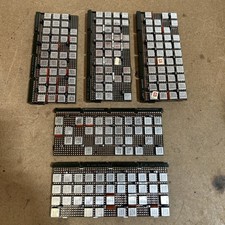
Vintage IBM Syst 370 MST Boards Lot Of 5 Heavily Populated IBM 22 Alu Can Chips
$79.00
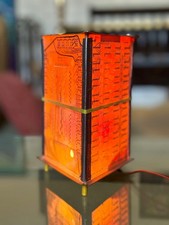
Vintage UNIVAC Mainframe Circuit Board Lamp - Cyberpunk Tech Geek Industrial Art
$225.00
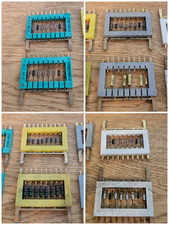
8x Gold Rare Vintage Mainframe Burroughs Transistor Cordwood Modules B2500/B5000
$149.95

HP 13210-60001 Disc Drive Interface PCB HP 7900A 7901A Vintage
$157.93
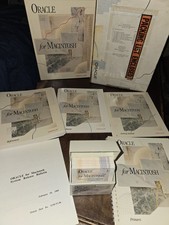
Oracle for Macintosh Developer’s Kit v1.0a (1988–1989) – Complete • UNUSED
$1600.00