-
Running btdownloadgui.......
Windows XP laptop not booting (after severe thunderstorm yesterday)
Downloaded Knoppix via bittorrent as directed,
Now trying to do the following instruction
Save that file, then run btdownloadgui KNOPPIX-[date].torrent
don't know how to do that, it's been a long time since I worked with Knoppix and Ubuntu and Mepis
TIA for any help
-
Administrator
Site Admin-
Re: Running btdownloadgui.......

Originally Posted by
KansasGuy
...Downloaded Knoppix via bittorrent as directed,
Now trying to do the following instruction
Save that file, then run btdownloadgui KNOPPIX-[date].torrent
don't know how to do that,...
Don't know where you are finding your directions, but if you already downloaded a Knoppix version that you want by a torrent client, then you have the ISO file and are ready to burn. Don't "run btdownloadgui KNOPPIX-[date].torrent", whatever that means.
You can reach the wiki by the Documentation link near the top of this page. The Downloading FAQ in the wiki should give you all the info that you need about burning an ISO. Key points worth repeating are to burn it as an image, burn it at a slow burn speed such as 4x, and never ever select any option to make it bootable, but a quick read of the FAQ could save you wasted time and media. And if that run btdownloadgui KNOPPIX-[date].torrent instruction did come from the FAQ, then it is worth noting that the FAQ is user contributed and edited, you could edit it to clear up any confusion.
You may also want to do a quick md5 test on the ISO file before burning, although it is generally only needed with mirror downloads, as torrent downloads do their own error testing and correction.
-
Thanks so much, I will go to the Documentation and FAQ,
the link I got those instruction from was:
http://knoppix.net/get.php
just to the right of the big yellow advertising box.
re: md5, is that the same as "checksum"? (it's been a long time), will need to know how to do that, but will check the FAQ
Also, the downloaded Knoppix came in a folder, with 5 files, and one called "packages"????
I'll go read the FAQs,
-
Administrator
Site Admin-
Originally Posted by
KansasGuy
Yea, that would confuse me too. Looks like Clinton could edit that a bit to make it clearer. But it is trying to explain to first download a BitTorrent client and install it, then download the torrent file itself, then get the torrent client to open and download the torrent. There are different ways to do that, including both opening the torrent file from inside the torrent client as well as just clicking on the torrent file (the install usually associates the torrent extension with the client and causes it to start and open the file when it is clicked on in Windows systems). The name used to represent a generic knoppix torrent file is confusing. Anyway, you downloaded the torrent and so are past that.
Originally Posted by
KansasGuy
re: md5, is that the same as "checksum"? (it's been a long time), will need to know how to do that, but will check the FAQ
By the time that you read this I expect the faq or a google search will have explained it, but the md5 test is similar to a checksum (a bit more complex of a formula than a simple checksum but the concept is the same). Very much needed for those who still insist on using the mirrors, as the downloads are often corrupt (mine were about 50% of the time) but somewhat redundant when using a torrent download. I think you may also get a ASC file, which is another check file based on a different formula. Either can be used, using both would be overkill.
Originally Posted by
KansasGuy
Also, the downloaded Knoppix came in a folder, with 5 files, and one called "packages"????
I'll go read the FAQs,
Yes, since torrents can easily deliver several files as well as just one, Klaus threw in some extra files. It used to be about 8 so I guess he's dropping some, but he often includes the cheat code information, a couple of test files (md5 and acs, user's choice which to use) and sometimes a change log. The extra files are tiny and really don't affect download time. The ISO is the key file, and the one that will be burnt to disc as an image.
Packages is a text file, a nice list of exactly what Linux packages should be included on that Knoppix CD. Sometimes the menus have been pretty sloppy in Knoppix as of late, but if packages says that what you are looking for is on the disc then it very likely is (and conversely, if it isn't in packages then don't spent too much time looking for it on the disc).
-
Thanks again for the help. Re-direct me if necessary, but here's where I am
I have the live CD of Knoppix 6.0.1 in and working.
1) I'm using the following website to try to find my XP files, but the desktop doesn't have hda1, etc on it. (newer version of Knoppix, and my linux knowledge is very rusty) I've explored some but can't find it
2) The wireless connection will connect to a "freenet" in the area, which then wants me to subscribe for $20 per month, but doesn't "see" my wireless connection in the house which is only WEP protected (and I haven't been able to configure the Knoppix to find it)
TIA again
-
Got online, so now using the laptop. Now to find the files
-
Administrator
Site Admin-
Originally Posted by
KansasGuy
1) I'm using the following website to try to find my XP files, but the desktop doesn't have hda1, etc on it. (newer version of Knoppix, and my linux knowledge is very rusty) I've explored some but can't find it
A lot of people, myself included, find 6.x to be a big step backwards from previous versions. One common complaint is that the desktop icons for the partitions no longer appear. From what others have written here you should still be able to find your partitions by opening a file manager. Sorry, can't give more details, I don't have a copy of 6.x in front of me at the moment.
And, of course, we are hoping that the partitions still exist and can be accessed. Unfortunately with Windows involved you can't be sure of that until you actually have the files.
Alternatives would include 5.x versions of Knoppix and other Live CD versions of Linux (see my answer to #2 below).
Originally Posted by
KansasGuy
2) The wireless connection will connect to a "freenet" in the area, which then wants me to subscribe for $20 per month, but doesn't "see" my wireless connection in the house which is only WEP protected (and I haven't been able to configure the Knoppix to find it)
Unfortunately, I've found wireless support in Knoppix very poor. Wired networking is great, but not so with wireless. The last version of Knoppix that I could get to work with any of my wireless cards was 4.02. It did work and could be set up on WEP with one of my wireless cards. I have not even tried with 6.x (low expectations). My other cards were never recognized by Knoppix, but I did find that several other Live CDs did run those same cards just fine, including Puppy Linux and Mandriva1 and even the Backtrack series (more of a security release than the others, but you can get some work done and it had excellent wifi support). Some people do indeed use Knoppix with wifi, but it seems very hardware dependent. If Knoppix doesn't recognize your hardware you can try various workarounds of wrapper or installing drivers, but I personally would suggest using different distros for most users. This, by the way, should also help resolve your "partitions are not on my desktop" issue; as most other distros (particularly Puppy Linux) will indeed give you desk top icons for your partitions if they can find them.
If Knoppix 6.x does indeed find Freenet then your hardware is likely detected and working just fine. So you indeed should be able to configure it for the SSID and WEP key of your local network. Unfortunately, it's been so long since I've done that that I can't remember exactly what I did. But look in the networking section of the menu for wireless networking tools and give it a try. Or use the search feature of these forums to look in the networking forum and find discussions about wireless configuration.
-
Loaded laptop with PuppyLinux, on the lower section of the screen it only shows the CD, sr0, and it will pick up flash drives that I plug in, so I guess that means that the hard drive truly was corrupted badly. Any other suggestions?
-
Administrator
Site Admin-
Originally Posted by
KansasGuy
Any other suggestions?
There is a chance that only the partition table is corrupted, and maybe not the partitions themselves. If that is what happened then gpart can try to "guess" the partition table and recreate the partition table for you. see the man page (type man gpart at a command prompt) for details and usage.
There is also a "for dummies" version of gpart built into testdisk, but from what you have written so far I expect that you have enough Linux savy to use gpart and that it would be the better choice for you.
Of course, the is the chance that Windows has roached the disk bad enough that Knoppix isn't going to recover it, I have had 3 such disks (nothing physically wrong with them but corrupted partitions). But gpart is certainly worth a try.
By the way, I have not kept up with Puppy Linux and am not sure what hardware you are running on. You might want to be sure that your version of Puppy has SATA support if you have SATA drives. I expect that it does but it seems worth mentioning.
-
The laptop started "clicking" whenever it was on, with two different Linux distros, including Gparted, I listened to where it was coming from, took it apart, sure enough, the hard drive. Bought a new hard drive, 160 gig to replace the 40. Will keep the old drive and possibly look into retrieving info later. Any advice or suggestions on dual booting? XP and a favorite Linux distro, if so, which one? ht
Similar Threads
-
By Rob_S in forum MS Windows & New to Linux
Replies: 14
Last Post: 08-08-2004, 11:45 PM
-
By Raineri in forum General Support
Replies: 2
Last Post: 09-24-2003, 10:46 PM
-
By Levon in forum General Support
Replies: 9
Last Post: 06-20-2003, 01:13 AM
-
By Allowee in forum Hdd Install / Debian / Apt
Replies: 9
Last Post: 04-22-2003, 06:33 AM
-
By dvessey in forum Ideas
Replies: 9
Last Post: 02-09-2003, 01:37 AM
 Posting Permissions
- You may not post new threads
- You may not post replies
- You may not post attachments
- You may not edit your posts
-
Forum Rules


GIGABYTE B365 HD3 LGA1151 Intel 9th Gen motherboard
$59.99
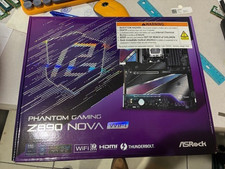
ASRock Z890 Nova WiFi LGA 1851 Intel Z890 ATX Motherboard
$184.99

Intel H310 LGA1151 8-9th Gen DDR4 M.2 NVMe mATX Motherboard IO Shield Battery
$54.99
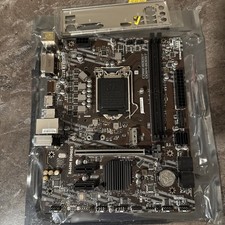
MSI B460m-Bomber LGA 1200 Intel 10th Gen B460 M-ATX Intel Motherboard
$59.99

GIGABYTE A520M DS3H AC AMD AM4 Motherboard mATX
$59.99
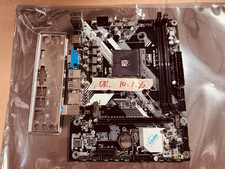
JINSHA B450M B450 AM4 MicroATX Motherboard DDR4 2DIMM M.2 W/ IO SHIELD
$49.99

Intel H81 Motherboard M.2 NVMe LGA 1150 mATX w/ IO Shield (Random Slot Color)
$29.99

ASUS PRIME Z370-A II LGA 1151 Intel Z370 DDR4 DIMM USB3.1 DVI ATX RGB
$69.99

ASUS PRIME Z490-P LGA 1200 Intel Z490 SATA 6Gb/s ATX Intel Motherboard NEW
$121.45

ASUS B85M-G/B85M-G PLUS LGA1150 DDR3 Micro ATX Motherboard HDMI for Inter 4thCPU
$45.00



 Reply With Quote