-
dead windows box --- knoppix live cd --- how to configure
I have a non bootable windows box that I have booted with the knoppix live cd .
I can look at all the drives on this windows box now.
I want to 'share' this computer on the local network so I can copy my data files across to another computer.
Now I had it working once but really I don't know what I did to get it so I could see it on the network.
help is greatly appreciated.
once i get this done I will have to do a restore.
Thanks for your help.
Brian
-
Administrator
Site Admin-
I've gotten Knoppix to share drives, but sometimes I have a lot more trouble than other times, and I really don't understand why. Others may be able to help talk you through that, it might be helpful if you tell them what version of Knoppix you are using and what type of system you want to connect to.
Personally, the way that I resolve this is to install a simple FTP server on the Windows box that I want to transfer files to, then use the browser in Knoppix as an FTP client to transfer the files. I used to use Konquror in prior versions of Knoppix, have not done this yet with Knoppix 6.2 but I understand that Konquror may be missing in that release. Other browsers should still work as an ftp client, or even the command line FTP client, but this is all theory and the proof is left to the user.
One nice benefit that you would see from using an FTP arrangement to transfer files is that FTP is much much faster than Microsoft file sharing, particularly when they are file sharing with Linux (Which they seem to deliberately make slower).
---
Verifying of md5 checksum and burning a CD at slow speed are important.
-
Senior Member
registered user
Re: dead windows box --- knoppix live cd --- how to configur

Originally Posted by
silverwatersask
I have a non bootable windows box that I have booted with the knoppix live cd .
I can look at all the drives on this windows box now.
I want to 'share' this computer on the local network so I can copy my data files across to another computer.
Now I had it working once but really I don't know what I did to get it so I could see it on the network.
help is greatly appreciated.
once i get this done I will have to do a restore.
Thanks for your help.
Brian
Brian,
Beside the FTP option that Harry sugested, another option is to use the smb to share your non-bootable windows box.
Check out here Q2, 3 and 5 on how to setup the Samba in your network:
http://www.knoppix.net/wiki/Network_Shared_Drive_FAQ
Rgds,
Chip
Similar Threads
-
By Shaba1 in forum Hardware & Booting
Replies: 9
Last Post: 11-21-2006, 07:53 PM
-
By achilles in forum Networking
Replies: 2
Last Post: 10-15-2005, 09:31 PM
-
By madoka in forum Networking
Replies: 0
Last Post: 03-19-2005, 03:36 AM
-
By Amity in forum Hdd Install / Debian / Apt
Replies: 6
Last Post: 02-09-2005, 11:42 AM
-
By button in forum MS Windows & New to Linux
Replies: 1
Last Post: 09-13-2004, 01:52 PM
 Posting Permissions
- You may not post new threads
- You may not post replies
- You may not post attachments
- You may not edit your posts
-
Forum Rules


HP ProLiant MicroServer Gen8 G1610T @2.3 GHz, 16GB, 712317-001 NO HDD/OS
$199.00

Supermicro CSE-937 3U Storage Chassis No CPU No HDD No Ram Tested & Reset
$129.99

Supermicro 1U Network Server Appliance 16GB RAM 800GB SSD 6 LAN Ports Powers On
$450.00

Nasuni NF-50 Supermicro Server, Atom CPU C2558, @ 2.40GHz, 8GB RAM-No HDD/OS/AC
$250.00

HP PROLIANT MICROSERVER GEN8 E3-1220LV2 @ 2.30GHz, 8GB RAM, NO HDD/OS
$164.97

New Barebones Supermicro 5019D Server, 4C/8T Xeon D-2123T, 1U Rackmountable, 10G
$449.99
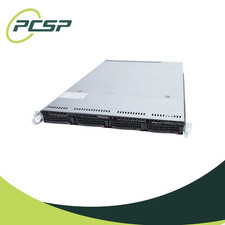
Supermicro CSE-815-5 4B LFF Xeon E3-1245v6 16GB DDR4 1x 9361-8i 4x 1TB SATA HDD
$483.99
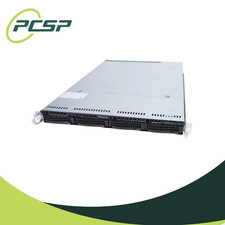
Supermicro CSE-815-5 4B LFF Xeon E3-1220v5 16GB DDR4 1x 9361-8i 4x 1TB SATA HDD
$477.00

Supermicro CSE-937 3U Storage Chassis No CPU No HDD No Ram Tested & Reset
$129.99

Supermicro 505-2 Server
$280.00



 Reply With Quote