-
Senior Member
registered user
All CD burners under Knoppix do not seem to be created equal: K3b vs Brasero
I just want to give a quick report about my problems with CD writing under 6.2.1 on a Fujitsu-Siemens V3405 laptop.
In short, Brasero was not able to produce readable recordings, even set at lowest speed, with 3 tries. But it reported the burning succesful. While K3b did it at first try. In addition, I had K3b verify the writing - that can be very useful with ISO images.
Before this, I believed that Linux CD burning programs were substitutable, but maybe they are not. Media was Philips 700MB CD-R 52x, and it may well be that media and burning device did not like each other.
I think it is good to be aware of this. Someone will probably blame the distro for bad burning, too 
-
Administrator
Site Admin-
Thanks for sharing this with us. We've had many posts in the past on the topic of non-working disks and lots of us, including me, keep telling people it's about the burn speed. Burn speed is still important but, if as you say the software makes a difference, that would explain a lot of things.
-
Exactly what Clinton said! I have had burns go awry with k3b (using Ubuntu, which is my choice for the main O/S these days) and simply forcing a slower burn speed fixed the problem. Also, it's always a good idea to let the cd or dvd burn without a bunch of other things going on in the background. When I used that "other" operating system, I used Nero and it was the same story... I only use k3b now. Find a time when you can let it do its thing without any word-processing, file processing, or internet browsing going on at the same time. Close all the other applications. Pick a burn speed that's slower than 1/3 to 1/2 of the default. That works well for me.
-

Originally Posted by
Bladeforger

Exactly what Clinton said! I have had burns go awry with k3b (using Ubuntu, which is my choice for the main O/S these days) and simply forcing a slower burn speed fixed the problem. Also, it's always a good idea to let the cd or dvd burn without a bunch of other things going on in the background. When I used that "other" operating system, I used Nero and it was the same story... I only use k3b now. Find a time when you can let it do its thing without any word-processing, file processing, or internet browsing going on at the same time. Close all the other applications. Pick a burn speed that's slower than 1/3 to 1/2 of the default. That works well for me.
Another (anecdotal) bit of the latest CW is to kill Explorer in that "other" OS before burning; supposedly burn speed then becomes largely irrelevant -YMMV.
Cheers!
Krishna
-
Senior Member
registered user
Maybe a small update on possible k3b limitations is in place: Some days ago, I made a DVD of jpg's, about 2GB. k3b clearly got confused, for some reason, and gave up repeatedly, giving different reasons. The fix? Separating the image creation and burning process, using genisoimage to make the iso image first. No problem whatsoever for k3b afterwards, when it just had to chew along on a prepared image 
 Posting Permissions
- You may not post new threads
- You may not post replies
- You may not post attachments
- You may not edit your posts
-
Forum Rules

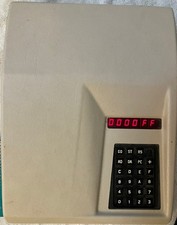
kim-1 Computer Original MOS Rev A with vintage enclosure. Working perfectly
$1750.00

Commodore OS USB | Bootable LIVE + Install | The Ultimate Gaming Linux OS | NEW
$11.99
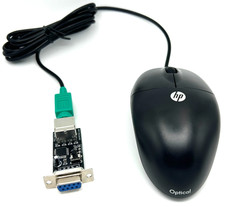
Commodore 64 1351 Compatible Optical Mouse with Adapter (Geos etc) - USA Seller
$29.99

Pi1541 Zero with Epyx Fastload Hat, Case & 16gb SD for Commodore 64 and 128
$79.99
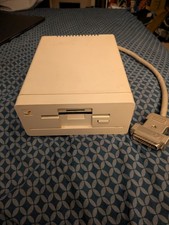
Commodore Amiga 1010 External 3.5” Floppy Drive A500 A1000 A2000 Tested Working
$169.99

Commodore 64 PLA Replacement MOS 906114-01 / PLS100 C64, SX 64 High Quality USA
$12.99
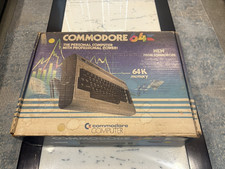
BOXED Commodore 64 Computer w/Matching Serial Numbers for Parts/Repair
$99.99

Commodore 64 Serial Cable 6PIN DIN 1541 1571 C64 128 C128 Disk Drive Printer USA
$10.49
Lot 8 Vintage Commodore 64 C64 C128 GEOS Software Boxed CIB Berkeley Softworks
$349.99
Commodore PLA Replacement MOS 906114-01 / PLS100 for C64, SX 64 High Quality USA
$12.99



 Reply With Quote