-

Originally Posted by
pikacane

Hi! If I'm putting this in the wrong section, I'm sorry. And please forgive the novel, I'm not sure what's relevant and what's not.
I'm trying to evaluate if/how an ancient Vaio would run under Linux at all, but my newer machine runs Win7 and I couldn't get a slow enough burn speed for the Vaio's taste (I think that was the problem, anyway). So I booted the newer machine-Acer 5735-4774-with the Knoppix disk, which I figured would give me better control over burn speed without having to install something extra. It ran fine, and I pulled the ISO from one of the mirrors onto a flash drive (to make life more complicated, the original ISO is on an external network drive, but I'm having network issues) and went to get breakfast. My computer apparently fell asleep while I was gone; the download manager window was gone so I assume the download completed successfully. I can't tell... my computer had locked up

The clock was 20 minutes slow and nothing I clicked on worked, although Iceweasel closed. Pressing the Power button brought up the Shutdown dialog, and it did let me shut down politely.
But now it won't start. I haven't even been able to load the BIOS menu. It powers up for a second, starts to shut down, tries again, and gives up. The monitor never even comes on. The only changes I made to the BIOS were disabling Quick Start and moving CD above HDD in the boot menu. ????? How did I break my computer? I've used the Knoppix disk in my boyfriend's computer, and it survived... (fortunately for my sake).
I'm thinking you're having a coincidental hardware problem, quite possibly a bad write to the BIOS memory... You can't boot, even from a known good CD/DVD, or get the BIOS menu, right? If it was my machine, I'd look up the motherboard online ('cause who can find the manual when they need it?) and see what the jumper setting was to set the BIOS to defaults and go from there. Maybe the system is trying to "over-clock" the processor or memory, or ??? You can also pull the MB battery and let the BIOS RAM die (maybe 20 minutes? Look elsewhere online for more on BIOS problems like this if you need to, and let us know what happens next.)
Hope that helps!
Krishna
 Posting Permissions
- You may not post new threads
- You may not post replies
- You may not post attachments
- You may not edit your posts
-
Forum Rules


4x Various Brands 8.5" Mainframe 9-Track Reel Computer Data Tape 6250 CPI .5"
$24.99

Vintage Telex 952003-112 Mechanical Terminal Keyboard IBM 3270 Mainframe DB25
$699.99

Vintage Intel Mainframe Server MCM CPU Substrate Lot Prototyping PGA Validation
$500.00

HP 13210-60001 Disc Drive Interface PCB HP 7900A 7901A Vintage
$157.93
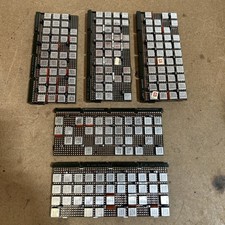
Vintage IBM Syst 370 MST Boards Lot Of 5 Heavily Populated IBM 22 Alu Can Chips
$79.00
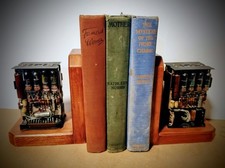
One Of A Kind Homemade Vintage Mainframe Computer, Logic Module Wood Bookends
$149.00
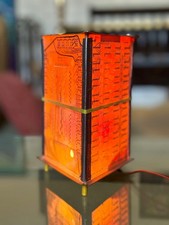
Vintage UNIVAC Mainframe Circuit Board Lamp - Cyberpunk Tech Geek Industrial Art
$225.00
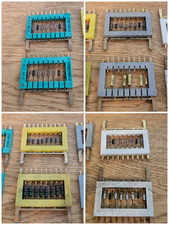
8x Gold Rare Vintage Mainframe Burroughs Transistor Cordwood Modules B2500/B5000
$149.95

HP 5060-8359 8K Semiconductor Memory Module 5080-9747 Vintage HP Computer
$157.30
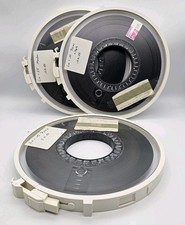
Vintage Computer Mainframe Magnetic Tape Reel / Memorex 6250 Lot
$98.00



 Reply With Quote