

 Reply With Quote
you cna put them in /usr/share/fonts/X11 and then do
sudo fc-cache -f
in terminal to refresh the fonts


 How/where can I load/put more fonts into the Knoppix 6.2?
I wonder how to and off course where to put some additional fonts and where to get them and if programs would see new fonts lightly?
Is it easy?
you cna put them in /usr/share/fonts/X11 and then do
sudo fc-cache -f
in terminal to refresh the fonts
Take a look here for some pretty good clues on the topic of fonts, etc.
Krishna
He is most probably asking about fonts for use with X - true type fonts only need to be copied in /usr/share/fonts/X11 and the cache has to be refreshed to take effect
I'm asking without knowing anything. I'm a newbie, sometimes LOST in the bush of Knoppie .')
How can I refresh the cache? Manually in some way?Originally Posted by mecho

Check my previous message. First you put your TTF fonts in /usr/share/fonts/
You can make one folder called truetype and place your fonts in there. Then you open lxterminal and type sudo fc-cache -f
hit enter and you are done. Your fonts will appear in any application using truetype fonts
I've downloaded "Stargate Atlantis True Type Font" and many polish TTF fonts I've found freely. In the evening I'll give it a go and report back, Sir!
If you are planning to use many fonts I'd suggest you to use some application as fontypython or fontmatrix to quickly load and unload groups of fonts. Many fonts can burden your system if installed permanently and will confuse you when you have to choose a font to use. fontmatrix is very powerful, but I use fontypython because it's a bit lighter
Here is one more tip from me regarding fonts. Open /etc/fonts/fonts.conf and add the following lines just before <!-- Font directory list -->
<match target="font">
<edit name="antialias" mode="assign">
<bool>true</bool>
</edit>
</match>
<match target="font">
<edit name="autohint" mode="assign">
<bool>true</bool>
</edit>
</match>
<match target="font">
<edit name="hintstyle" mode="assign">
<const>hintslight</const>
</edit>
</match>
This makes sure that antialiasing is turned on and turns on autohinting. You may notice a pretty good change in how your fonts look on screen
 Posting Permissions


Computer Photo History Altair 8800 Philco 212 CDC 6600 DEC PDP-8 Apple 1 UNIVAC
$69.99

S-100 Vector Graphic 64K Ram Board (Altair, IMSAI)
$99.95

S-100 Vector Graphic 12K PROM/RAM Board (Altair, IMSAI)
$99.95

S-100 Bus Handbook Altair 8800 IMSAI 8080 Board Schematics Xitan Pertec Cromemco
$89.99

Vintage Digital Research ZSID 1.4 8" Floppy Disk CP/M Z80 Software S-100 Altair
$69.99
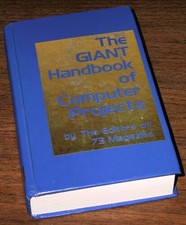
1979 Microprocessor Projects Altair 8800 Intel 8080 KIM-1 COSMAC Elf SWTPC 6800
$59.99

Altair MITS S100 Backplane 8080A S-100 Replica IMSAI CP/M (bare board)
$40.00
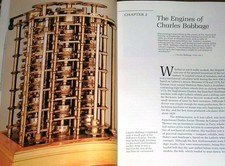
Intel 4004IBM Mark 1 UNIVAC Cray-1 Babbage ENIAC Apple 1 Steve Jobs MITS Altair
$50.99

CP/M 86 1.1R 8086 Highmonitor 8 Inch Floppy Diskette 80s IMSAI Altair
$29.99

ALTAIR Bitcoin Mining Solutions PDU IEC SERIES 100-250V 30A/24A Power Distribute
$99.00