-

Originally Posted by
winxpuser50

I hope I'm not intruding but I'm new to Knoppix, just had my Win XP system fail to boot, nothing worked, (safe mode, all the usual fixes) so I just today bought a CD of Knoppix and hope it will get me into my system and past the boot problem. Obviously a file(s) is corrupted. I looked a various boot utilities that claim to do this and that but several tech people advised me to try Knoppix as perhaps I can transfer my files to my external drive before working on the system further or heaven forbid having to do a full restore using the Toshiba "recovery" disc (which I thought was a reboot disc, but nooooooooooo ,it wipes the whole system). I'll also keep Hiren's Boot CD in mind if Knoppix doesn't work....I want to be able to fix what's wrong but not sure if Knoppix will let me do that....I'm not a total newb but never tried anything like this so I'm out there if anyone wants to share problems or issues. Thanks!
Welcome aboard! Knoppix can certainly help you back up in many cases - a well-advised first step on the road to repair. Have you tried booting it yet? Keep in mind that you may need to change a BIOS setting to get the CD/DVD to boot, regardless of what it has on it.
The file manager (big file folder icon on the toolbar, bottom left side) can help you mount both your original hard drive and a USB disk/flash drive, then copy what you want to your external drive (or even the web.) One thing that's kind-o' different here is that Windows will generally auto-mount any drive in sight, while Knoppix, and Linux in general, will wait to be told to mount in most cases.
Copy-and-paste is much the same in both systems, so no worries there. Now, what to do with the busted Windows partition? Depends on what you find. Let us know if you need help.
Hope this helps!
Krishna 
-
thanks so much for the support and advice....I ordered the cd about 3 days ago so am waiting for it to come in the mail. Hopefully it's a good burn (I've noticed a lot of people who have tried to burn their own cd and it's a bad burn or other glitches) so from that angle, I hope the cd itself runs okay. I will definitely let you know how it turns out....I'm stressing a lot over this as I have so much that i don't want to lose off the drive and am in a time crunch, but knoppix does seem to be a good first step. I may run into problems with changing the bios to boot from the cd first, but will handle that when i get to it. for now, just waiting on the cd arrival in regular mail. thanks again, if this $3.95 disc works it'll be a godsend vs. more expensive "recovery" software I've seen out there....
-
Administrator
Site Admin-
Originally Posted by
winxpuser50
...I've noticed a lot of people who have tried to burn their own cd and it's a bad burn or other glitches) so from that angle, I hope the cd itself runs okay.........I'm stressing a lot over this as I have so much that i don't want to lose off the drive and am in a time crunch,......
While many people don't follow instructions and make bad discs, problems can generally be avoided by some simple steps: check the md5 checksum of the iso before burning. Burn at low speed (I suggest 4x and never use more than 8x for CDs or 4x for DVDs), burn the iso properly "as an image" and use burning software that has the option to do a verification pass (such as Nero) and turn that option on.
The low speed burn is important and I have concern that most resellers may not be doing low speed burns. If you really have a time crunch then I suggest doing your own burn. At least that way in the unlikely event that there is a problem (and there is always a small chance of a problem with the media, no matter if you did the burn or placed an order), you will be set up to try again right away.
What you do with Knoppix after you get it is another issue. I urge people to use it to recover files from NTFS or FAT partitions, but never to trust it to write to a NTFS partition.
---
Verifying of md5 checksum and burning a CD at slow speed are important.
 Posting Permissions
- You may not post new threads
- You may not post replies
- You may not post attachments
- You may not edit your posts
-
Forum Rules

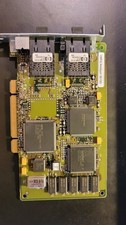
Compaq 242506-001 Netelligent 100 FDDI DAS Fiber SC PCI Network Adapter Vintage
$249.00

Vintage HP 21MX 1000 M-Series Minicomputer Chassis Backplane Parts AS-IS
$228.19

Lot of 2 Vintage Plextor PX-43CS SCSI CD-ROM Caddy Drives + 4 Caddies Used
$55.99

Vintage Apple iMac G4 15" Lamp 700MHz 512MB Mac OS X 10.4.6 W/ Pro Speakers
$300.00

Original Vintage Old Style STANDARD Black CD Jewel Case (Heavy Duty) 90g Lot
$316.95
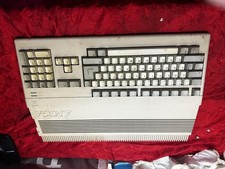
Amiga Commodore A500 - Untested-For Parts or Repair - Vintage
$200.00
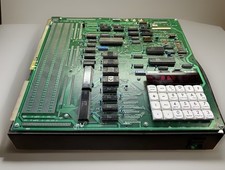
Vintage Intel SDK-86 8086 Microprocessor System Design Kit Evaluation Board
$599.00
Vintage Cubix A2870 + 2x A2310 QL 2286 Video Module ISA Boards 1989 Untested
$207.92

Vintage Teac FD-505 5.25" 3.5" Combo Drive 19307571-00
$199.99

VINTAGE COLLECTIBLE Comp USA Maxtor 20 GB 3.5 Inch EIDE Hard Drive NEW SEALED
$500.00



 Reply With Quote