-
Senior Member
registered user
This is something I have never tried before but maybe the problem should be divided as two,
1. To identify if the system has identified the presence of audio on HDMI
2. To channel the voice to the right audio device
For (1), you can try this command 'aplay -l' to see if there is 'HDMI' audio
For (2), you need to run 'alsamixer' and/or 'amixer' to channel the audio to the HDMI.
 Posting Permissions
- You may not post new threads
- You may not post replies
- You may not post attachments
- You may not edit your posts
-
Forum Rules

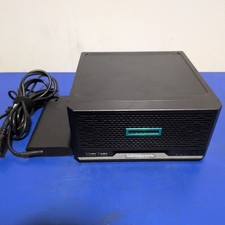
HPE ProLiant MicroServer Gen10 Plus with Power Adapter
$599.00

HP ProLiant MicroServer Gen8 Tower Server Xeon E3-1220 v2 2.3GHz 16GB RAM
$289.99

HP Proliant MicroServer Gen 8 2.23GHz Xeon 16GB RAM NO SSD
$249.99

Supermicro E300-12C Mini 1U Barebone X12SCV-LVDS LGA1200 SNK-P0073A4 w/ Adapter
$225.00

New Barebones Supermicro 5019D Server, 4C/8T Xeon D-2123T, 1U Rackmountable, 10G
$404.99
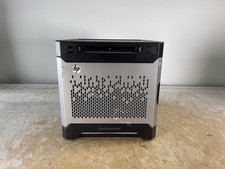
HP PROLIANT MICROSERVER GEN8 INTEL PENTIUM G2020T @ 2.50GHz, 8GB RAM, NO HDD/OS
$164.98

Supermicro SYS-6048R-E1CR36N 36B LFF 4U Server -V3- Choose CPUs/RAM - Wholesale
$4574.00
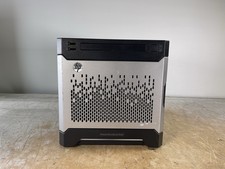
HP PROLIANT MICROSERVER GEN8 INTEL PENTIUM G2020T @ 2.50GHz, 8GB RAM, NO HDD/OS
$164.98

BOXX B157552 SuperMicro X10DRT-L 2x Intel 2630V4 NO RAM & SSD Server
$137.99

Nasuni NF-50 Supermicro Server, Atom CPU C2558, @ 2.40GHz, 8GB RAM-No HDD/OS/AC
$250.00



 Reply With Quote