-

Originally Posted by
Forester

Hi Benny,
It always seem such a shame when someone asks for help and gets none but really you have to think more carefully about how to ask in a way that people reading your post will understand.
You should always start by stating which version of Knoppix you are using.
It's on the thread title
Originally Posted by
Forester
As far as I can tell, you cannot create a persistent image using Knoppix 6 running from CD/DVD. This is certainly true for 6.4.3.
Sorry I did not find it on LXDE menu. Can you tell me the path ? (even in terminal mode)
Originally Posted by
Forester
Piety: I have been following Knoppix since its beginning. It has been the very innovative concept of LIVE CD. But nowadays CDs and DVDs are over and many distributions can be loaded on a USB drive (other than CDs and DVD) and multiboot is also popular. So I am a little disappointed that this cheatcode is not supported. It was a pioneer of ISO booting.
Originally Posted by
Forester
I understand very little of the rest of your post. I don't know grub4dos.
Grub4dos is a clever bootloader: it can map and boot ISO images IF distributions are built to handle their ISOs. Ultimately you can fit more ISOs on a DVD (or USB drive) and create a menu to fire the one you wish (may be specialized ISOs for rescue, developing, office, games....). For me Knoppix is very good as it can recognize Broadcom WIFI transceiver, fast in boot, and good choice of tools.
About persistency: I'd like to reserve ALSO a partition for this purpose (i.e. ubuntu based projects) like casper-rw or home-rw, so they can easily mounted.
Originally Posted by
Forester
I infer that when you boot the CD the screen does not go blank but when you boot from the USB it does. At a guess, you are not using the right cheat code. Try adding
video=vga16fb f
ff to your boot line. If that does not work, consult the cheat code txt file in the KNOPPIX directory on the CD or search the forms for "blank screen".
Ciao
I will try thanks ! Grazie
Benny
 Posting Permissions
- You may not post new threads
- You may not post replies
- You may not post attachments
- You may not edit your posts
-
Forum Rules


SFP TO RJ45 TRANSCEIVER SFP MODULE COPPER SFP OPTICAL PORT TO RJ45 ETHERNET PORT
$7.99

NEW Sealed Cisco SFP-10G-LR 10GBASE-LR SFP+ 1310nm 10km *US Shipping*
$24.00

Intel SPTSLP2SLCDE 100G-DR1 QSFP28 500m 1311nm Transceivers - Lot of 10 - New
$200.00

Dell Intel X710-DA2 5N7Y5 Dual-Port 10GbE SFP+ PCIe 3.0 x8 Network Adapter
$27.50

Genuine Cisco SFP-10G-SR 0-2415-03 10 Gigabit Transceiver
$5.40

HP 560SFP+ 10GB 2-port PCIe NIC Ethernet ADAPTER 669279-001 w/ (2) 10GB SFP+
$16.99

Intel X520-DA2 10Gb 10Gbe 10 Gigabit Network Adapter NIC Dual Port E10G42BTDA
$28.94
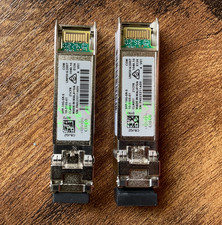
(2) Cisco SFP-10G-SR-S 10G SR SFP+ Transceiver Modules 10-3105-01 - Genuine
$32.88

Cisco Acacia DP04QSDD-E25-840 400G QSFP-DD Coherent DCO Transceiver Module
$699.99

Cisco WS-C3650-12X48UR-L 48-Port Stackable Layer 3 8x10G SFP+ Port Switch
$129.99



 Reply With Quote