-

Originally Posted by
utu

Heres' my latest. On-line now in 50 seconds.
#!/bin/bash
# /etc/rc.local (mine is root:root and executable)
# other stuff(1)
setwifi () { # see
http://ubuntuforums.org/showthread.php?t=684495
WIFI="eth1"; dhclient -r $WIFI; ifconfig $WIFI up
iwconfig $WIFI essid "(alphanumeric ssid)" key "(hexadecimal wep)" mode "Managed"
nohup dhclient $WIFI; wait >/dev/null 2>&1
aplay -vv /usr/lib/libreoffice/basis3.3/share/gallery/sounds/ok.wav
}
# other stuff(2)
setwifi
# other stuff(3)
exit 0
ATT: knoppix team
Q: How would this script be ammended to my existing 'rc.local' and made 'root:root' & 'executable'?
Code:
#!/bin/bash
#
# rc.local
#
# Start local services after hardware detection

SERVICES="cups"

for i in $SERVICES; do
 [ -x /etc/init.d/"$i" ] && /etc/init.d/"$i" start >/dev/null 2>&1
done

exit 0
THX!
luther
-
Senior Member
registered user
Greetings, luther.
I'm using Knoppix 7.2 and just the following in rc.local now:
sudo iwconfig wlan0 txpower 5mW rate 54M key (key code) essid "(essid name)"
Time to browser on-line is 50 seconds, same as when using Win7 on this laptop.
FWIW.
1. sudo is not really necessary as Forester has pointed out.
2. Klaus K has changed the 7.2 boot up process somewhat to improve boot time,
but I'm not aware just where and how.
3. The reduced transmit power was a suggestion of Klaus K's to counter-act
local wifi interference. I don't know if this helps on time to connect
but it seems to improve the frequent disconnect situation here.
4. It's quite likely Network Manager has improved as well since this thread
was initiated.
In answer to you question, I suggest the following:
As root call up leafpad and edit /etc/rc.local
by adding the following line just before the "exit 0" line:
iwconfig (wifi's device name) rate 54M key (router key code) essid "(router essid name)"
If that doesn't improve things, then this might be one more reason
to benefit from upgrading to 7.2.
-
Originally Posted by
utu
In answer to you question, I suggest the following:
As root call up leafpad and edit /etc/rc.local
by adding the following line just before the "exit 0" line:
iwconfig (wifi's device name) rate 54M key (router key code) essid "(router essid name)"
If that doesn't improve things, then this might be one more reason
to benefit from upgrading to 7.2.
utu,
The line needed to be rooted for the LED to fire, but wasn't able to connect. Therefore, resorted to 'udhcpc' that was installed from synaptic:
Code:
knoppix@Microknoppix:~$ sudo iwconfig wlan0 essid mynetwork
knoppix@Microknoppix:~$ sudo iwconfig wlan0 key 6789abcdef
knoppix@Microknoppix:~$ sudo udhcpc -b -i wlan0 -x hostname:Microknoppix -p /var/run/udhcpc.wlan0.pid
udhcpc (v1.20.1) started
Sending discover...
Sending discover...
Sending select for 192.168.0.14...
Lease of 192.168.0.14 obtained, lease time 86400
/etc/udhcpc/default.script: Resetting default routes
SIOCDELRT: No such process
/etc/udhcpc/default.script: Adding DNS 8.8.4.4
/etc/udhcpc/default.script: Adding DNS 8.8.8.8
knoppix@Microknoppix:~$
'udhcpc' freezes knoppix 7.0.3 on my older hardware, giving credence to this post to your 'old' thread.
'udhcpc' has a '-syslog' switch, but is useless when it causes knoppix to freeze!
luther
PS. 7.0.3 has been an excellent PC repair tool and hate to part w/it!
* posted w/udhcpc & w/nonetworkmanager cheatcode
-
Senior Member
registered user
Originally Posted by
luther
The line needed to be rooted for the LED to fire, but wasn't able to connect. Therefore, resorted to 'udhcpc' that was installed from synaptic:
I didn't make it clear that in Knoppix 7.2, I've gone back to using Network Manager.
I now use only the line I quoted earlier to boot my system.
You are quite right that the line itself must be issued by root.
This is, or may be, done by /etc/rc.local which has root:root ownership.
The programs you like in 7.03 may be available in 7.2 as well.
I'll take a look at my Synaptic to see if that's so, if you'll name it (or them).
Last edited by utu; 01-29-2014 at 10:40 PM.
-
Originally Posted by
utu
The programs you like in 7.03 may be available in 7.2 as well.
I'll take a look at my Synaptic to see if that's so, if you'll name it (or them).
utu,
Give this synaptic front end app a try and see if 7.2 is compatible with ALL its features:
.
7.03 had a few problems with it.
e.g., 4gig persistance.
luther
-
Senior Member
registered user
I note that my version of Synaptic, without being
itself upgraded from the initial 7.2 values,
indicates software-center 5.1.2debian3.1 Utility
is available for download.
I have no experience with using software-center
and no current motivation to use it. Perhaps you
can tell me what it's good-for.
I use reiserfs persistence, but have no current need
for 4 G's of it.
-
Originally Posted by
utu
I have no experience with using software-center
and no current motivation to use it. Perhaps you
can tell me what it's good-for.
software-center is where Update Manager resides. It's a memory hog and if it's not wise to update knoppix iso's, shouldn't it be blacklisted?
-
Senior Member
registered user
Originally Posted by
luther
software-center is where Update Manager resides. It's a memory hog and if it's not wise to update knoppix iso's, shouldn't it be blacklisted?
Greetings again, luther.
You've obviously got the right idea about (not) trying to upgrade Knoppix this way.
Blacklisting software-center might be in order on this principle, but
perhaps a little heavy-handed for some of the more experienced Knoppixers,
who know how to handle the 'dependencey hell' aspect which may arise.
 Posting Permissions
- You may not post new threads
- You may not post replies
- You may not post attachments
- You may not edit your posts
-
Forum Rules


Supermicro 2U X10DRU-i 2x E5-2680 v3 2.5ghz 32gb Ram 240gb SSD 2x GPU *READ*
$369.99

HP ProLiant MicroServer Gen8 G1610T @2.3 GHz, 16GB, 712317-001 NO HDD/OS
$199.00

Supermicro E200-8D Barebones Server Chassis Xeon D-1528 X10SDV-6C-TLN4F 2x10GbE
$445.00

Nasuni NF-50 Supermicro Server, Atom CPU C2558, @ 2.40GHz, 8GB RAM-No HDD/OS/AC
$250.00

New Barebones Supermicro 5019D Server, 4C/8T Xeon D-2123T, 1U Rackmountable, 10G
$449.99

Supermicro 5019D-4C-FN8TP Xeon D-2123IT (4C/8T) 64GB DDR4 10GbE 480GB 1U Server
$689.00
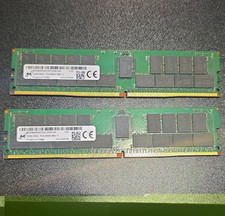
Micron 64GB (2x32GB) DDR4 RDIMM ECC Registered PC4-2666V MTA36ASF4G72PZ
$300.00

Supermicro 1027GR-TSF 1U Rackmount Server 2x Xeon 2.3GHz 128GB DDR3
$219.99

Supermicro 505-2 Server
$280.00

Supermicro CSE-937 3U Storage Chassis No CPU No HDD No Ram Tested & Reset
$129.99



 Reply With Quote