
installed to HD and would like to use kde.


installed to HD and would like to use kde.
Hi suktarb and welcome to the Knoppix forums,
Never done that. Do you know what cheat code are ? Do cheat code still work with a HD install ?Originally Posted by suktarb

The cheat code line to use with the LiveCD and LiveUSB (and I guess the HD install) is:
but there is a but ....Code:knoppix desktop=kde
You need the MAXI edition on DVD - the CD edition doesn't have the space for KDE and all the other software. I guess the HD install basically copies all the DVD to your HD giving all the options you get with the DVD but since I've never installed to HD I don't know for sure.
You'll find the Leave button does not offer the options to Shutdown or Reboot. I think that's because there is no KDM. I find kate and konqueror behave themselves - start them under LXDE and they always start in full-screen mode.
it is hd installl and i pretty sure cheat codes wont work then
You can create a file /etc/sysconfig/desktop with the lineand restart your Xsession. The script /etc/init.d/knoppix-startx will read that file and start the KDE session. Most probably you will need to change the permissions of the directory /var/tmp to 777 before you start your KDE session or you will be caught in an endless loop.Code:DESKTOP="kde"should do the trick.Code:sudo chmod 777 /var/tmp
That endless loop thing, would that be like starting it up and having it say initiating start up over and over again?
and for creatin the file in sysconfg, do i just right click and new file?
You need to be root if you want to write that config file. I would suggest that you issue the commandin a terminal. Don' forget to save your file after you have written the line DESKTOP="kde".Code:sudo leafpad /etc/sysconfig/desktop
I received the error message "call to lnusertemp failed (temporary directories full ?).Check your installation" in a window with an OK button only. After having clicked on that button the KDE session terminated and restarted with the same error message. I searched the web and found the solutionSome solutions included the additional commandCode:sudo chmod 777 /var/tmpbut I am not sure if this step is necessary.Code:sudo chmod o+t /var/tmp
right on it worked, thank you. I'm just learning linux and i didn't find lxde too flexible
so i have it:
default vesamenu.c32
prompt 0
timeout 50
menu title Knoppix Boot Menu
menu background yumi.png
MENU WIDTH 72
MENU MARGIN 10
MENU VSHIFT 3
MENU HSHIFT 6
MENU ROWS 15
MENU TABMSGROW 20
MENU TIMEOUTROW 22
menu color title 1;36;44 #66A0FF #00000000 none
menu color hotsel 30;47 #C00000 #DDDDDDDD
menu color sel 30;47 #000000 #FFFFFFFF
menu color border 30;44 #D00000 #00000000 std
menu color scrollbar 30;44 #DDDDDDDD #00000000 none
default live
label live
menu label ^Run KNOPPIX LXDE from this USB
kernel /multiboot/knoppix/boot/isolinux/linux
append noprompt knoppix_dir=multiboot/knoppix/KNOPPIX initrd=/multiboot/knoppix/boot/isolinux/minirt.gz edd=off ramdisk_size=100000 lang=es vt.default_utf8=0 apm=power-off video=vga16fbff nomce loglevel=1 tz=localtime
label live
menu label ^Run KNOPPIX KDE
kernel /multiboot/knoppix/boot/isolinux/linux
append noprompt knoppix_dir=multiboot/knoppix/KNOPPIX initrd=/multiboot/knoppix/boot/isolinux/minirt.gz edd=off ramdisk_size=100000 lang=es desktop=kde vt.default_utf8=0 apm=power-off video=vga16fb
label live
menu label ^Run KNOPPIX GNOME
kernel /multiboot/knoppix/boot/isolinux/linux
append noprompt knoppix_dir=multiboot/knoppix/KNOPPIX initrd=/multiboot/knoppix/boot/isolinux/minirt.gz edd=off ramdisk_size=100000 lang=es desktop=gnome vt.default_utf8=0 apm=power-off video=vga16fb
label Adriane
menu label Run ^KNOPPIX Adriane
kernel /multiboot/knoppix/boot/isolinux/linux
append noprompt knoppix_dir=multiboot/knoppix/KNOPPIX initrd=/multiboot/knoppix/boot/isolinux/minirt.gz edd=off ramdisk_size=100000 lang=es vt.default_utf8=0 apm=power-off video=vga16fb
Label DOS
menu label ^Run DOS from this USB
KERNEL memdisk
APPEND initrd=/multiboot/knoppix/boot/isolinux/balder.img
and work.


SFP TO RJ45 TRANSCEIVER SFP MODULE COPPER SFP OPTICAL PORT TO RJ45 ETHERNET PORT
$7.99

NEW Sealed Cisco SFP-10G-LR 10GBASE-LR SFP+ 1310nm 10km *US Shipping*
$24.00

Intel SPTSLP2SLCDE 100G-DR1 QSFP28 500m 1311nm Transceivers - Lot of 10 - New
$200.00

Dell Intel X710-DA2 5N7Y5 Dual-Port 10GbE SFP+ PCIe 3.0 x8 Network Adapter
$27.50

Genuine Cisco SFP-10G-SR 0-2415-03 10 Gigabit Transceiver
$5.40

HP 560SFP+ 10GB 2-port PCIe NIC Ethernet ADAPTER 669279-001 w/ (2) 10GB SFP+
$16.99
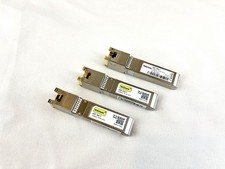
10Gtek ASF-10G-T 10GBase-T SFP+ to RJ45 Copper Transceiver Module
$19.98

Intel X520-DA2 10Gb 10Gbe 10 Gigabit Network Adapter NIC Dual Port E10G42BTDA
$28.94

Cisco WS-C3650-12X48UR-L 48-Port Stackable Layer 3 8x10G SFP+ Port Switch
$129.99

Cisco Acacia DP04QSDD-E25-840 400G QSFP-DD Coherent DCO Transceiver Module
$699.99

 Reply With Quote
