

 Reply With Quote
Try using the following cheatcode in the kernel line of the boot menu:Originally Posted by dyfi

lang=uk


Have enjoyed setting up Knoppix 6.7 in a poor mans installation - very impressed with the result.
The only issue is the keyboard layout - is there a persistent way to set it as English UK?
Thanks in advance.
Try using the following cheatcode in the kernel line of the boot menu:
lang=uk
You may also need to add xkeyboard=gb to the cheatcodes.
To make it persistent, edit the isolinux.cfg file (in /boot/isolinux) and replace each 'lang=en' setting with 'lang=uk xkeyboard=gb'
You may also need to add xkeyboard=gb to the cheatcodes.
To make it persistent, edit the isolinux.cfg file (in /boot/isolinux) and replace each 'lang=en' setting with 'lang=uk xkeyboard=gb'
I have loaded 6.7.1 HD install on my daughters ACER One 110.
I runs very well even with Fusion left on. I have sorted most issues, however I cannot get the keyboard to stay on UK, I tried to follow the details in the posts above but cannot find isolinux.cfg. Any editing I have done has been overwritten by a reboot. Can anybody advise me where Knoppix gets it's locale info from.
Thanks for reading.
 Posting Permissions


Computer Photo History Altair 8800 Philco 212 CDC 6600 DEC PDP-8 Apple 1 UNIVAC
$69.99

S-100 Vector Graphic 64K Ram Board (Altair, IMSAI)
$99.95

S-100 Vector Graphic 12K PROM/RAM Board (Altair, IMSAI)
$99.95
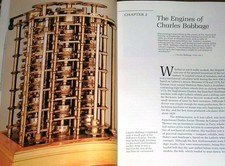
Intel 4004IBM Mark 1 UNIVAC Cray-1 Babbage ENIAC Apple 1 Steve Jobs MITS Altair
$50.99
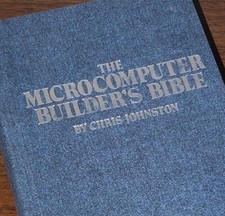
Microcomputer Builder's Bible IMSAI 8080 Z80 ADM-3A DEC LSI-11 Altair 8800 Bus
$65.00

640pg Best of BYTE Magazine 1984 Mac Steve Jobs Altair 8800 IBM 5100 Bob Moog
$85.00

S-100 Bus Handbook Altair 8800 IMSAI 8080 Board Schematics Xitan Pertec Cromemco
$89.99

Vintage Digital Research ZSID 1.4 8" Floppy Disk CP/M Z80 Software S-100 Altair
$69.99

CP/M 86 1.1R 8086 Highmonitor 8 Inch Floppy Diskette 80s IMSAI Altair
$29.99

ALTAIR Bitcoin Mining Solutions PDU IEC SERIES 100-250V 30A/24A Power Distribute
$99.00