-
Senior Member
registered user
Nice work, Werner.
I used DVD media to burn mz 798 Mb iso.
Successful with a minor difficultz, as zou can see.
Ich spreche Deutsch nicht.
Mein bookmarks are in English, but not mz menus.
Mein kezboard has yeds where I expect wzes.
All mz wifi nrs and passwords are intact.
A marvelous new capabilitz zou have created.
Danke. This is what I was looking for.
Zou should call up Klaus right awaz.
-
Successful with a minor difficultz, as zou can see.
I see 
Follow the step from my suggestions: "Make changes in the file '/opt/knx/knoppix/boot/isolinux/knoppix.menu' as you need for my Bootmenu, especially within all "lang=.." and "tz=.." items of the "Append"-lines."
-
Senior Member
registered user
Hey, Werner
Coming to you from a new LiveUSB product made from
my German-speaking remastered CD.
I taught the LiveUSB English in minutes.
Now my zeds and wyes are where I expect them to be.
I edited the APPEND line 'lang=de' to lang=us' after boot
in /mnt-system/boot/syslinux/knoppix.menu.
This might have been a little easier if your otherwise nice menu
offered, as well, a knoppix-cheatcode-entering option.
There are likely other reasons this might be a good additional
option, I think.
And, again congratulations on such an elegant addition to Knoppix.
-
... there is already an option to enter cheatcodes: below the line "Boot from HD"
-
Senior Member
registered user
Not very usable if lang= has already changed the keyboard map.
A cursor-selection-list would probably be required to solve this
problem without going back and re-doing the CD as you suggest.
That's too much to ask.
I withdraw the cheatcode suggestion, it detracts from the general
plan you have established.
-
I edited the APPEND line 'lang=de' to lang=us' after boot
in /mnt-system/boot/syslinux/knoppix.menu.
Yes, in a flash-disk Installation with persistent memory you can edit this file, but in my proposal of remaster, you have to edit '/opt/knx/knoppix/boot/isolinux/knoppix.menu'.
To prevent to vaste time and CDs I sugest: "Copy the new ISO to the isoimages-directory of VirtualBox and test your new remastered ISO. If all went well burn ISO to CD."
Not very usable if lang= has already changed the keyboard map.
Why that? While startup Knoppix looks for any existing cheatcodes. If the cheatcode
Code:
boot: knoppix lang=us
is found, Knoppix will use it; otherwise the item in the Append line is selected.
Greetings Werner * http://www.wp-schulz.de/knoppix/summary.html
Own Rescue-CD with Knoppix (Knoppix V6.7.0 remaster)
-
Senior Member
registered user
Greetings, again, Werner.
I have another aspect to call to your attention.
I am not positive, but I think it is the case, that if one uses
Synaptic to remove programs from the remaster, that the resultant iso
may actually increase in size, rather than decrease.
I have not tried your approach for removing programs, to see if this
is the case for your method as well.
If there is some difference between doing the program removal via
Synaptic or via your method, then there surely must be some adjustment to
using Synaptic that would serve just as well. Perhaps reloading or using
'clean' or some such already built-in feature of Synaptic.
Have your already run into this phenomenon?
-
Senior Member
registered user
ps. Where do I find the equal sign on a German keyboard?
-
You get '=' with 'shift 0' on german keyboard.
If you remove packages with Synaptic or with aptitude, they are gone from their directory, for example '/usr/bin/gimp'. Synaptic and aptitude/apt uses '/var/cache/apt' and '/var/lib/apt'. Parts of this remains in the HD Installation, but will be omitted in the new ISO. Have a look in the script 'kn-rsync'.
Therefore it doesn't make a difference using Synaptic or aptitude in aspect of the size of the ISO.
-
Senior Member
registered user
Greetings, Werner.
Is there any problem using your remastering scripts for 6.7.1,
other than the logo on the opening screen?
 Posting Permissions
- You may not post new threads
- You may not post replies
- You may not post attachments
- You may not edit your posts
-
Forum Rules


New Barebones Supermicro 5019D Server, 4C/8T Xeon D-2123T, 1U Rackmountable, 10G
$449.99

HP ProLiant MicroServer Gen8 G1610T @2.3 GHz, 16GB, 712317-001 NO HDD/OS
$199.00

Supermicro 505-2 Server
$280.00

Nasuni NF-50 Supermicro Server, Atom CPU C2558, @ 2.40GHz, 8GB RAM-No HDD/OS/AC
$250.00

Supermicro 2U X10DRU-i 2x E5-2680 v3 2.5ghz 32gb Ram 240gb SSD 2x GPU *READ*
$369.99

SuperMicro 4U CSE 847 36 Bay LFF Barebone 2x 1280W w/ 2x Bays 2.5 Rear w/Trays
$499.99

1U Edge Firewall Server X11SCW-F Xeon E-2174G 0 RAM M.2 NVME 3x PCI-e 2x PSU X
$175.00
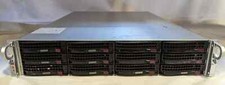
Supermicro X10DRU-i 2U 12LFF 2x E5-2680 v4 128gb Ram 480gb SSD 2x Nvidia K80
$749.99

Supermicro CSE-937 3U Storage Chassis No CPU No HDD No Ram Tested & Reset
$129.99

Supermicro 1U Network Server Appliance 16GB RAM 800GB SSD 6 LAN Ports Powers On
$450.00



 Reply With Quote